Click & Pledge CONNECT
by Click & Pledge 1 (0 reviews)

Click & Pledge CONNECT


Tested up to WP 6.8 (Current: 6.9)
v25.09000000-WP6.8.2 Current Version v25.09000000-WP6.8.2
Updated 4 months ago Last Update on 16 Sep, 2025
Synced 6 hours ago Last Synced on
Rank
#14,545
-11 this week
Active Installs
100+
-41.2%
KW Avg Position
96.2
No change
Downloads
9.6K
+3 today
Support Resolved
0%
No change
Rating
20%
Review 1 out of 5
1 (0 reviews)

Next Milestone 200

Total Progress 67%
100+ 200+
1,192
Ranks to Climb
-
Growth Needed
8,000,000
Active Installs
Pro

Unlock Exact Install Count

See the precise estimated active installs for this plugin, calculated from real-time ranking data.

  • Exact install estimates within tiers
  • Track install growth over time
  • Milestone progress predictions
Upgrade to Pro
Need 33 more installs to reach 200+

Rank Changes

14,497 14,532 14,568 14,603 14,638 14-01-2026 15-01-2026 16-01-2026 17-01-2026 18-01-2026 19-01-2026 20-01-2026 21-01-2026
14,464 14,512 14,559 14,606 14,654 06-01-2026 07-01-2026 08-01-2026 09-01-2026 10-01-2026 11-01-2026 12-01-2026 13-01-2026 14-01-2026 15-01-2026 16-01-2026 17-01-2026 18-01-2026 19-01-2026 20-01-2026 21-01-2026
14,464 14,512 14,559 14,606 14,654 22-12-2025 23-12-2025 24-12-2025 25-12-2025 26-12-2025 27-12-2025 28-12-2025 29-12-2025 30-12-2025 31-12-2025 01-01-2026 02-01-2026 03-01-2026 04-01-2026 05-01-2026 06-01-2026 07-01-2026 08-01-2026 09-01-2026 10-01-2026 11-01-2026 12-01-2026 13-01-2026 14-01-2026 15-01-2026 16-01-2026 17-01-2026 18-01-2026 19-01-2026 20-01-2026 21-01-2026
14,464 14,512 14,559 14,606 14,654 23-10-2025 24-10-2025 25-10-2025 26-10-2025 27-10-2025 28-10-2025 29-10-2025 30-10-2025 31-10-2025 01-11-2025 02-11-2025 03-11-2025 04-11-2025 05-11-2025 06-11-2025 07-11-2025 08-11-2025 09-11-2025 10-11-2025 11-11-2025 12-11-2025 13-11-2025 14-11-2025 15-11-2025 16-11-2025 17-11-2025 18-11-2025 19-11-2025 20-11-2025 21-11-2025 22-11-2025 23-11-2025 24-11-2025 25-11-2025 26-11-2025 27-11-2025 28-11-2025 29-11-2025 30-11-2025 01-12-2025 02-12-2025 03-12-2025 04-12-2025 05-12-2025 06-12-2025 07-12-2025 08-12-2025 09-12-2025 10-12-2025 11-12-2025 12-12-2025 13-12-2025 14-12-2025 15-12-2025 16-12-2025 17-12-2025 18-12-2025 19-12-2025 20-12-2025 21-12-2025 22-12-2025 23-12-2025 24-12-2025 25-12-2025 26-12-2025 27-12-2025 28-12-2025 29-12-2025 30-12-2025 31-12-2025 01-01-2026 02-01-2026 03-01-2026 04-01-2026 05-01-2026 06-01-2026 07-01-2026 08-01-2026 09-01-2026 10-01-2026 11-01-2026 12-01-2026 13-01-2026 14-01-2026 15-01-2026 16-01-2026 17-01-2026 18-01-2026 19-01-2026 20-01-2026 21-01-2026
Current #14,545
Change
Best #

Upgrade to Pro

Unlock 30-day and 90-day rank history charts with a Pro subscription.

Upgrade Now

Active Installs Growth

Active Installs 0,000,000+
Growth +0.0%
Peak 0,000,000

Downloads Growth

0 10 14-01-2026 15-01-2026 16-01-2026 17-01-2026 18-01-2026 19-01-2026 20-01-2026 21-01-2026
0 10 06-01-2026 07-01-2026 08-01-2026 09-01-2026 10-01-2026 11-01-2026 12-01-2026 13-01-2026 14-01-2026 15-01-2026 16-01-2026 17-01-2026 18-01-2026 19-01-2026 20-01-2026 21-01-2026
0 10 22-12-2025 23-12-2025 24-12-2025 25-12-2025 26-12-2025 27-12-2025 28-12-2025 29-12-2025 30-12-2025 31-12-2025 01-01-2026 02-01-2026 03-01-2026 04-01-2026 05-01-2026 06-01-2026 07-01-2026 08-01-2026 09-01-2026 10-01-2026 11-01-2026 12-01-2026 13-01-2026 14-01-2026 15-01-2026 16-01-2026 17-01-2026 18-01-2026 19-01-2026 20-01-2026 21-01-2026
0 10 20 30 23-10-2025 26-10-2025 29-10-2025 01-11-2025 04-11-2025 07-11-2025 10-11-2025 13-11-2025 16-11-2025 19-11-2025 22-11-2025 25-11-2025 28-11-2025 01-12-2025 04-12-2025 07-12-2025 10-12-2025 13-12-2025 16-12-2025 19-12-2025 22-12-2025 25-12-2025 28-12-2025 31-12-2025 03-01-2026 06-01-2026 09-01-2026 12-01-2026 15-01-2026 18-01-2026 21-01-2026
0 50 100 150 21-01-2025 02-02-2025 14-02-2025 26-02-2025 10-03-2025 22-03-2025 03-04-2025 15-04-2025 27-04-2025 09-05-2025 21-05-2025 02-06-2025 14-06-2025 26-06-2025 08-07-2025 20-07-2025 01-08-2025 13-08-2025 25-08-2025 06-09-2025 18-09-2025 30-09-2025 12-10-2025 24-10-2025 05-11-2025 17-11-2025 29-11-2025 11-12-2025 23-12-2025 04-01-2026 16-01-2026 21-01-2026
Downloads
Growth
Peak

Upgrade to Pro

Unlock 30-day, 90-day, and yearly download history charts with a Pro subscription.

Upgrade Now

Reviews & Ratings

1.0
0 reviews
Overall 20%
5
0 (0%)
4
0 (0%)
3
0 (0%)
2
0 (0%)
1
0 (0%)

Tracked Keywords

Showing 5 of 5
Keyword Position Change Type Updated
click & pledge 4 Tag 8 hours ago
nonprofit 53 Tag 8 hours ago
salesforce integration 94 Tag 8 hours ago
fundraising 131 Tag 8 hours ago
donation forms 199 Tag 8 hours ago

Unlock Keyword Analytics

Track keyword rankings, search positions, and discover new ranking opportunities with a Pro subscription.

  • Full keyword position tracking
  • Historical ranking data
  • Competitor keyword analysis
Upgrade to Pro

Track This Plugin

Get detailed analytics, keyword tracking, and position alerts delivered to your inbox.

Start Tracking Free

Plugin Details

Version
25.09000000-WP6.8.2
Last Updated
Sep 16, 2025
Requires WP
5.2+
Tested Up To
6.8
PHP Version
5.6 or higher

Support & Rating

Rating
★ ☆ ☆ ☆ ☆ 1
Reviews
0
Support Threads
0
Resolved
0%

Keywords

Upgrade to Pro

Unlock keyword rankings, search positions, and detailed analytics with a Pro subscription.

Upgrade Now

Frequently Asked Questions

Common questions about Click & Pledge CONNECT
No, you cannot use different accounts in one form group If you have more than one account in Click & Pledge CONNECT Settings, you can select only one of those accounts from the dropdown menu. Accounts are listed by name and Nickname.
Yes, you can use different forms from different campaigns in one form group, as long as the campaigns are selected from the same Click & Pledge Account.
Login to CONNECT > Launcher (top right on the page) > Settings > Account Information. You will find the Click & Pledge Account Number along with the GUID in the Account Information.
If the form group type is Overlay, you can link to multiple form groups on a single page using multiple shortcodes. But, if the form group is Inline, you can only use one inline form in a single page. Note: You cannot use one overlay and one inline in a single page. The page should have either the single inline shortcode, or multiple shortcodes for overlay.
Yes, all Click & Pledge CONNECT forms are responsive. Even if the Wordpress theme you are using is not responsive, our forms will work in responsive mode and will resizes based on the screen size.
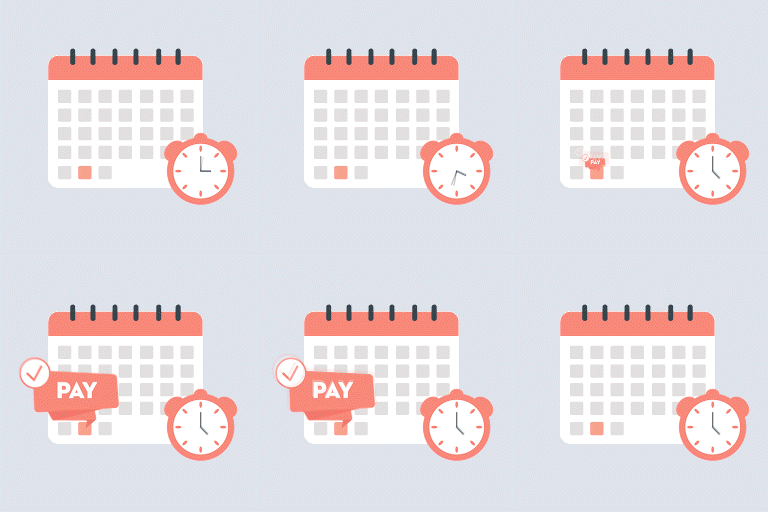
Using multiple forms in a single group will help you plan and assign timelines to each form. By selecting start and end dates, you can select to display different forms on the video on different dates. For example: You can have one form appear from 1st of January at 10:00 AM to the 1st of March at 10:00 AM, and another form to display from 1st May at 1:00 PM, to 1st of June at 10 AM. Once you assign the start and end dates/time to the forms, you can assign these dates and times as start and end dates for each form they will appear on the page automatically, without changing the shortcodes, or taking any other actions on the page. Note: The date and time is based on the Wordpress site settings timezone.
If you want to use multiple forms on different dates on a single page, you only have to create a form group, add all the forms and assign start and end date/ time to the forms, then place the shortcode on the page. Forms will change automatically when they reach their end date. If you want to use multiple forms on different dates on different pages, then you must create multiple form groups with specific family of forms based on the dates. This way, every page shows its own family of forms, based on assigned dates.
If you have the same form group name for multiple form groups, the last created/modified form group will take precedent.
Short Code is an auto generated code, based on the form group name and settings. This short code may be placed on any content type like page or blog, to display the CONNECT forms.

Sign In / Register

You need to sign in or register to use this feature.