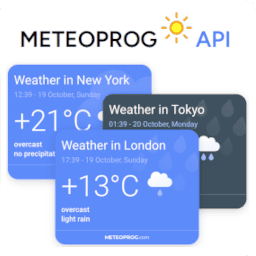
Weather Widget & Forecast by Meteoprog
Add live local weather widgets and forecasts to WordPress. Gutenberg, Elementor, shortcodes. Free, unlimited, no API limits.
Next Milestone 10
Unlock Exact Install Count
See the precise estimated active installs for this plugin, calculated from real-time ranking data.
- Exact install estimates within tiers
- Track install growth over time
- Milestone progress predictions
Rank Changes
Downloads Growth
Upgrade to Pro
Unlock 30-day, 90-day, and yearly download history charts with a Pro subscription.
Upgrade NowReviews & Ratings
Tracked Keywords
Showing 5 of 5| Keyword | Position | Change | Type | Updated |
|---|---|---|---|---|
| local weather | 14 | — | Tag | 11 hours ago |
| weather forecast | 29 | — | Tag | 11 hours ago |
| forecast | 36 | — | Tag | 11 hours ago |
| weather widget | 45 | — | Tag | 11 hours ago |
| weather | 69 | — | Tag | 11 hours ago |
Unlock Keyword Analytics
Track keyword rankings, search positions, and discover new ranking opportunities with a Pro subscription.
- Full keyword position tracking
- Historical ranking data
- Competitor keyword analysis
Track This Plugin
Get detailed analytics, keyword tracking, and position alerts delivered to your inbox.
Start Tracking FreePlugin Details
- Version
- 1.0.3
- Last Updated
- Dec 13, 2025
- Requires WP
- 4.9+
- Tested Up To
- 6.9
- PHP Version
- 7.0 or higher
- Author
- meteoprog
Support & Rating
- Rating
- ★ ★ ★ ★ ★ 5
- Reviews
- 1
- Support Threads
- 0
- Resolved
- 0%
Keywords
Upgrade to Pro
Unlock keyword rankings, search positions, and detailed analytics with a Pro subscription.
Upgrade NowSimilar Plugins

Frequently Asked Questions
Common questions about Weather Widget & Forecast by Meteoprog

Informer API keys are always free and have no usage limits.
You can create your free informer key here:
https://billing.meteoprog.com/informer
Where do I get the API key?
You can generate a widget (informer) API key at https://billing.meteoprog.com/informer.
Is this the same key as the Meteoprog Weather API?
No.
Informer API keys are different.
The Meteoprog Weather API requires a separate subscription.
Informer API keys are free, unlimited, and without limits.
What shortcodes are available?
You can use the following shortcodes:
[meteoprog_informer id="YOUR_INFORMER_ID"]
→ Embed a specific informer by its ID.
[meteoprog_informer]
→ Embed the default informer (set in plugin settings).
You can also use placeholders directly in post/page content:
{meteoprog_informer_YOUR_INFORMER_ID}
→ Replaced with the widget matching the ID.
{meteoprog_informer}
→ Replaced with the default informer.
Does it support the old "Legacy Widgets" system?
Yes. For older WordPress versions (4.9–5.7) the plugin registers a Legacy Widget that you can add via Appearance → Widgets.
On modern WordPress (5.8+) we recommend using the Gutenberg block (Meteoprog Weather Widget), but the Legacy Widget remains for maximum backward compatibility.
What PHP versions are supported?
The plugin works with PHP versions from 5.6 up to 8.3 inclusive.
Can I use multiple widgets?
Yes. Create multiple informers at https://billing.meteoprog.com/informer, then insert them with their IDs.
What if I want one default widget everywhere?
You can set a "Default Widget" in plugin settings. Then just use [meteoprog_informer] or {meteoprog_informer} without ID.
Can I use it in the Gutenberg editor?
Yes. Use the block Meteoprog Weather Widget from the Widgets category.
Does it support Elementor?
Yes. The plugin includes a native Elementor widget that you can insert from the Elementor panel.
Does it support Shortcodes Ultimate?
Yes. The plugin integrates with Shortcodes Ultimate, adding a custom Meteoprog Weather shortcode with a dropdown and live preview.
The widget does not appear on my site. What should I do?
For the most up-to-date troubleshooting guide (with screenshots, code examples, and plugin-specific tips),
please refer to the extended documentation on GitHub:
👉 https://github.com/meteoprog/meteoprog-weather-informers?tab=readme-ov-file#-the-widget-does-not-appear-on-my-site-what-should-i-do
Does it support WP-CLI?
Yes. Example commands:
wp meteoprog-weather-informers set-key <key> — set API key
wp meteoprog-weather-informers get-key — show current API key (masked)
wp meteoprog-weather-informers set-default <id> — set default informer
wp meteoprog-weather-informers get-default — show default informer
wp meteoprog-weather-informers refresh — clear cache and reload informers
wp meteoprog-weather-informers clear-cache — clear cache only
That script then asynchronously loads the actual loader.js from the Meteoprog CDN.
This approach is required by WordPress.org plugin guidelines, and ensures that:
No external scripts are loaded during the initial HTML render.
Informers are added asynchronously and do not block rendering.
Core Web Vitals and page performance are unaffected.
The widget is embedded after the main content has loaded, similar to YouTube or Twitter embeds.
✅ As a result, informers do not slow down your site and work even on caching/CDN setups without issues.
Development & Testing
The source code is available on GitHub.
This plugin is developed in the open and tested automatically via GitHub Actions CI.
The continuous integration pipeline runs automated builds across multiple WordPress (4.9–6.9) and PHP (5.6–8.4) versions, ensuring full backward compatibility and stable operation on both legacy and modern environments.
We welcome issues and pull requests on GitHub.





