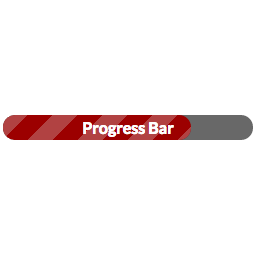
Progress Bar
by Chris Reynolds 5 (24 reviews)

Progress Bar

A simple progress bar shortcode that can be styled with CSS

Tested up to WP 6.7 (Current: 6.9)
v2.2.4 Current Version v2.2.4
Updated 8 months ago Last Update on 05 May, 2025
Synced 11 hours ago Last Synced on
Rank
#5,771
-4 this week
Active Installs
1K+
No change
KW Avg Position
N/A
No change
Downloads
67.3K
+3 today
Support Resolved
0%
No change
Rating
100%
Review 5 out of 5
5 (24 reviews)

Next Milestone 2K

Total Progress 80.2%
1K+ 2K+
384
Ranks to Climb
-
Growth Needed
8,000,000
Active Installs
Pro

Unlock Exact Install Count

See the precise estimated active installs for this plugin, calculated from real-time ranking data.

  • Exact install estimates within tiers
  • Track install growth over time
  • Milestone progress predictions
Upgrade to Pro
Need 198 more installs to reach 2K+

Rank Changes

5,747 5,754 5,762 5,769 5,776 14-01-2026 15-01-2026 16-01-2026 17-01-2026 18-01-2026 19-01-2026 20-01-2026 21-01-2026
5,745 5,753 5,761 5,768 5,776 06-01-2026 07-01-2026 08-01-2026 09-01-2026 10-01-2026 11-01-2026 12-01-2026 13-01-2026 14-01-2026 15-01-2026 16-01-2026 17-01-2026 18-01-2026 19-01-2026 20-01-2026 21-01-2026
5,745 5,753 5,761 5,768 5,776 22-12-2025 23-12-2025 24-12-2025 25-12-2025 26-12-2025 27-12-2025 28-12-2025 29-12-2025 30-12-2025 31-12-2025 01-01-2026 02-01-2026 03-01-2026 04-01-2026 05-01-2026 06-01-2026 07-01-2026 08-01-2026 09-01-2026 10-01-2026 11-01-2026 12-01-2026 13-01-2026 14-01-2026 15-01-2026 16-01-2026 17-01-2026 18-01-2026 19-01-2026 20-01-2026 21-01-2026
5,740 5,749 5,758 5,767 5,776 23-10-2025 24-10-2025 25-10-2025 26-10-2025 27-10-2025 28-10-2025 29-10-2025 30-10-2025 31-10-2025 01-11-2025 02-11-2025 03-11-2025 04-11-2025 05-11-2025 06-11-2025 07-11-2025 08-11-2025 09-11-2025 10-11-2025 11-11-2025 12-11-2025 13-11-2025 14-11-2025 15-11-2025 16-11-2025 17-11-2025 18-11-2025 19-11-2025 20-11-2025 21-11-2025 22-11-2025 23-11-2025 24-11-2025 25-11-2025 26-11-2025 27-11-2025 28-11-2025 29-11-2025 30-11-2025 01-12-2025 02-12-2025 03-12-2025 04-12-2025 05-12-2025 06-12-2025 07-12-2025 08-12-2025 09-12-2025 10-12-2025 11-12-2025 12-12-2025 13-12-2025 14-12-2025 15-12-2025 16-12-2025 17-12-2025 18-12-2025 19-12-2025 20-12-2025 21-12-2025 22-12-2025 23-12-2025 24-12-2025 25-12-2025 26-12-2025 27-12-2025 28-12-2025 29-12-2025 30-12-2025 31-12-2025 01-01-2026 02-01-2026 03-01-2026 04-01-2026 05-01-2026 06-01-2026 07-01-2026 08-01-2026 09-01-2026 10-01-2026 11-01-2026 12-01-2026 13-01-2026 14-01-2026 15-01-2026 16-01-2026 17-01-2026 18-01-2026 19-01-2026 20-01-2026 21-01-2026
Current #5,771
Change
Best #

Upgrade to Pro

Unlock 30-day and 90-day rank history charts with a Pro subscription.

Upgrade Now

Active Installs Growth

Active Installs 0,000,000+
Growth +0.0%
Peak 0,000,000

Downloads Growth

0 10 20 14-01-2026 15-01-2026 16-01-2026 17-01-2026 18-01-2026 19-01-2026 20-01-2026 21-01-2026
0 10 20 06-01-2026 07-01-2026 08-01-2026 09-01-2026 10-01-2026 11-01-2026 12-01-2026 13-01-2026 14-01-2026 15-01-2026 16-01-2026 17-01-2026 18-01-2026 19-01-2026 20-01-2026 21-01-2026
0 10 20 22-12-2025 23-12-2025 24-12-2025 25-12-2025 26-12-2025 27-12-2025 28-12-2025 29-12-2025 30-12-2025 31-12-2025 01-01-2026 02-01-2026 03-01-2026 04-01-2026 05-01-2026 06-01-2026 07-01-2026 08-01-2026 09-01-2026 10-01-2026 11-01-2026 12-01-2026 13-01-2026 14-01-2026 15-01-2026 16-01-2026 17-01-2026 18-01-2026 19-01-2026 20-01-2026 21-01-2026
0 10 20 30 40 50 60 70 23-10-2025 26-10-2025 29-10-2025 01-11-2025 04-11-2025 07-11-2025 10-11-2025 13-11-2025 16-11-2025 19-11-2025 22-11-2025 25-11-2025 28-11-2025 01-12-2025 04-12-2025 07-12-2025 10-12-2025 13-12-2025 16-12-2025 19-12-2025 22-12-2025 25-12-2025 28-12-2025 31-12-2025 03-01-2026 06-01-2026 09-01-2026 12-01-2026 15-01-2026 18-01-2026 21-01-2026
0 50 100 150 200 250 300 350 21-01-2025 02-02-2025 14-02-2025 26-02-2025 10-03-2025 22-03-2025 03-04-2025 15-04-2025 27-04-2025 09-05-2025 21-05-2025 02-06-2025 14-06-2025 26-06-2025 08-07-2025 20-07-2025 01-08-2025 13-08-2025 25-08-2025 06-09-2025 18-09-2025 30-09-2025 12-10-2025 24-10-2025 05-11-2025 17-11-2025 29-11-2025 11-12-2025 23-12-2025 04-01-2026 16-01-2026 21-01-2026
Downloads
Growth
Peak

Upgrade to Pro

Unlock 30-day, 90-day, and yearly download history charts with a Pro subscription.

Upgrade Now

Reviews & Ratings

5.0
24 reviews
Overall 100%
5
24 (100%)
4
0 (0%)
3
0 (0%)
2
0 (0%)
1
0 (0%)

Tracked Keywords

Showing 0 of 0
Keyword Position Change Type Updated
No keyword data available yet.

Unlock Keyword Analytics

Track keyword rankings, search positions, and discover new ranking opportunities with a Pro subscription.

  • Full keyword position tracking
  • Historical ranking data
  • Competitor keyword analysis
Upgrade to Pro

Track This Plugin

Get detailed analytics, keyword tracking, and position alerts delivered to your inbox.

Start Tracking Free

Plugin Details

Version
2.2.4
Last Updated
May 05, 2025
Requires WP
2.8+
Tested Up To
6.7
PHP Version
N/A

Support & Rating

Rating
★ ★ ★ ★ ★ 5
Reviews
24
Support Threads
0
Resolved
0%

Keywords

Upgrade to Pro

Unlock keyword rankings, search positions, and detailed analytics with a Pro subscription.

Upgrade Now

Frequently Asked Questions

Common questions about Progress Bar

WP Progress bar allows currencies in progress bars. By default, the supported currency symbol is $. However, since version 2.2, you can modify this in your environment by using the wppb.currency_symbol filter, e.g.: ` add_filter( 'wppb.currency_symbol', 'my_custom_currency_symbol' ); function my_custom_currency_symbol( $symbol ) { return '£'; } ` This code would allow-list the £ symbol for use in progress bars. You can also add support for multiple currency symbols in a similar way: ` add_filter( 'wppb.currency_symbol', 'my_custom_currency_symbol' ); function my_custom_currency_symbol( $symbol ) { $allowed_symbols = [ '$', '£' ]; if ( in_array( $symbol, $allowed_symbols ) ) { return $symbol; } return '$'; } `
You can change the colors via the css.  Use div.wppb-progress to change the style of the container and div.wppb-progress > span to change the style of the bar itself.  You can also change the candystripe and animated candystripe.  See http://css-tricks.com/css3-progress-bars/ for an excellent tutorial and http://www.colorzilla.com/gradient-editor/ for a CSS gradient generator. No, really, how do I change the colors? I don't know much about CSS. Okay, here's a great example that's being used in the plugin CSS right now to create the 'red' option. Here's the CSS: /* red */ div.wppb-progress > span.red { background: #d10418; /* Old browsers */ background: -moz-linear-gradient(top, #d10418 0%, #6d0019 100%); /* FF3.6+ */ background: -webkit-gradient(linear, left top, left bottom, color-stop(0%,#d10418), color-stop(100%,#6d0019)); /* Chrome,Safari4+ */ background: -webkit-linear-gradient(top, #d10418 0%,#6d0019 100%); /* Chrome10+,Safari5.1+ */ background: -o-linear-gradient(top, #d10418 0%,#6d0019 100%); /* Opera 11.10+ */ background: -ms-linear-gradient(top, #d10418 0%,#6d0019 100%); /* IE10+ */ background: linear-gradient(top, #d10418 0%,#6d0019 100%); /* W3C */ } You don't need to worry about the candystripes -- those will apply to your new option automatically. Using this example, you can change the hex values and create a new class (like span.green or span.orange or span.nyannyanrainbows) that you can use inside the shortcode. Want to see where I got those gradient values? Go here: http://www.colorzilla.com/gradient-editor/#d10418+0,6d0019+100;Custom
At the end of wppb.css you'll find the two classes for the percentage parameter: /* after */ div.wppb-wrapper.after { width: 440px; } div.wppb-wrapper.after div.wppb-progress { float: left; } div.wppb-wrapper.after div.after { float: right; line-height: 25px; } /* inside */ div.wppb-wrapper.inside { width: 400px; height: 25px; position: relative; } div.wppb-wrapper div.inside { margin: 0 auto; line-height: 25px; color: #ffffff; font-weight: bold; position: absolute; z-index: 1; width: 400px; text-align: center; } Position these however you want. If you wanted the percentage to be inside the progress bar but towards the end, you could do something like this: /* right */ div.wppb-wrapper.right { width: 400px; height: 25px; position: relative; } div.wppb-wrapper div.inside { margin: 0 auto; line-height: 25px; color: #ffffff; font-weight: bold; position: absolute; z-index: 1; width: 400px; text-align: right; padding-right: 10px }

Sign In / Register

You need to sign in or register to use this feature.