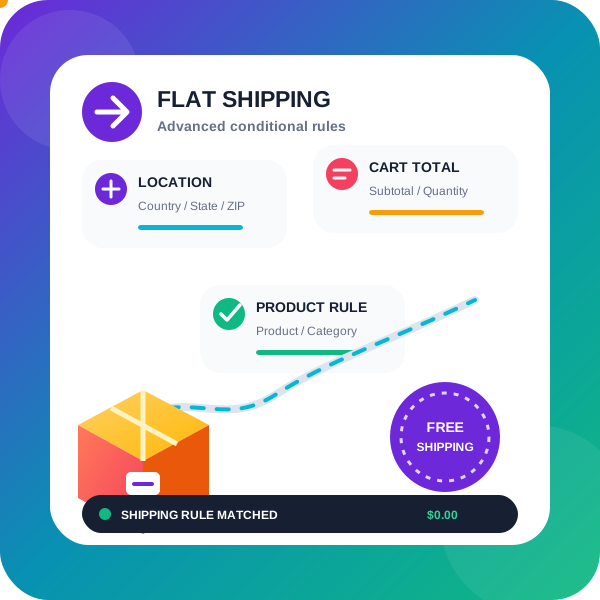
Flat rate / Conditional shipping for WooCommerce
by PI Websolution 4.9 (57 reviews)

Flat rate / Conditional shipping for WooCommerce

WooCommerce conditional shipping & WooCommerce Advanced Flat rate shipping rates plugin to Create Advanced Flat rate shipping or Free shipping met …

Compatible with WP 6.9
v1.6.4.96 Current Version v1.6.4.96
Updated 1 week ago Last Update on 13 Jan, 2026
Synced 8 hours ago Last Synced on
Rank
#4,808
-10 this week
Active Installs
2K+
-23.8%
KW Avg Position
59.7
No change
Downloads
159.2K
+43 today
Support Resolved
0%
No change
Rating
98%
Review 4.9 out of 5
4.9 (57 reviews)

Next Milestone 3K

Total Progress 59.5%
2K+ 3K+
390
Ranks to Climb
-
Growth Needed
8,000,000
Active Installs
Pro

Unlock Exact Install Count

See the precise estimated active installs for this plugin, calculated from real-time ranking data.

  • Exact install estimates within tiers
  • Track install growth over time
  • Milestone progress predictions
Upgrade to Pro
Need 405 more installs to reach 3K+

Rank Changes

4,792 4,798 4,804 4,810 4,816 13-01-2026 14-01-2026 15-01-2026 16-01-2026 17-01-2026 18-01-2026 19-01-2026 20-01-2026
4,790 4,797 4,803 4,810 4,816 05-01-2026 06-01-2026 07-01-2026 08-01-2026 09-01-2026 10-01-2026 11-01-2026 12-01-2026 13-01-2026 14-01-2026 15-01-2026 16-01-2026 17-01-2026 18-01-2026 19-01-2026 20-01-2026
4,789 4,802 4,816 4,829 4,842 21-12-2025 22-12-2025 23-12-2025 24-12-2025 25-12-2025 26-12-2025 27-12-2025 28-12-2025 29-12-2025 30-12-2025 31-12-2025 01-01-2026 02-01-2026 03-01-2026 04-01-2026 05-01-2026 06-01-2026 07-01-2026 08-01-2026 09-01-2026 10-01-2026 11-01-2026 12-01-2026 13-01-2026 14-01-2026 15-01-2026 16-01-2026 17-01-2026 18-01-2026 19-01-2026 20-01-2026
4,789 4,802 4,816 4,829 4,842 22-10-2025 23-10-2025 24-10-2025 25-10-2025 26-10-2025 27-10-2025 28-10-2025 29-10-2025 30-10-2025 31-10-2025 01-11-2025 02-11-2025 03-11-2025 04-11-2025 05-11-2025 06-11-2025 07-11-2025 08-11-2025 09-11-2025 10-11-2025 11-11-2025 12-11-2025 13-11-2025 14-11-2025 15-11-2025 16-11-2025 17-11-2025 18-11-2025 19-11-2025 20-11-2025 21-11-2025 22-11-2025 23-11-2025 24-11-2025 25-11-2025 26-11-2025 27-11-2025 28-11-2025 29-11-2025 30-11-2025 01-12-2025 02-12-2025 03-12-2025 04-12-2025 05-12-2025 06-12-2025 07-12-2025 08-12-2025 09-12-2025 10-12-2025 11-12-2025 12-12-2025 13-12-2025 14-12-2025 15-12-2025 16-12-2025 17-12-2025 18-12-2025 19-12-2025 20-12-2025 21-12-2025 22-12-2025 23-12-2025 24-12-2025 25-12-2025 26-12-2025 27-12-2025 28-12-2025 29-12-2025 30-12-2025 31-12-2025 01-01-2026 02-01-2026 03-01-2026 04-01-2026 05-01-2026 06-01-2026 07-01-2026 08-01-2026 09-01-2026 10-01-2026 11-01-2026 12-01-2026 13-01-2026 14-01-2026 15-01-2026 16-01-2026 17-01-2026 18-01-2026 19-01-2026 20-01-2026
Current #4,808
Change
Best #

Upgrade to Pro

Unlock 30-day and 90-day rank history charts with a Pro subscription.

Upgrade Now

Active Installs Growth

Active Installs 0,000,000+
Growth +0.0%
Peak 0,000,000

Downloads Growth

0 200 400 600 800 1K 13-01-2026 14-01-2026 15-01-2026 16-01-2026 17-01-2026 18-01-2026 19-01-2026 20-01-2026
0 200 400 600 800 1K 05-01-2026 06-01-2026 07-01-2026 08-01-2026 09-01-2026 10-01-2026 11-01-2026 12-01-2026 13-01-2026 14-01-2026 15-01-2026 16-01-2026 17-01-2026 18-01-2026 19-01-2026 20-01-2026
0 200 400 600 800 1K 21-12-2025 22-12-2025 23-12-2025 24-12-2025 25-12-2025 26-12-2025 27-12-2025 28-12-2025 29-12-2025 30-12-2025 31-12-2025 01-01-2026 02-01-2026 03-01-2026 04-01-2026 05-01-2026 06-01-2026 07-01-2026 08-01-2026 09-01-2026 10-01-2026 11-01-2026 12-01-2026 13-01-2026 14-01-2026 15-01-2026 16-01-2026 17-01-2026 18-01-2026 19-01-2026 20-01-2026
0 200 400 600 800 1K 22-10-2025 25-10-2025 28-10-2025 31-10-2025 03-11-2025 06-11-2025 09-11-2025 12-11-2025 15-11-2025 18-11-2025 21-11-2025 24-11-2025 27-11-2025 30-11-2025 03-12-2025 06-12-2025 09-12-2025 12-12-2025 15-12-2025 18-12-2025 21-12-2025 24-12-2025 27-12-2025 30-12-2025 02-01-2026 05-01-2026 08-01-2026 11-01-2026 14-01-2026 17-01-2026 20-01-2026
0 200 400 600 800 1K 20-01-2025 01-02-2025 13-02-2025 25-02-2025 09-03-2025 21-03-2025 02-04-2025 14-04-2025 26-04-2025 08-05-2025 20-05-2025 01-06-2025 13-06-2025 25-06-2025 07-07-2025 19-07-2025 31-07-2025 12-08-2025 24-08-2025 05-09-2025 17-09-2025 29-09-2025 11-10-2025 23-10-2025 04-11-2025 16-11-2025 28-11-2025 10-12-2025 22-12-2025 03-01-2026 15-01-2026 20-01-2026
Downloads
Growth
Peak

Upgrade to Pro

Unlock 30-day, 90-day, and yearly download history charts with a Pro subscription.

Upgrade Now

Reviews & Ratings

4.9
57 reviews
Overall 98%
5
54 (95%)
4
2 (4%)
3
0 (0%)
2
1 (2%)
1
0 (0%)

Tracked Keywords

Showing 3 of 3
Keyword Position Change Type Updated
flat rate shipping 13 Tag 11 hours ago
table rate 76 Tag 11 hours ago
shipping rates 90 Tag 11 hours ago

Unlock Keyword Analytics

Track keyword rankings, search positions, and discover new ranking opportunities with a Pro subscription.

  • Full keyword position tracking
  • Historical ranking data
  • Competitor keyword analysis
Upgrade to Pro

Support Threads Overview

Resolved
Unresolved
1
Total Threads
0
Resolved
1
Unresolved
0%
Resolution Rate

Track This Plugin

Get detailed analytics, keyword tracking, and position alerts delivered to your inbox.

Start Tracking Free

Plugin Details

Version
1.6.4.96
Last Updated
Jan 13, 2026
Requires WP
3.0.1+
Tested Up To
6.9
PHP Version
N/A

Support & Rating

Rating
★ ★ ★ ★ ★ 4.9
Reviews
57
Support Threads
1
Resolved
0%

Keywords

Upgrade to Pro

Unlock keyword rankings, search positions, and detailed analytics with a Pro subscription.

Upgrade Now

Frequently Asked Questions

Common questions about Flat rate / Conditional shipping for WooCommerce

You have to set a product rule like: a cart contains product equal to Christmas cake, then give a shipping method of cost $20.
You have to select rule for cart contains category's product equal to Halloween toy and select country equal to UK then give shipping method of cost $30.
Each shipping method gives you option to remove other shipping methods of lower priority the options available are as: * Hide all other methods * Hide all other methods (excluding WC Local Pickup method) * Hide all methods except the one added by this plugin * Hide all methods except the one added by this plugin and WC Local pickup * Hide all plugin methods with lower priority
If you want to charge $10 for total cart's quantity then you have to set shipping charge like 10*[qty].
Yes, you can create different shipping zones in WooCommerce as per your requirements (based on countries/states/zip-codes), and then you can assign different shipping methods to different zones by using shipping zone condition rule. I want to offer a different shipping method based on the Delivery day selected by the customer You will need to install our Order date and time plugin to take the delivery date from the customer and then based on the day selected by the customer you can show appropriate shipping method Offer shipping method based on Attribute value In the PRO version you can offer a shipping method based on the attribute selected in the variation product Using WooCommerce shipping classes weight In pro version you can restrict shipping method based on the weight of product from specific shipping class WooCommerce weight based shipping You can create a weight based shipping by using additional charge based on Cart weight Want shipping charge to become Zero when Free shipping coupon is applied There is option inside each shipping method to make that shipping method Free when user applies a free shipping coupon to the cart
Yes, plugin do support free shipping coupon. You can enable the option "Make free when free shipping coupon is applied" inside each of the shipping method to make them free when free shipping coupon is applied Combine multiple shipping carrier rates with different shipping methods into one rate Yes you can do that in the PRO version of the plugin
Yes that can be done we have a rule "Stock status of product in cart" using this rule you can activate the shipping method when all the products in user cart are in stock I want to charge shipping as percent of subtotal, but I want the min shipping charge to be 10$ and max shipping charge should not exceed 50$ You can do that in the pro version as there you can set the fees to be percent of subtotal and also set a min max range for shipping charge I want to only show one shipping method so customers don't have to choose from multiple shipping methods and I want to show the most expensive of them Yes you can do that, go to Extra settings tab there you will set "Give only single shipping method option to customer" to be "Maximum: Show the shipping method with highest shipping charge"
Yes the Free version and PRO version both are HPOS compatible Create multiple shipping package you can divide the products of an order to be delivered in multiple shipping package and then assign different shipping method to each package
check out this video https://www.youtube.com/watch?v=MVPPdukqLp0

Sign In / Register

You need to sign in or register to use this feature.