Appointment Hour Booking - Booking Calendar

by CodePeople 4.9 (517 reviews)

Appointment Hour Booking - Booking Calendar

Appointment Hour Booking is a plugin for creating booking forms for appointments with a start time and a defined duration within a schedule.

Compatible with WP 6.9
v1.5.61 Current Version v1.5.61
Updated 1 day ago Last Update on 19 Jan, 2026
Synced 15 hours ago Last Synced on
Rank
#1,555
No change
Active Installs
10K+
No change
KW Avg Position
79.6
-5.8 better
Downloads
3.4M
+1,711 today
Support Resolved
100%
No change
Rating
98%
Review 4.9 out of 5
4.9 (517 reviews)

Next Milestone 20K

Total Progress 93.3%
10K+ 20K+
54
Ranks to Climb
-
Growth Needed
8,000,000
Active Installs
Pro

Unlock Exact Install Count

See the precise estimated active installs for this plugin, calculated from real-time ranking data.

  • Exact install estimates within tiers
  • Track install growth over time
  • Milestone progress predictions
Upgrade to Pro
Need 667 more installs to reach 20K+

Rank Changes

1,475 1,515 1,554 1,593 1,633 13-01-2026 14-01-2026 15-01-2026 16-01-2026 17-01-2026 18-01-2026 19-01-2026 20-01-2026
1,473 1,513 1,553 1,593 1,633 05-01-2026 06-01-2026 07-01-2026 08-01-2026 09-01-2026 10-01-2026 11-01-2026 12-01-2026 13-01-2026 14-01-2026 15-01-2026 16-01-2026 17-01-2026 18-01-2026 19-01-2026 20-01-2026
1,473 1,514 1,555 1,595 1,636 21-12-2025 22-12-2025 23-12-2025 24-12-2025 25-12-2025 26-12-2025 27-12-2025 28-12-2025 29-12-2025 30-12-2025 31-12-2025 01-01-2026 02-01-2026 03-01-2026 04-01-2026 05-01-2026 06-01-2026 07-01-2026 08-01-2026 09-01-2026 10-01-2026 11-01-2026 12-01-2026 13-01-2026 14-01-2026 15-01-2026 16-01-2026 17-01-2026 18-01-2026 19-01-2026 20-01-2026
1,473 1,514 1,555 1,595 1,636 22-10-2025 23-10-2025 24-10-2025 25-10-2025 26-10-2025 27-10-2025 28-10-2025 29-10-2025 30-10-2025 31-10-2025 01-11-2025 02-11-2025 03-11-2025 04-11-2025 05-11-2025 06-11-2025 07-11-2025 08-11-2025 09-11-2025 10-11-2025 11-11-2025 12-11-2025 13-11-2025 14-11-2025 15-11-2025 16-11-2025 17-11-2025 18-11-2025 19-11-2025 20-11-2025 21-11-2025 22-11-2025 23-11-2025 24-11-2025 25-11-2025 26-11-2025 27-11-2025 28-11-2025 29-11-2025 30-11-2025 01-12-2025 02-12-2025 03-12-2025 04-12-2025 05-12-2025 06-12-2025 07-12-2025 08-12-2025 09-12-2025 10-12-2025 11-12-2025 12-12-2025 13-12-2025 14-12-2025 15-12-2025 16-12-2025 17-12-2025 18-12-2025 19-12-2025 20-12-2025 21-12-2025 22-12-2025 23-12-2025 24-12-2025 25-12-2025 26-12-2025 27-12-2025 28-12-2025 29-12-2025 30-12-2025 31-12-2025 01-01-2026 02-01-2026 03-01-2026 04-01-2026 05-01-2026 06-01-2026 07-01-2026 08-01-2026 09-01-2026 10-01-2026 11-01-2026 12-01-2026 13-01-2026 14-01-2026 15-01-2026 16-01-2026 17-01-2026 18-01-2026 19-01-2026 20-01-2026
Current #1,555
Change
Best #

Upgrade to Pro

Unlock 30-day and 90-day rank history charts with a Pro subscription.

Upgrade Now

Active Installs Growth

Active Installs 0,000,000+
Growth +0.0%
Peak 0,000,000

Downloads Growth

0 1K 2K 3K 4K 5K 6K 7K 13-01-2026 14-01-2026 15-01-2026 16-01-2026 17-01-2026 18-01-2026 19-01-2026 20-01-2026
0 1K 2K 3K 4K 5K 6K 7K 05-01-2026 06-01-2026 07-01-2026 08-01-2026 09-01-2026 10-01-2026 11-01-2026 12-01-2026 13-01-2026 14-01-2026 15-01-2026 16-01-2026 17-01-2026 18-01-2026 19-01-2026 20-01-2026
0 1K 2K 3K 4K 5K 6K 7K 21-12-2025 22-12-2025 23-12-2025 24-12-2025 25-12-2025 26-12-2025 27-12-2025 28-12-2025 29-12-2025 30-12-2025 31-12-2025 01-01-2026 02-01-2026 03-01-2026 04-01-2026 05-01-2026 06-01-2026 07-01-2026 08-01-2026 09-01-2026 10-01-2026 11-01-2026 12-01-2026 13-01-2026 14-01-2026 15-01-2026 16-01-2026 17-01-2026 18-01-2026 19-01-2026 20-01-2026
0 1K 2K 3K 4K 5K 6K 7K 22-10-2025 25-10-2025 28-10-2025 31-10-2025 03-11-2025 06-11-2025 09-11-2025 12-11-2025 15-11-2025 18-11-2025 21-11-2025 24-11-2025 27-11-2025 30-11-2025 03-12-2025 06-12-2025 09-12-2025 12-12-2025 15-12-2025 18-12-2025 21-12-2025 24-12-2025 27-12-2025 30-12-2025 02-01-2026 05-01-2026 08-01-2026 11-01-2026 14-01-2026 17-01-2026 20-01-2026
0 2K 4K 6K 8K 20-01-2025 01-02-2025 13-02-2025 25-02-2025 09-03-2025 21-03-2025 02-04-2025 14-04-2025 26-04-2025 08-05-2025 20-05-2025 01-06-2025 13-06-2025 25-06-2025 07-07-2025 19-07-2025 31-07-2025 12-08-2025 24-08-2025 05-09-2025 17-09-2025 29-09-2025 11-10-2025 23-10-2025 04-11-2025 16-11-2025 28-11-2025 10-12-2025 22-12-2025 03-01-2026 15-01-2026 20-01-2026
Downloads
Growth
Peak

Upgrade to Pro

Unlock 30-day, 90-day, and yearly download history charts with a Pro subscription.

Upgrade Now

Reviews & Ratings

4.9
517 reviews
Overall 98%
5
491 (95%)
4
11 (2%)
3
9 (2%)
2
1 (0%)
1
5 (1%)

Tracked Keywords

Showing 5 of 5
Keyword Position Change Type Updated
appointment 31 Tag 16 hours ago
appointment booking 32 Tag 16 hours ago
booking 76 Tag 16 hours ago
calendar 103 Tag 16 hours ago
schedule 156 Tag 16 hours ago

Unlock Keyword Analytics

Track keyword rankings, search positions, and discover new ranking opportunities with a Pro subscription.

  • Full keyword position tracking
  • Historical ranking data
  • Competitor keyword analysis
Upgrade to Pro

Support Threads Overview

Resolved
Unresolved
5
Total Threads
5
Resolved
0
Unresolved
100%
Resolution Rate

Track This Plugin

Get detailed analytics, keyword tracking, and position alerts delivered to your inbox.

Start Tracking Free

Plugin Details

Version
1.5.61
Last Updated
Jan 19, 2026
Requires WP
3.0.5+
Tested Up To
6.9
PHP Version
N/A
Author
CodePeople

Support & Rating

Rating
★ ★ ★ ★ ★ 4.9
Reviews
517
Support Threads
5
Resolved
100%

Keywords

Upgrade to Pro

Unlock keyword rankings, search positions, and detailed analytics with a Pro subscription.

Upgrade Now

Frequently Asked Questions

Common questions about Appointment Hour Booking - Booking Calendar
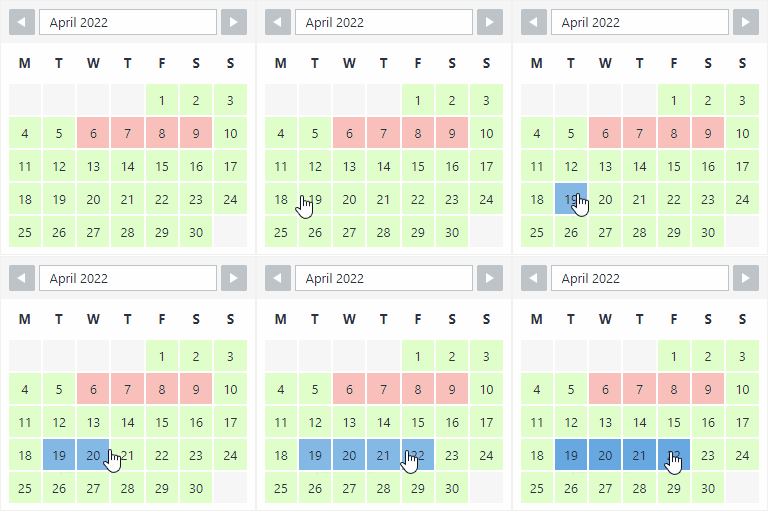
A: The product's page contains detailed information about each appointment calendar field and customization: https://apphourbooking.dwbooster.com
A: You can publish appointment booking forms on pages and posts. The shortcode can be also placed into the template. The commercial versions of the plugin also allow publishing it as a widget.
A: Please check complete instructions in the following page: https://apphourbooking.dwbooster.com/faq#q82
A: Into the form editor click a field and into its settings there is one field named "Additional CSS Class". Into that field you can put the name of a CSS class that will be applied to the field. There are some pre-defined CSS classes to use align two, three or four fields into the same line. The CSS classes are named: column2 column3 column4 For example if you want to put two fields into the same line then specify for both fields the class name "column2".
A: You should use a custom class name. All fields include the attribute "Additional CSS Class", you only should enter through this attribute a custom class name (the class name you prefer), for example myclass, and then define the new class in a css file of your website, or add the needed styles into the "Customization area >> Add Custom Styles" (at the bottom of the page that contains the list of calendars): .myclass{ display:none; } If you are using the latest version of the plugin, please enter in the "Additional CSS Class" attribute, the class name: hide, included in the plugin's distribution.
A: Into the form builder in the administration area, click the "Form Settings" tab. That area is for editing the form title and header text. It can be used also for different alignment of the field labels.
A: In addition to the possibility of editing the email contents you can use the following tags: %INFO%: Replaced with all the information posted from the form %itemnumber%: Request ID. %formid%: ID of the booking form. %referrer%: Referrer URL if reported. %additional%: IP address, server time. %final_price%: Total cost. %fieldname1%, %fieldname2%, ...: Data entered on each field
A: Use the tag %itemnumber% into the email content. That tag will be replaced by the submission item number.
A: If you want send an image in the notification emails, like a header, you should insert an IMG tag in the "Email notification to admin" and/or "Email confirmation to user" textareas of form settings, with an absolute URL in the SRC attribute of IMG tag:
A: If you are using the HTML format in the notification emails, you should insert the BR tags for the changes of lines in the emails content:

Sign In / Register

You need to sign in or register to use this feature.