Bordered Blocks - Add subtle borders or outlines and labels to Blocks in the Editor
by Senff 5 (5 reviews)

Bordered Blocks - Add subtle borders or outlines and labels to Blocks in the Editor

Bordered Blocks adds subtle borders to all blocks in the WordPress Post/Page editor to give you a much better overview of the layout of your page.

Compatible with WP 6.9
v1.1.7 Current Version v1.1.7
Updated 1 week ago Last Update on 14 Jan, 2026
Synced 8 hours ago Last Synced on
Rank
#12,788
No change
Active Installs
200+
No change
KW Avg Position
99
No change
Downloads
3.3K
+2 today
Support Resolved
0%
No change
Rating
100%
Review 5 out of 5
5 (5 reviews)

Next Milestone 300

Total Progress 30%
200+ 300+
1,305
Ranks to Climb
-
Growth Needed
8,000,000
Active Installs
Pro

Unlock Exact Install Count

See the precise estimated active installs for this plugin, calculated from real-time ranking data.

  • Exact install estimates within tiers
  • Track install growth over time
  • Milestone progress predictions
Upgrade to Pro
Need 70 more installs to reach 300+

Rank Changes

12,762 12,819 12,876 12,933 12,990 14-01-2026 15-01-2026 16-01-2026 17-01-2026 18-01-2026 19-01-2026 20-01-2026 21-01-2026
12,728 12,857 12,987 13,116 13,245 06-01-2026 07-01-2026 08-01-2026 09-01-2026 10-01-2026 11-01-2026 12-01-2026 13-01-2026 14-01-2026 15-01-2026 16-01-2026 17-01-2026 18-01-2026 19-01-2026 20-01-2026 21-01-2026
12,714 12,874 13,035 13,195 13,355 22-12-2025 23-12-2025 24-12-2025 25-12-2025 26-12-2025 27-12-2025 28-12-2025 29-12-2025 30-12-2025 31-12-2025 01-01-2026 02-01-2026 03-01-2026 04-01-2026 05-01-2026 06-01-2026 07-01-2026 08-01-2026 09-01-2026 10-01-2026 11-01-2026 12-01-2026 13-01-2026 14-01-2026 15-01-2026 16-01-2026 17-01-2026 18-01-2026 19-01-2026 20-01-2026 21-01-2026
12,708 12,882 13,056 13,230 13,404 23-10-2025 24-10-2025 25-10-2025 26-10-2025 27-10-2025 28-10-2025 29-10-2025 30-10-2025 31-10-2025 01-11-2025 02-11-2025 03-11-2025 04-11-2025 05-11-2025 06-11-2025 07-11-2025 08-11-2025 09-11-2025 10-11-2025 11-11-2025 12-11-2025 13-11-2025 14-11-2025 15-11-2025 16-11-2025 17-11-2025 18-11-2025 19-11-2025 20-11-2025 21-11-2025 22-11-2025 23-11-2025 24-11-2025 25-11-2025 26-11-2025 27-11-2025 28-11-2025 29-11-2025 30-11-2025 01-12-2025 02-12-2025 03-12-2025 04-12-2025 05-12-2025 06-12-2025 07-12-2025 08-12-2025 09-12-2025 10-12-2025 11-12-2025 12-12-2025 13-12-2025 14-12-2025 15-12-2025 16-12-2025 17-12-2025 18-12-2025 19-12-2025 20-12-2025 21-12-2025 22-12-2025 23-12-2025 24-12-2025 25-12-2025 26-12-2025 27-12-2025 28-12-2025 29-12-2025 30-12-2025 31-12-2025 01-01-2026 02-01-2026 03-01-2026 04-01-2026 05-01-2026 06-01-2026 07-01-2026 08-01-2026 09-01-2026 10-01-2026 11-01-2026 12-01-2026 13-01-2026 14-01-2026 15-01-2026 16-01-2026 17-01-2026 18-01-2026 19-01-2026 20-01-2026 21-01-2026
Current #12,788
Change
Best #

Upgrade to Pro

Unlock 30-day and 90-day rank history charts with a Pro subscription.

Upgrade Now

Active Installs Growth

Active Installs 0,000,000+
Growth +0.0%
Peak 0,000,000

Downloads Growth

0 10 20 14-01-2026 15-01-2026 16-01-2026 17-01-2026 18-01-2026 19-01-2026 20-01-2026 21-01-2026
0 10 20 06-01-2026 07-01-2026 08-01-2026 09-01-2026 10-01-2026 11-01-2026 12-01-2026 13-01-2026 14-01-2026 15-01-2026 16-01-2026 17-01-2026 18-01-2026 19-01-2026 20-01-2026 21-01-2026
0 10 20 22-12-2025 23-12-2025 24-12-2025 25-12-2025 26-12-2025 27-12-2025 28-12-2025 29-12-2025 30-12-2025 31-12-2025 01-01-2026 02-01-2026 03-01-2026 04-01-2026 05-01-2026 06-01-2026 07-01-2026 08-01-2026 09-01-2026 10-01-2026 11-01-2026 12-01-2026 13-01-2026 14-01-2026 15-01-2026 16-01-2026 17-01-2026 18-01-2026 19-01-2026 20-01-2026 21-01-2026
0 10 20 23-10-2025 26-10-2025 29-10-2025 01-11-2025 04-11-2025 07-11-2025 10-11-2025 13-11-2025 16-11-2025 19-11-2025 22-11-2025 25-11-2025 28-11-2025 01-12-2025 04-12-2025 07-12-2025 10-12-2025 13-12-2025 16-12-2025 19-12-2025 22-12-2025 25-12-2025 28-12-2025 31-12-2025 03-01-2026 06-01-2026 09-01-2026 12-01-2026 15-01-2026 18-01-2026 21-01-2026
0 100 21-01-2025 02-02-2025 14-02-2025 26-02-2025 10-03-2025 22-03-2025 03-04-2025 15-04-2025 27-04-2025 09-05-2025 21-05-2025 02-06-2025 14-06-2025 26-06-2025 08-07-2025 20-07-2025 01-08-2025 13-08-2025 25-08-2025 06-09-2025 18-09-2025 30-09-2025 12-10-2025 24-10-2025 05-11-2025 17-11-2025 29-11-2025 11-12-2025 23-12-2025 04-01-2026 16-01-2026 21-01-2026
Downloads
Growth
Peak

Upgrade to Pro

Unlock 30-day, 90-day, and yearly download history charts with a Pro subscription.

Upgrade Now

Reviews & Ratings

5.0
5 reviews
Overall 100%
5
5 (100%)
4
0 (0%)
3
0 (0%)
2
0 (0%)
1
0 (0%)

Tracked Keywords

Showing 1 of 1
Keyword Position Change Type Updated
borders 99 Tag 11 hours ago

Unlock Keyword Analytics

Track keyword rankings, search positions, and discover new ranking opportunities with a Pro subscription.

  • Full keyword position tracking
  • Historical ranking data
  • Competitor keyword analysis
Upgrade to Pro

Track This Plugin

Get detailed analytics, keyword tracking, and position alerts delivered to your inbox.

Start Tracking Free

Plugin Details

Version
1.1.7
Last Updated
Jan 14, 2026
Requires WP
5.9+
Tested Up To
6.9
PHP Version
N/A
Author
Senff

Support & Rating

Rating
★ ★ ★ ★ ★ 5
Reviews
5
Support Threads
0
Resolved
0%

Keywords

Upgrade to Pro

Unlock keyword rankings, search positions, and detailed analytics with a Pro subscription.

Upgrade Now

Frequently Asked Questions

Common questions about Bordered Blocks - Add subtle borders or outlines and labels to Blocks in the Editor
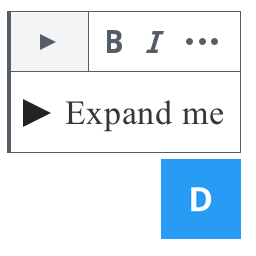
By default, the WordPress editor is relatively clean and minimalistic. This is by design, but it can also be slightly confusing when you only the content itself (text & images) but not which Blocks are being used on the page, or how they're laid out. Bordered Blocks attempts to solve that by adding borders and labels to every Block in the editor, so you can get a better sense of the layout of your content. Bonus: you can fully customize the size/color/type of the borders/labels to your needs.
Although you can leave the "bordered" view on when you create/edit pages, it is not recommended, as it will indeed add a lot more information to the editor which may be distracting. It will also have some impact on the performance (although I'm working on that). The recommended use is to keep using the default editor view, and only sparingly flip the switch to show the borders and labels of the Blocks on the page.
While that used to be the case until version 1.1.3, this option has been removed for now as it did not appear to be working anymore with WordPress 6.6.2. I will look into adding this again, but for now, the borders are always showing in the editor as long as the plugin is active. Some of my blocks don't have a label, look weird, etc. Bordered Blocks currently only supports the default Blocks that come with WordPress (support for WooCommerce and Jetpack is planned). If you have additional blocks added with plugins (or custom code), and they are not coded exactly following WordPress standards, they may not look as intended with borders and/or labels. If that's the case, please reach out to the plugin developer and have them check if all their Blocks have the proper naming with "data-title" attributes. Also note that the way things look in your editor can also depend on your site's theme. If that's the case, try switching to a default theme temporarily (such as Twenty Twenty, Twenty Twenty-One or Twenty Twenty-Two). If that resolves the issue, it's likely that your theme and Bordered Blocks are not compatible with eachother, and it's best to reach out to your theme's support team. If you see that the issue still appears when your site is on a default theme, let me know at https://wordpress.org/support/plugin/bordered-blocks and I can look into it a bit more.
The following items are currently not supported, but are on the roadmap: Support for Jetpack Blocks Performance: have the main checkBlocks() JS function run only when a Block is being added/edited (currently it runs every second) Full multi-language support
Nerd alert! It's not overly clean, I know. However, this is really needed to ensure that the styles you choose for the borders/labels override any inline styles coming from the editor itself and/or the theme.
Bordered Blocks' community support forum at https://wordpress.org/support/plugin/bordered-blocks is a good place, though if you want to add all sorts of technical details, it's best to report it on the plugin's Github page at https://github.com/senff/bordered-blocks/issues . This is also where I accept code contributions. My question isn't listed here. Please go to the plugin's community support forum at https://wordpress.org/support/plugin/bordered-blocks and post a message. Note that support is provided on a voluntary basis and that it is always difficult to troubleshoot, as it will require access to your admin area (needless to say, NEVER include any passwords of your site on a public forum!

Sign In / Register

You need to sign in or register to use this feature.






