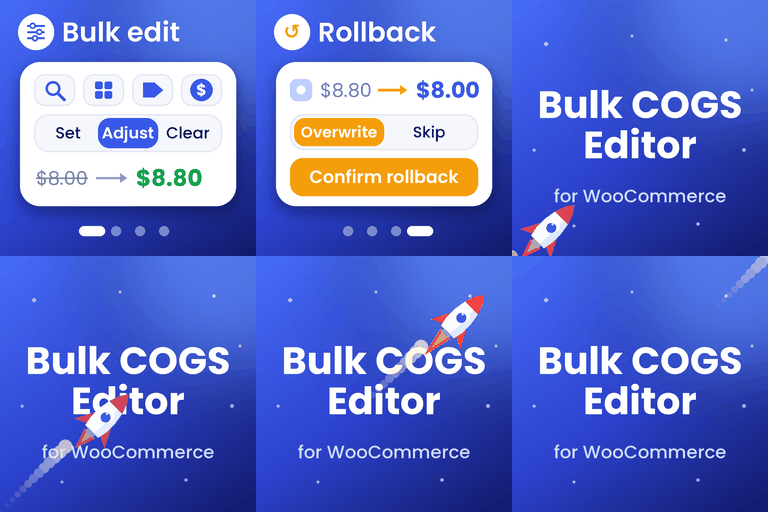
Bulk COGS Editor for WooCommerce
by Dinesh Yadav 1 (0 reviews)

Bulk COGS Editor for WooCommerce

Fast WooCommerce COGS bulk editing with CSV/XLSX import, live progress, safe previews, history, and rollback for efficient product cost management.

Bulk COGS Editor for WooCommerce ranks #66,528 among WordPress.org plugins with 1+ active installations, a 1/5 rating from 0 reviews, and was last updated Oct 27, 2026. Data from WordPress.org, refreshed twice daily — see methodology.

Compatible with WP 7.1
v1.2.1 Current Version v1.2.1
Updated 1 week ago Last Update on 27 Oct, 2026
Refreshed 1 week ago Last Refreshed on
Downloads -74.3% this week Actively maintained
View on WordPress.org
Rank
#66,528
— No change
Active Installs
1+
— No change
KW Avg Position
35.5
0.5 better
Downloads
409
+2 today
Support Resolved
0%
— No change
Rating
20%
Review 1 out of 5
1 (0 reviews)

Next Milestone 10

Total Progress 20%
0+ 10+
53,591
Ranks to Climb
-
Growth Needed
8,000,000
Active Installs
Pro

Unlock Exact Install Count

See the precise estimated active installs for this plugin, calculated from real-time ranking data.

  • Exact install estimates within tiers
  • Track install growth over time
  • Milestone progress predictions
Upgrade to Pro
Need 8 more installs to reach 10+

Rank Changes

63,202 64,865 66,528 68,191 69,854 31-10-2026 01-11-2026 02-11-2026 03-11-2026 04-11-2026 05-11-2026 06-11-2026 07-11-2026
46,664 53,736 60,808 67,880 74,952 23-10-2026 24-10-2026 25-10-2026 26-10-2026 27-10-2026 28-10-2026 29-10-2026 30-10-2026 31-10-2026 01-11-2026 02-11-2026 03-11-2026 04-11-2026 05-11-2026 06-11-2026 07-11-2026
Current #66,528
Change
Best #

Upgrade to Pro

Unlock 30-day and 90-day rank history charts with a Pro subscription.

Upgrade Now

Active Installs Growth

Active Installs 0,000,000+
Growth +0.0%
Peak 0,000,000

Downloads Growth

0 10 31-10-2026 01-11-2026 02-11-2026 03-11-2026 04-11-2026 05-11-2026 06-11-2026 07-11-2026
0 10 20 30 40 50 23-10-2026 24-10-2026 25-10-2026 26-10-2026 27-10-2026 28-10-2026 29-10-2026 30-10-2026 31-10-2026 01-11-2026 02-11-2026 03-11-2026 04-11-2026 05-11-2026 06-11-2026 07-11-2026
Downloads
Growth
Peak

Upgrade to Pro

Unlock 30-day, 90-day, and yearly download history charts with a Pro subscription.

Upgrade Now

Reviews & Ratings

1.0
0 reviews
Overall 20%
5
0 (0%)
4
0 (0%)
3
0 (0%)
2
0 (0%)
1
0 (0%)

Track This Plugin

Get detailed analytics, keyword tracking, and position alerts delivered to your inbox.

Start Tracking Free

Plugin Details

Version
1.2.1
Last Updated
Oct 27, 2026
Requires WP
6.7+
Tested Up To
7.1
PHP Version
7.4 or higher
Author
Dinesh Yadav

Support & Rating

Rating
★ ☆ ☆ ☆ ☆ 1
Reviews
0
Support Threads
0
Resolved
0%

Keywords

Upgrade to Pro

Unlock keyword rankings, search positions, and detailed analytics with a Pro subscription.

Upgrade Now

Frequently Asked Questions

Common questions about Bulk COGS Editor for WooCommerce

Use Bulk edit for one cost action across a selected group. Use CSV import when individual products need different values. The steps for both workflows appear above.
Yes. Both formats support product IDs or SKUs. See the import section above for required columns, file requirements, and validation steps.
Yes. Keep the exported product IDs or SKUs unchanged when preparing your updates. Export produces CSV even if a previous import used XLSX; see the sample CSV above.
Yes. It requires WooCommerce 10.3 or later with native COGS enabled. If the feature is disabled or unavailable, the editor explains what is required.
Yes. The percentage action applies to your selected products. Products without a saved cost are skipped; use Set exact cost to assign their initial values.
No. Finding products or validating an import only prepares a preview. Product costs change after you explicitly confirm the update.
No. The editor includes task-specific Help and instructions, field guidance, and cost examples. Use the documentation or video when you need more detail.
Expand Recent activity for the latest completed operation, including updated counts, completion time, elapsed time, and highlighted problems. Open History to inspect earlier operations.
When a bulk update finishes in the open editor, its product selection is reused with current costs for another preview, even if those costs no longer match the original filters. Edit filters to narrow that selection. Choose Reset filters to start a new selection.
Yes. You can move between Bulk edit, CSV import / export, History, and Settings while a background operation runs. Controls that could conflict with it stay disabled until the operation finishes.

Sign In / Register

You need to sign in or register to use this feature.