Claraeliz Team Notes
by claraeliz 1 (0 reviews)

Claraeliz Team Notes

Draggable sticky notes for logged-in collaborators. Leave notes anywhere on any page, anchored to page elements.

Claraeliz Team Notes ranks #63,239 among WordPress.org plugins with 1+ active installations, is #1,647 of 2,429 in the Contact Forms category, a 1/5 rating from 0 reviews, and was last updated Apr 16, 2026. Data from WordPress.org, refreshed twice daily โ€” see methodology.

Tested up to WP 6.9 (Current: 7.0.2)
v1.0.1 Current Version v1.0.1
Updated 3 months ago Last Update on 16 Apr, 2026
Refreshed 6 hours ago Last Refreshed on
#1,647 of 2,429 in Contact Forms
View on WordPress.org
Rank
#63,239
โ€” No change
Active Installs
1+
โ€” No change
KW Avg Position
35
0.5 better
Downloads
207
โ€” Total downloads
Support Resolved
0%
โ€” No change
Rating
20%
Review 1 out of 5
1 (0 reviews)

Next Milestone 10

Total Progress 10%
0+ 10+
62,361
Ranks to Climb
-
Growth Needed
8,000,000
Active Installs
Pro

Unlock Exact Install Count

See the precise estimated active installs for this plugin, calculated from real-time ranking data.

  • Exact install estimates within tiers
  • Track install growth over time
  • Milestone progress predictions
Upgrade to Pro
Need 9 more installs to reach 10+

Rank Changes

51,199 54,688 58,177 61,666 65,155 23-07-2026 24-07-2026 25-07-2026 26-07-2026 27-07-2026 28-07-2026 29-07-2026 30-07-2026
45,930 50,908 55,887 60,865 65,843 15-07-2026 16-07-2026 17-07-2026 18-07-2026 19-07-2026 20-07-2026 21-07-2026 22-07-2026 23-07-2026 24-07-2026 25-07-2026 26-07-2026 27-07-2026 28-07-2026 29-07-2026 30-07-2026
45,930 50,908 55,887 60,865 65,843 30-06-2026 01-07-2026 02-07-2026 03-07-2026 04-07-2026 05-07-2026 06-07-2026 07-07-2026 08-07-2026 09-07-2026 10-07-2026 11-07-2026 12-07-2026 13-07-2026 14-07-2026 15-07-2026 16-07-2026 17-07-2026 18-07-2026 19-07-2026 20-07-2026 21-07-2026 22-07-2026 23-07-2026 24-07-2026 25-07-2026 26-07-2026 27-07-2026 28-07-2026 29-07-2026 30-07-2026
45,930 50,908 55,887 60,865 65,843 01-05-2026 02-05-2026 03-05-2026 04-05-2026 05-05-2026 06-05-2026 07-05-2026 08-05-2026 09-05-2026 10-05-2026 11-05-2026 12-05-2026 13-05-2026 14-05-2026 15-05-2026 16-05-2026 17-05-2026 18-05-2026 19-05-2026 20-05-2026 21-05-2026 22-05-2026 23-05-2026 24-05-2026 25-05-2026 26-05-2026 27-05-2026 28-05-2026 29-05-2026 30-05-2026 31-05-2026 01-06-2026 02-06-2026 03-06-2026 04-06-2026 05-06-2026 06-06-2026 07-06-2026 08-06-2026 09-06-2026 10-06-2026 11-06-2026 12-06-2026 13-06-2026 14-06-2026 15-06-2026 16-06-2026 17-06-2026 18-06-2026 19-06-2026 20-06-2026 21-06-2026 22-06-2026 23-06-2026 24-06-2026 25-06-2026 26-06-2026 27-06-2026 28-06-2026 29-06-2026 30-06-2026 01-07-2026 02-07-2026 03-07-2026 04-07-2026 05-07-2026 06-07-2026 07-07-2026 08-07-2026 09-07-2026 10-07-2026 11-07-2026 12-07-2026 13-07-2026 14-07-2026 15-07-2026 16-07-2026 17-07-2026 18-07-2026 19-07-2026 20-07-2026 21-07-2026 22-07-2026 23-07-2026 24-07-2026 25-07-2026 26-07-2026 27-07-2026 28-07-2026 29-07-2026 30-07-2026
Current #63,239
Change
Best #

Upgrade to Pro

Unlock 30-day and 90-day rank history charts with a Pro subscription.

Upgrade Now

Active Installs Growth

Active Installs 0,000,000+
Growth +0.0%
Peak 0,000,000

Downloads Growth

0 10 23-07-2026 24-07-2026 25-07-2026 26-07-2026 27-07-2026 28-07-2026 29-07-2026 30-07-2026
0 10 15-07-2026 16-07-2026 17-07-2026 18-07-2026 19-07-2026 20-07-2026 21-07-2026 22-07-2026 23-07-2026 24-07-2026 25-07-2026 26-07-2026 27-07-2026 28-07-2026 29-07-2026 30-07-2026
0 10 30-06-2026 01-07-2026 02-07-2026 03-07-2026 04-07-2026 05-07-2026 06-07-2026 07-07-2026 08-07-2026 09-07-2026 10-07-2026 11-07-2026 12-07-2026 13-07-2026 14-07-2026 15-07-2026 16-07-2026 17-07-2026 18-07-2026 19-07-2026 20-07-2026 21-07-2026 22-07-2026 23-07-2026 24-07-2026 25-07-2026 26-07-2026 27-07-2026 28-07-2026 29-07-2026 30-07-2026
0 10 01-05-2026 04-05-2026 07-05-2026 10-05-2026 13-05-2026 16-05-2026 19-05-2026 22-05-2026 25-05-2026 28-05-2026 31-05-2026 03-06-2026 06-06-2026 09-06-2026 12-06-2026 15-06-2026 18-06-2026 21-06-2026 24-06-2026 27-06-2026 30-06-2026 03-07-2026 06-07-2026 09-07-2026 12-07-2026 15-07-2026 18-07-2026 21-07-2026 24-07-2026 27-07-2026 30-07-2026
0 10 20 30 30-07-2025 11-08-2025 23-08-2025 04-09-2025 16-09-2025 28-09-2025 10-10-2025 22-10-2025 03-11-2025 15-11-2025 27-11-2025 09-12-2025 21-12-2025 02-01-2026 14-01-2026 26-01-2026 07-02-2026 19-02-2026 03-03-2026 15-03-2026 27-03-2026 08-04-2026 20-04-2026 02-05-2026 14-05-2026 26-05-2026 07-06-2026 19-06-2026 01-07-2026 13-07-2026 25-07-2026 30-07-2026
Downloads
Growth
Peak

Upgrade to Pro

Unlock 30-day, 90-day, and yearly download history charts with a Pro subscription.

Upgrade Now

Reviews & Ratings

1.0
0 reviews
Overall 20%
5
0 (0%)
4
0 (0%)
3
0 (0%)
2
0 (0%)
1
0 (0%)

Tracked Keywords

Showing 2 of 2
Keyword Position Change Type Updated
annotation 24 โ€” Tag 13 hours ago
sticky notes 46 โ€” Tag 13 hours ago

Unlock Keyword Analytics

Track keyword rankings, search positions, and discover new ranking opportunities with a Pro subscription.

  • Full keyword position tracking
  • Historical ranking data
  • Competitor keyword analysis
Upgrade to Pro

Frequently Asked Questions

Common questions about Claraeliz Team Notes

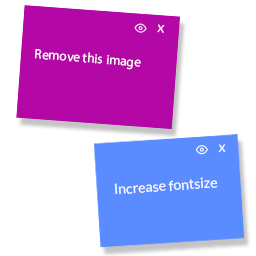
Notes are visible to their author and to any users the author has shared them with. Sharing is managed per note using the eye icon that appears on notes you own.
Click the eye (๐Ÿ‘) icon in the top-left corner of your note. A popover will appear listing all eligible users. Check the users you want to share with โ€” changes are saved automatically.
Notes are hidden on screens smaller than 1280px because dragging and precise positioning is not practical on touch screens. Notes are visible on desktop and wide laptop displays.
Pink notes belong to administrators. Blue notes belong to editors, authors, and contributors. The color is assigned automatically based on the user's WordPress role and cannot be changed manually.
Yes. Claraeliz Team Notes works with Gutenberg, Elementor, Divi, and standard PHP page templates.
Yes โ€” and the positioning is more precise than a simple percentage offset. When you drop a note, the plugin uses the browser's getClientRects() API to get the rendered bounding box of the actual text, not the width of the container element. This means: On a narrow viewport a heading may wrap to two lines, ending at x:847. The note is saved as "45px to the right of where the text ends." On a wide viewport the same heading fits on one line, ending at x:1100. The note is restored at x:1100 + 45px = 1145px โ€” still right next to where the text ends. This works for any text element (headings, paragraphs, list items). For images and figures the image box itself is used since images scale rather than reflow.
You can delete your own notes in two ways: click the โœ• button directly on the note on the frontend, or go to My Notes in the WordPress admin sidebar and use the Delete link or bulk delete checkboxes.
Only if they have shared those notes with you. You cannot see notes that have not been shared with you, even if you are an administrator โ€” each user only sees their own notes and notes explicitly shared with them.

Sign In / Register

You need to sign in or register to use this feature.











