by Robert Felty
1 (0 reviews)
Collapsing Pages
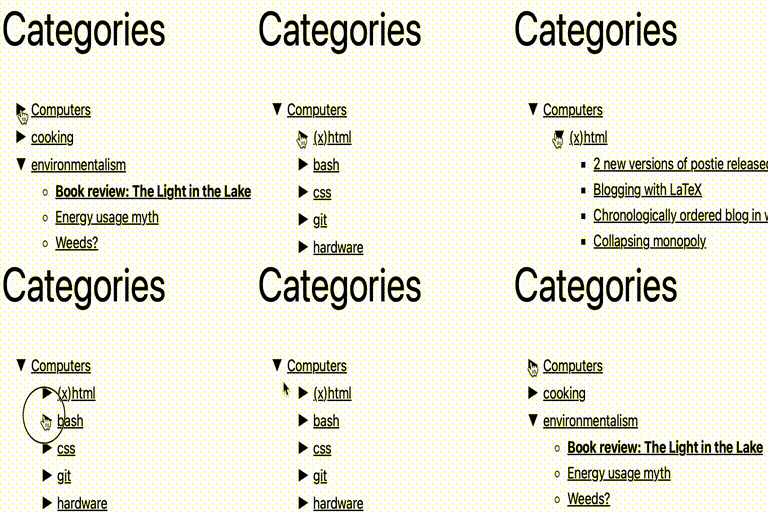
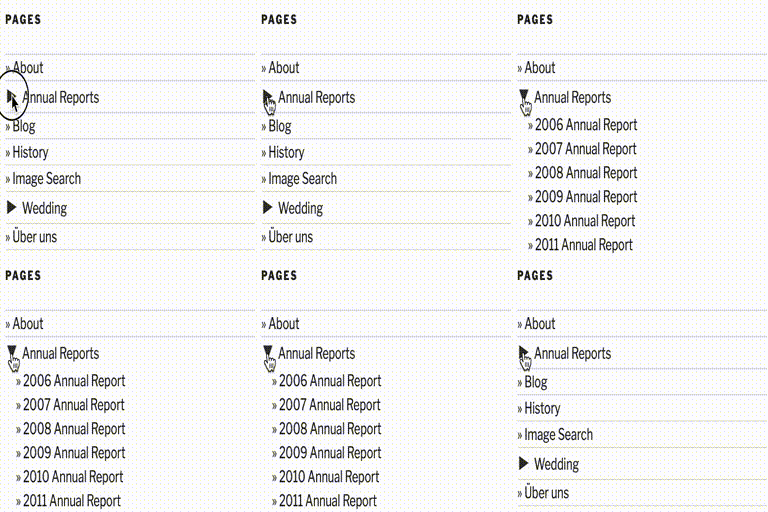
This plugin uses Javascript to dynamically expand or collapsable the set of pages for each parent page.
Tested up to WP 6.4 (Current: 6.9)
v2.0.3
Current Version v2.0.3
Updated 2 years ago
Last Update on 01 Jan, 2024
Synced 16 hours ago
Last Synced on
Rank
#11,936
—
No change
Active Installs
200+
—
No change
KW Avg Position
N/A
—
No change
Downloads
41K
+3 today
Support Resolved
0%
—
No change
Rating
20%
Review 1 out of 5
1
(0 reviews)
Next Milestone 300
200+
300+
437
Ranks to Climb
-
Growth Needed
8,000,000
Active Installs
Pro
Unlock Exact Install Count
See the precise estimated active installs for this plugin, calculated from real-time ranking data.
- Exact install estimates within tiers
- Track install growth over time
- Milestone progress predictions
Need 24 more installs to reach 300+
Rank Changes
Current
#11,936
Change
Best
#
Downloads Growth
Downloads
Growth
Peak
Upgrade to Pro
Unlock 30-day, 90-day, and yearly download history charts with a Pro subscription.
Upgrade NowReviews & Ratings
1.0
0 reviews
Overall
20%
5
0
(0%)
4
0
(0%)
3
0
(0%)
2
0
(0%)
1
0
(0%)
Tracked Keywords
Showing 0 of 0| Keyword | Position | Change | Type | Updated |
|---|---|---|---|---|
| No keyword data available yet. | ||||
Unlock Keyword Analytics
Track keyword rankings, search positions, and discover new ranking opportunities with a Pro subscription.
- Full keyword position tracking
- Historical ranking data
- Competitor keyword analysis
Track This Plugin
Get detailed analytics, keyword tracking, and position alerts delivered to your inbox.
Start Tracking FreePlugin Details
- Version
- 2.0.3
- Last Updated
- Jan 01, 2024
- Requires WP
- 5.0+
- Tested Up To
- 6.4
- PHP Version
- N/A
- Author
- Robert Felty
Support & Rating
- Rating
- ★ ☆ ☆ ☆ ☆ 1
- Reviews
- 0
- Support Threads
- 0
- Resolved
- 0%
Keywords
Upgrade to Pro
Unlock keyword rankings, search positions, and detailed analytics with a Pro subscription.
Upgrade NowSimilar Plugins

WP Adminify – White Label WordPress, Admin Menu Editor, Login Customizer
7K+ installs
#2,735
Master Addons For Elementor - White Label, Free Widgets, Hover Effects, Conditions, & Animations
40K+ installs
#929
Qi Addons For Elementor
200K+ installs
#253
MW
MW WP Form
200K+ installs
#262
WPFront Scroll Top
200K+ installs
#270
Frequently Asked Questions
Common questions about Collapsing Pages

As of version 0.5.3, there are several default styles that come with collapsing-categories. You can choose from these in the settings panel, or you
modify it slightly to your needs. The following classes are used: * collapsing - applied to all ul and li elements * pages - applied to all ul and li elements * list - applied to the top-level ul * item - applied to each li which has no sub-elements * expand - applied to a page which can be expanded (is currently collapsed) * collapse - applied to a page which can be collapsed (is currently expanded) * sym - class for the expanding / collapsing symbol An example: <ul id='widget-collapspage-3-collapsPageList' class='collapsing pages list'> <li id='about-nav' class='collapsing pages item'><a href='http://blog.robfelty.com/about/' title="About">About</a> </li> <li id='donate-nav' class='collapsing pages item'><a href='http://blog.robfelty.com/donate/' title="Donate">Donate</a> </li> <!-- ending page subcat count = 0--> <li class='collapsing pages '><span title="Click to collapse" class='collapsing pages collapse' onclick='expandCollapse(event, "▶", "▼", 1, "collapsing pages"); return false'><span class='sym'>▼</span></span><a href='http://blog.robfelty.com/plugins/' title="Wordpress Plugins">Wordpress Plugins</a> <ul id='collapsPage-67' style='display:block;'> <li class='collapsing pages item'><a href='http://blog.robfelty.com/plugins/collapsing-pages/' title="Collapsing Pages">Collapsing Pages</a></li> <li class='collapsing pages item'><a href='http://blog.robfelty.com/plugins/collapsing-categories/' title="Collapsing Categories">Collapsing Categories</a></li> <li class='collapsing pages item'><a href='http://blog.robfelty.com/plugins/collapsing-links/' title="Collapsing Links">Collapsing Links</a></li> <li class='collapsing pages item'><a href='http://blog.robfelty.com/plugins/collapsing-pages/' title="Collapsing Pages">Collapsing Pages</a></li> <li class='collapsing pages item'><a href='http://blog.robfelty.com/plugins/postie/' title="Postie">Postie</a></li> </ul><!-- subpagecount = 5 ending subpage --> </li><!-- subpagecount = 5 ending subpage --> <li id='forum-nav' class='collapsing pages item'><a href='http://blog.robfelty.com/forum/' title="WP Plugin Forum">WP Plugin Forum</a> </li> <!-- ending page subcat count = 0--> </ul>
The current page has the "self" class. By default, the "self" class style is set to bold. If you would like to change this, you can change it in the settings page.