Debug Log Router
by emberfox 0 (0 reviews)

Debug Log Router

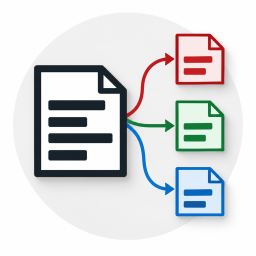
Splits the WordPress debug log into seven files by request type and shows the logs right in the admin.

Debug Log Router ranks #60,956 among WordPress.org plugins with 0+ active installations, is #4,499 of 5,310 in the Utilities & Tools category, and was last updated Oct 18, 2026. Data from WordPress.org, refreshed twice daily — see methodology.

Compatible with WP 7.1.4
v1.0.0 Current Version v1.0.0
Updated 2 weeks ago Last Update on 18 Oct, 2026
Refreshed 2 days ago Last Refreshed on
#4,499 of 5,310 in Utilities & Tools Downloads -87.1% this week Actively maintained
View on WordPress.org
Rank
#60,956
— No change
Active Installs
0+
— No change
KW Avg Position
124
3 worse
Downloads
114
+1 today
Support Resolved
0%
— No change
Rating
0%
Review 0 out of 5
0 (0 reviews)

Next Milestone 10

Total Progress 20%
0+ 10+
33,388
Ranks to Climb
-
Growth Needed
8,000,000
Active Installs
Pro

Unlock Exact Install Count

See the precise estimated active installs for this plugin, calculated from real-time ranking data.

  • Exact install estimates within tiers
  • Track install growth over time
  • Milestone progress predictions
Upgrade to Pro
Need 8 more installs to reach 10+

Rank Changes

56,046 59,116 62,187 65,257 68,327 25-10-2026 26-10-2026 27-10-2026 28-10-2026 29-10-2026 30-10-2026 31-10-2026 01-11-2026
48,306 54,739 61,171 67,603 74,036 17-10-2026 18-10-2026 19-10-2026 20-10-2026 21-10-2026 22-10-2026 23-10-2026 24-10-2026 25-10-2026 26-10-2026 27-10-2026 28-10-2026 29-10-2026 30-10-2026 31-10-2026 01-11-2026
Current #60,956
Change
Best #

Upgrade to Pro

Unlock 30-day and 90-day rank history charts with a Pro subscription.

Upgrade Now

Active Installs Growth

Active Installs 0,000,000+
Growth +0.0%
Peak 0,000,000

Downloads Growth

0 10 25-10-2026 26-10-2026 27-10-2026 28-10-2026 29-10-2026 30-10-2026 31-10-2026 01-11-2026
0 10 20 30 40 50 17-10-2026 18-10-2026 19-10-2026 20-10-2026 21-10-2026 22-10-2026 23-10-2026 24-10-2026 25-10-2026 26-10-2026 27-10-2026 28-10-2026 29-10-2026 30-10-2026 31-10-2026 01-11-2026
Downloads
Growth
Peak

Upgrade to Pro

Unlock 30-day, 90-day, and yearly download history charts with a Pro subscription.

Upgrade Now

Reviews & Ratings

0.0
0 reviews
Overall 0%
5
0 (0%)
4
0 (0%)
3
0 (0%)
2
0 (0%)
1
0 (0%)

Frequently Asked Questions

Common questions about Debug Log Router

Anything that happens in wp-config.php above the plugin's block: the database constants and salts, lines added by your host, and code loaded through auto_prepend_file. Nothing inside wp-config.php can catch what happened before it started running. Errors below the block, the rest of wp-config.php included, do reach the logs, while the standard debug.log never sees them at all.
While the plugin's logging is on, that file is not used: entries go to the plugin's files instead. The old file stays where it is and opens on the Logs tab. Keep in mind that it has no protection of its own and may be readable straight from a browser.
No. The toggle only changes the plugin's own file.
Logging stops. The block stays in wp-config.php but does nothing until the plugin is activated again.
When the plugin is deleted, it removes its block from wp-config.php. Everything else goes only if you ticked it beforehand on the Settings tab. There are separate checkboxes for the current log directory, for each directory left over from earlier installs, and for the plugin's data (journal and settings). Nothing is ticked by default: you can delete the plugin and keep the logs, and the next install picks them up. Once no log directory is left, the plugin's folder in uploads goes too. If the block could not be removed — for example because wp-config.php is not writable — nothing is deleted. In that case, delete the lines from BEGIN Debug Log Router to END Debug Log Router by hand and drop the DLOGR-DISABLED prefixes. It is safer to remove the block with the button on the Status tab before deleting the plugin: there you can see whether it worked.
This happens when the host has fixed the PHP log path in the server configuration (for example with php_admin_value[error_log]). Neither the plugin nor WordPress itself can change it. The plugin warns about this on the Status tab and, if the server's file is readable, shows it on the Logs tab. Keep in mind that such a file may be shared by several sites on the server.
No. Every change is checked before the file is replaced, and a change that does not pass leaves wp-config.php untouched. The plugin's own changes are undone by removing its block, not by restoring an old copy, so lines that other plugins or your host added later stay in place. If you want a copy anyway, take one before you press the button.
nginx does not read .htaccess, so there the random directory name is the only protection. To close the directory completely, add a rule to your nginx configuration. Site Health warns that the log may be public WordPress shows this warning for any log inside the site's directory, judging by the path alone. The plugin adds an explanation to the text of that check: the directory was created by the plugin, its name is random, and it has an .htaccess file. The plugin does not change the status of the check.

Sign In / Register

You need to sign in or register to use this feature.