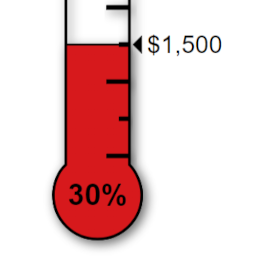
Donation Thermometer
by Henry Patton 4.4 (12 reviews)

Donation Thermometer

Displays a fully customisable thermometer for tracking donations or any other goal.

Tested up to WP 6.8 (Current: 6.9)
v2.2.7 Current Version v2.2.7
Updated 2 months ago Last Update on 20 Nov, 2025
Synced 16 hours ago Last Synced on
Rank
#4,725
No change
Active Installs
2K+
No change
KW Avg Position
65.5
No change
Downloads
95.7K
+7 today
Support Resolved
100%
No change
Rating
88%
Review 4.4 out of 5
4.4 (12 reviews)

Next Milestone 3K

Total Progress 68.3%
2K+ 3K+
304
Ranks to Climb
-
Growth Needed
8,000,000
Active Installs
Pro

Unlock Exact Install Count

See the precise estimated active installs for this plugin, calculated from real-time ranking data.

  • Exact install estimates within tiers
  • Track install growth over time
  • Milestone progress predictions
Upgrade to Pro
Need 317 more installs to reach 3K+

Rank Changes

4,708 4,714 4,719 4,725 4,730 13-01-2026 14-01-2026 15-01-2026 16-01-2026 17-01-2026 18-01-2026 19-01-2026 20-01-2026
4,708 4,716 4,723 4,731 4,738 05-01-2026 06-01-2026 07-01-2026 08-01-2026 09-01-2026 10-01-2026 11-01-2026 12-01-2026 13-01-2026 14-01-2026 15-01-2026 16-01-2026 17-01-2026 18-01-2026 19-01-2026 20-01-2026
4,706 4,716 4,727 4,737 4,747 21-12-2025 22-12-2025 23-12-2025 24-12-2025 25-12-2025 26-12-2025 27-12-2025 28-12-2025 29-12-2025 30-12-2025 31-12-2025 01-01-2026 02-01-2026 03-01-2026 04-01-2026 05-01-2026 06-01-2026 07-01-2026 08-01-2026 09-01-2026 10-01-2026 11-01-2026 12-01-2026 13-01-2026 14-01-2026 15-01-2026 16-01-2026 17-01-2026 18-01-2026 19-01-2026 20-01-2026
4,706 4,716 4,727 4,737 4,747 22-10-2025 23-10-2025 24-10-2025 25-10-2025 26-10-2025 27-10-2025 28-10-2025 29-10-2025 30-10-2025 31-10-2025 01-11-2025 02-11-2025 03-11-2025 04-11-2025 05-11-2025 06-11-2025 07-11-2025 08-11-2025 09-11-2025 10-11-2025 11-11-2025 12-11-2025 13-11-2025 14-11-2025 15-11-2025 16-11-2025 17-11-2025 18-11-2025 19-11-2025 20-11-2025 21-11-2025 22-11-2025 23-11-2025 24-11-2025 25-11-2025 26-11-2025 27-11-2025 28-11-2025 29-11-2025 30-11-2025 01-12-2025 02-12-2025 03-12-2025 04-12-2025 05-12-2025 06-12-2025 07-12-2025 08-12-2025 09-12-2025 10-12-2025 11-12-2025 12-12-2025 13-12-2025 14-12-2025 15-12-2025 16-12-2025 17-12-2025 18-12-2025 19-12-2025 20-12-2025 21-12-2025 22-12-2025 23-12-2025 24-12-2025 25-12-2025 26-12-2025 27-12-2025 28-12-2025 29-12-2025 30-12-2025 31-12-2025 01-01-2026 02-01-2026 03-01-2026 04-01-2026 05-01-2026 06-01-2026 07-01-2026 08-01-2026 09-01-2026 10-01-2026 11-01-2026 12-01-2026 13-01-2026 14-01-2026 15-01-2026 16-01-2026 17-01-2026 18-01-2026 19-01-2026 20-01-2026
Current #4,725
Change
Best #

Upgrade to Pro

Unlock 30-day and 90-day rank history charts with a Pro subscription.

Upgrade Now

Active Installs Growth

Active Installs 0,000,000+
Growth +0.0%
Peak 0,000,000

Downloads Growth

0 10 20 30 13-01-2026 14-01-2026 15-01-2026 16-01-2026 17-01-2026 18-01-2026 19-01-2026 20-01-2026
0 10 20 30 05-01-2026 06-01-2026 07-01-2026 08-01-2026 09-01-2026 10-01-2026 11-01-2026 12-01-2026 13-01-2026 14-01-2026 15-01-2026 16-01-2026 17-01-2026 18-01-2026 19-01-2026 20-01-2026
0 10 20 30 21-12-2025 22-12-2025 23-12-2025 24-12-2025 25-12-2025 26-12-2025 27-12-2025 28-12-2025 29-12-2025 30-12-2025 31-12-2025 01-01-2026 02-01-2026 03-01-2026 04-01-2026 05-01-2026 06-01-2026 07-01-2026 08-01-2026 09-01-2026 10-01-2026 11-01-2026 12-01-2026 13-01-2026 14-01-2026 15-01-2026 16-01-2026 17-01-2026 18-01-2026 19-01-2026 20-01-2026
0 200 400 600 800 22-10-2025 25-10-2025 28-10-2025 31-10-2025 03-11-2025 06-11-2025 09-11-2025 12-11-2025 15-11-2025 18-11-2025 21-11-2025 24-11-2025 27-11-2025 30-11-2025 03-12-2025 06-12-2025 09-12-2025 12-12-2025 15-12-2025 18-12-2025 21-12-2025 24-12-2025 27-12-2025 30-12-2025 02-01-2026 05-01-2026 08-01-2026 11-01-2026 14-01-2026 17-01-2026 20-01-2026
0 200 400 600 800 20-01-2025 01-02-2025 13-02-2025 25-02-2025 09-03-2025 21-03-2025 02-04-2025 14-04-2025 26-04-2025 08-05-2025 20-05-2025 01-06-2025 13-06-2025 25-06-2025 07-07-2025 19-07-2025 31-07-2025 12-08-2025 24-08-2025 05-09-2025 17-09-2025 29-09-2025 11-10-2025 23-10-2025 04-11-2025 16-11-2025 28-11-2025 10-12-2025 22-12-2025 03-01-2026 15-01-2026 20-01-2026
Downloads
Growth
Peak

Upgrade to Pro

Unlock 30-day, 90-day, and yearly download history charts with a Pro subscription.

Upgrade Now

Reviews & Ratings

4.4
12 reviews
Overall 88%
5
10 (83%)
4
0 (0%)
3
0 (0%)
2
1 (8%)
1
1 (8%)

Tracked Keywords

Showing 2 of 2
Keyword Position Change Type Updated
thermometer 4 Tag 16 hours ago
fundraising 127 Tag 16 hours ago

Unlock Keyword Analytics

Track keyword rankings, search positions, and discover new ranking opportunities with a Pro subscription.

  • Full keyword position tracking
  • Historical ranking data
  • Competitor keyword analysis
Upgrade to Pro

Support Threads Overview

Resolved
Unresolved
2
Total Threads
2
Resolved
0
Unresolved
100%
Resolution Rate

Track This Plugin

Get detailed analytics, keyword tracking, and position alerts delivered to your inbox.

Start Tracking Free

Plugin Details

Version
2.2.7
Last Updated
Nov 20, 2025
Requires WP
4.6+
Tested Up To
6.8
PHP Version
5.2 or higher
Author
Henry Patton

Support & Rating

Rating
★ ★ ★ ★ ☆ 4.4
Reviews
12
Support Threads
2
Resolved
100%

Keywords

Upgrade to Pro

Unlock keyword rankings, search positions, and detailed analytics with a Pro subscription.

Upgrade Now

Frequently Asked Questions

Common questions about Donation Thermometer

Insert the shortcode that produces the dynamically generated number into the thermometer shortcode with single apostrophes instead of square brackets, e.g. [thermometer raised='sales id="1947"' target=5000]. The [therm_r] and [therm_t] shortcodes show different values to the thermometers. Values for these shortcodes are set on the Thermometer settings page or dashboard widget. If you want your thermometers to display the same values, remove the 'raised' and 'target' parameters from the [thermometer] shortcode, e.g. [thermometer width=300 align=right]. Values given in the shortcode will overrule those on the settings page.
Yes - just use the percentage symbol in the shortcode. For example, width=30%. As before, values can be set for Width OR height only. The default size is width=200px.
This option will change the title and alt text attributes of the thermometer image. To toggle off, type alt=off. To enter custom text, type alt='your custom text' (include apostrophes). If the option is left out the default text 'Raised xxxx towards the xxxx target.' will appear.
Yes - select the empty option on the settings page dropdown menu, or enter currency=null in the thermometer shortcode, e.g. [thermometer currency=null].
The thermometer orientation can be set on the settings page for your whole site, or individually in the thermometer shortcode using the parameter: [thermometer orientation=landscape]. Raised and target values will also rotate automatically.
Once this happens the thermometer will completely fill. The shortcode parameter [thermometer swapvalues=true] can also be used to swap the target and raised value locations, thus allowing you to show how far above your target your current raised total stands.
There are two options for filling the thermometer: with a uniform colour (the default) or with a colour gradient. Either method can be set from the plugin's settings page or via the shortcode parameters. A uniform fill can be set in the shortcode using [thermometer fill=#d7191c filltype=uniform]. Drawing a gradient fill requires the additional fill2 parameter: [thermometer filltype=gradient fill2=#eb7e80].

Sign In / Register

You need to sign in or register to use this feature.