by Vince Pelss
1 (0 reviews)
Emogic Tarot Reader
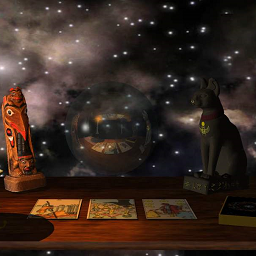
A Tarot Reader for casual and advanced users. Very flexible. There is no Pro version. This is the Pro version.
Compatible with WP 6.9
v0.8.2
Current Version v0.8.2
Updated 1 month ago
Last Update on 29 Nov, 2025
Synced 11 hours ago
Last Synced on
Rank
#41,290
-1394 this week
Active Installs
10+
-28.6%
KW Avg Position
41.3
+0.5 better
Downloads
1.2K
+2 today
Support Resolved
0%
—
No change
Rating
20%
Review 1 out of 5
1
(0 reviews)
Next Milestone 20
10+
20+
16,417
Ranks to Climb
-
Growth Needed
8,000,000
Active Installs
Pro
Unlock Exact Install Count
See the precise estimated active installs for this plugin, calculated from real-time ranking data.
- Exact install estimates within tiers
- Track install growth over time
- Milestone progress predictions
Need 6 more installs to reach 20+
Rank Changes
Current
#41,290
Change
Best
#
Downloads Growth
Downloads
Growth
Peak
Upgrade to Pro
Unlock 30-day, 90-day, and yearly download history charts with a Pro subscription.
Upgrade NowReviews & Ratings
1.0
0 reviews
Overall
20%
5
0
(0%)
4
0
(0%)
3
0
(0%)
2
0
(0%)
1
0
(0%)
Tracked Keywords
Showing 4 of 4| Keyword | Position | Change | Type | Updated |
|---|---|---|---|---|
| Tarot Reader | 3 | — | Tag | 14 hours ago |
| tarot | 6 | — | Tag | 14 hours ago |
| Tarot Card | 6 | — | Tag | 14 hours ago |
| reader | 150 | — | Tag | 14 hours ago |
Unlock Keyword Analytics
Track keyword rankings, search positions, and discover new ranking opportunities with a Pro subscription.
- Full keyword position tracking
- Historical ranking data
- Competitor keyword analysis
Track This Plugin
Get detailed analytics, keyword tracking, and position alerts delivered to your inbox.
Start Tracking FreePlugin Details
- Version
- 0.8.2
- Last Updated
- Nov 29, 2025
- Requires WP
- 4.0+
- Tested Up To
- 6.9
- PHP Version
- 5.6 or higher
- Author
- Vince Pelss
Support & Rating
- Rating
- ★ ☆ ☆ ☆ ☆ 1
- Reviews
- 0
- Support Threads
- 0
- Resolved
- 0%
Keywords
Upgrade to Pro
Unlock keyword rankings, search positions, and detailed analytics with a Pro subscription.
Upgrade NowFrequently Asked Questions

Common questions about Emogic Tarot Reader
Shortcodes do not work in the page editor. Images you add without shortcodes will show in the edit page. Note: the images locations where the delt cards will show will always be blank. In the edit screen a card has not been selected yet. If you set card images with a width and a height (I do not as I want my pages to be scalable), and set a border on the image, you can visually see the outline where the card is. But I recommend against this.
My css is in css/EmogicWPTarot.css I use that to distribute my brilliant css choices to your wordpress installation. To over ride them the css in the file. Then create a new Wordpress Page Template and add your CCS there. EmogicWPTarot.css
