Sticky Preview and Publish Buttons by FibroJedi
by FibroJedi 5 (2 reviews)

Sticky Preview and Publish Buttons by FibroJedi

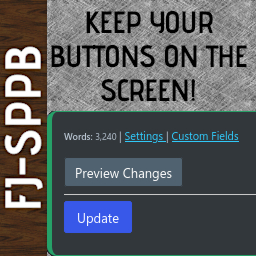
Your own tab for Classic Editor containing the preview/publish buttons. As you use the editor, it scrolls with you. No more scrolling back to the top!

Compatible with WP 6.9
v1.5.2 Current Version v1.5.2
Updated 1 month ago Last Update on 02 Dec, 2025
Synced 13 hours ago Last Synced on
Rank
#24,317
No change
Active Installs
30+
No change
KW Avg Position
65
No change
Downloads
3.3K
+2 today
Support Resolved
0%
No change
Rating
100%
Review 5 out of 5
5 (2 reviews)

Next Milestone 40

Total Progress 20%
30+ 40+
1,741
Ranks to Climb
-
Growth Needed
8,000,000
Active Installs
Pro

Unlock Exact Install Count

See the precise estimated active installs for this plugin, calculated from real-time ranking data.

  • Exact install estimates within tiers
  • Track install growth over time
  • Milestone progress predictions
Upgrade to Pro
Need 8 more installs to reach 40+

Rank Changes

23,679 23,859 24,040 24,220 24,400 13-01-2026 14-01-2026 15-01-2026 16-01-2026 17-01-2026 18-01-2026 19-01-2026 20-01-2026
23,670 23,853 24,036 24,218 24,401 05-01-2026 06-01-2026 07-01-2026 08-01-2026 09-01-2026 10-01-2026 11-01-2026 12-01-2026 13-01-2026 14-01-2026 15-01-2026 16-01-2026 17-01-2026 18-01-2026 19-01-2026 20-01-2026
23,420 23,674 23,927 24,181 24,434 21-12-2025 22-12-2025 23-12-2025 24-12-2025 25-12-2025 26-12-2025 27-12-2025 28-12-2025 29-12-2025 30-12-2025 31-12-2025 01-01-2026 02-01-2026 03-01-2026 04-01-2026 05-01-2026 06-01-2026 07-01-2026 08-01-2026 09-01-2026 10-01-2026 11-01-2026 12-01-2026 13-01-2026 14-01-2026 15-01-2026 16-01-2026 17-01-2026 18-01-2026 19-01-2026 20-01-2026
23,420 23,674 23,927 24,181 24,434 22-10-2025 23-10-2025 24-10-2025 25-10-2025 26-10-2025 27-10-2025 28-10-2025 29-10-2025 30-10-2025 31-10-2025 01-11-2025 02-11-2025 03-11-2025 04-11-2025 05-11-2025 06-11-2025 07-11-2025 08-11-2025 09-11-2025 10-11-2025 11-11-2025 12-11-2025 13-11-2025 14-11-2025 15-11-2025 16-11-2025 17-11-2025 18-11-2025 19-11-2025 20-11-2025 21-11-2025 22-11-2025 23-11-2025 24-11-2025 25-11-2025 26-11-2025 27-11-2025 28-11-2025 29-11-2025 30-11-2025 01-12-2025 02-12-2025 03-12-2025 04-12-2025 05-12-2025 06-12-2025 07-12-2025 08-12-2025 09-12-2025 10-12-2025 11-12-2025 12-12-2025 13-12-2025 14-12-2025 15-12-2025 16-12-2025 17-12-2025 18-12-2025 19-12-2025 20-12-2025 21-12-2025 22-12-2025 23-12-2025 24-12-2025 25-12-2025 26-12-2025 27-12-2025 28-12-2025 29-12-2025 30-12-2025 31-12-2025 01-01-2026 02-01-2026 03-01-2026 04-01-2026 05-01-2026 06-01-2026 07-01-2026 08-01-2026 09-01-2026 10-01-2026 11-01-2026 12-01-2026 13-01-2026 14-01-2026 15-01-2026 16-01-2026 17-01-2026 18-01-2026 19-01-2026 20-01-2026
Current #24,317
Change
Best #

Upgrade to Pro

Unlock 30-day and 90-day rank history charts with a Pro subscription.

Upgrade Now

Active Installs Growth

Active Installs 0,000,000+
Growth +0.0%
Peak 0,000,000

Downloads Growth

0 10 13-01-2026 14-01-2026 15-01-2026 16-01-2026 17-01-2026 18-01-2026 19-01-2026 20-01-2026
0 10 05-01-2026 06-01-2026 07-01-2026 08-01-2026 09-01-2026 10-01-2026 11-01-2026 12-01-2026 13-01-2026 14-01-2026 15-01-2026 16-01-2026 17-01-2026 18-01-2026 19-01-2026 20-01-2026
0 10 21-12-2025 22-12-2025 23-12-2025 24-12-2025 25-12-2025 26-12-2025 27-12-2025 28-12-2025 29-12-2025 30-12-2025 31-12-2025 01-01-2026 02-01-2026 03-01-2026 04-01-2026 05-01-2026 06-01-2026 07-01-2026 08-01-2026 09-01-2026 10-01-2026 11-01-2026 12-01-2026 13-01-2026 14-01-2026 15-01-2026 16-01-2026 17-01-2026 18-01-2026 19-01-2026 20-01-2026
0 10 20 30 40 22-10-2025 25-10-2025 28-10-2025 31-10-2025 03-11-2025 06-11-2025 09-11-2025 12-11-2025 15-11-2025 18-11-2025 21-11-2025 24-11-2025 27-11-2025 30-11-2025 03-12-2025 06-12-2025 09-12-2025 12-12-2025 15-12-2025 18-12-2025 21-12-2025 24-12-2025 27-12-2025 30-12-2025 02-01-2026 05-01-2026 08-01-2026 11-01-2026 14-01-2026 17-01-2026 20-01-2026
0 10 20 30 40 20-01-2025 01-02-2025 13-02-2025 25-02-2025 09-03-2025 21-03-2025 02-04-2025 14-04-2025 26-04-2025 08-05-2025 20-05-2025 01-06-2025 13-06-2025 25-06-2025 07-07-2025 19-07-2025 31-07-2025 12-08-2025 24-08-2025 05-09-2025 17-09-2025 29-09-2025 11-10-2025 23-10-2025 04-11-2025 16-11-2025 28-11-2025 10-12-2025 22-12-2025 03-01-2026 15-01-2026 20-01-2026
Downloads
Growth
Peak

Upgrade to Pro

Unlock 30-day, 90-day, and yearly download history charts with a Pro subscription.

Upgrade Now

Reviews & Ratings

5.0
2 reviews
Overall 100%
5
2 (100%)
4
0 (0%)
3
0 (0%)
2
0 (0%)
1
0 (0%)

Tracked Keywords

Showing 1 of 1
Keyword Position Change Type Updated
back-office 65 Tag 16 hours ago

Unlock Keyword Analytics

Track keyword rankings, search positions, and discover new ranking opportunities with a Pro subscription.

  • Full keyword position tracking
  • Historical ranking data
  • Competitor keyword analysis
Upgrade to Pro

Track This Plugin

Get detailed analytics, keyword tracking, and position alerts delivered to your inbox.

Start Tracking Free

Plugin Details

Version
1.5.2
Last Updated
Dec 02, 2025
Requires WP
6.0+
Tested Up To
6.9
PHP Version
7.0 or higher
Author
FibroJedi

Support & Rating

Rating
★ ★ ★ ★ ★ 5
Reviews
2
Support Threads
0
Resolved
0%

Keywords

Upgrade to Pro

Unlock keyword rankings, search positions, and detailed analytics with a Pro subscription.

Upgrade Now

Frequently Asked Questions

Common questions about Sticky Preview and Publish Buttons by FibroJedi

FJ-SPPB is a back office plugin for use with Classic Editor and has not been tested with Gutenberg features. Others are welcome to modify it to suit their needs.
It creates a tab on the right hand side of your page/post editor, containing the key "publishing" actions that usually sit at the top of the window. As you scroll down the page - or writing your content makes the page longer - FJ-SPPB scrolls with you.
Nope. The tab is in addition to it so you can control where your interface items go. Other Features As I made this for myself originally, there are a few other features, most of which can be switched off if you do not want them: Word Count at the last save/publish action. Close for Now: depending on your window size, this will either be a [X] or a circular (X) symbol. This hides the tab until the next save/publish action. Confirmation Dialog: get prompted when pressing [Save Draft], [Update] or [Publish]. You can enable/disable this in options.
**Unless you change the option, it simulates a click on the default buttons. Thus, what you would expect those ones to do, FJ-SPPB does. See it as a handy shortcut or scrolling bookmark!
Yes! Under the Settings menu, look for Sticky Preview Buttons. There you can set: * Colour Option: Just choose a border colour from the colour pallet in options. * Compact Mode: Enable Compact Mode for a slimline tab. * Enable per Post Type Show the tab on only the types of content where you need it most. * Word Count: Show the approximate word count of the current article/page based on the previous save. * Positioning: Decide how far down the screen you want the tab to appear. * Opacity of the tab when a cursor is not over it. * Publish/Update Confirmation option, so you have a second or two to be sure of the updates you've made.

Sign In / Register

You need to sign in or register to use this feature.