Glizano Checkout Latino for WooCommerce
by glizano 0 (0 reviews)

Glizano Checkout Latino for WooCommerce

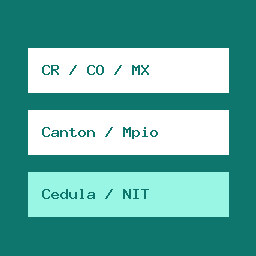
Chained location dropdowns and optional tax ID validation for Costa Rica, Colombia and Mexico in WooCommerce checkout.

Glizano Checkout Latino for WooCommerce ranks #61,430 among WordPress.org plugins with 0+ active installations, is #10,113 of 14,124 in the E-commerce category, and was last updated Oct 25, 2026. Data from WordPress.org, refreshed twice daily — see methodology.

Compatible with WP 7.1.4
v0.2.0 Current Version v0.2.0
Updated 1 week ago Last Update on 25 Oct, 2026
Refreshed 2 days ago Last Refreshed on
#10,113 of 14,124 in E-commerce Downloads -42.1% this week Actively maintained
View on WordPress.org
Rank
#61,430
— No change
Active Installs
0+
— No change
KW Avg Position
35
— No change
Downloads
71
+1 today
Support Resolved
0%
— No change
Rating
0%
Review 0 out of 5
0 (0 reviews)

Next Milestone 10

Total Progress 20%
0+ 10+
33,862
Ranks to Climb
-
Growth Needed
8,000,000
Active Installs
Pro

Unlock Exact Install Count

See the precise estimated active installs for this plugin, calculated from real-time ranking data.

  • Exact install estimates within tiers
  • Track install growth over time
  • Milestone progress predictions
Upgrade to Pro
Need 8 more installs to reach 10+

Rank Changes

50,766 56,754 62,742 68,730 74,718 25-10-2026 26-10-2026 27-10-2026 28-10-2026 29-10-2026 30-10-2026 31-10-2026 01-11-2026
50,766 56,754 62,742 68,730 74,718 17-10-2026 18-10-2026 19-10-2026 20-10-2026 21-10-2026 22-10-2026 23-10-2026 24-10-2026 25-10-2026 26-10-2026 27-10-2026 28-10-2026 29-10-2026 30-10-2026 31-10-2026 01-11-2026
Current #61,430
Change
Best #

Upgrade to Pro

Unlock 30-day and 90-day rank history charts with a Pro subscription.

Upgrade Now

Active Installs Growth

Active Installs 0,000,000+
Growth +0.0%
Peak 0,000,000

Downloads Growth

0 10 20 30 25-10-2026 26-10-2026 27-10-2026 28-10-2026 29-10-2026 30-10-2026 31-10-2026 01-11-2026
0 10 20 30 40 17-10-2026 18-10-2026 19-10-2026 20-10-2026 21-10-2026 22-10-2026 23-10-2026 24-10-2026 25-10-2026 26-10-2026 27-10-2026 28-10-2026 29-10-2026 30-10-2026 31-10-2026 01-11-2026
Downloads
Growth
Peak

Upgrade to Pro

Unlock 30-day, 90-day, and yearly download history charts with a Pro subscription.

Upgrade Now

Reviews & Ratings

0.0
0 reviews
Overall 0%
5
0 (0%)
4
0 (0%)
3
0 (0%)
2
0 (0%)
1
0 (0%)

Frequently Asked Questions

Common questions about Glizano Checkout Latino for WooCommerce

No. All territorial lists and validation rules are bundled locally inside the plugin. No customer or order data ever leaves your store.
It is stored only in the WooCommerce order metadata (_billing_glzcl_id_number in the classic checkout, or the WooCommerce additional field glizano-checkout-latino/id-number in the Checkout block), just like the shipping address, and is displayed in the WooCommerce admin order panel and order summary. It is never saved to the customer account.
Yes. Stores created with WooCommerce 8.3 or later use the Checkout block by default, and the plugin supports it (WooCommerce 8.9 or later): Provinces, departments and states appear with their official names. The Canton (Costa Rica) or Municipality (Colombia, Mexico) field suggests the official list of the selected province or state while the shopper types, and is validated when the order is placed. It is saved with its official name, so "escazu" becomes "Escazú". Costa Rica adds a District field with suggestions, required only for Costa Rica. The optional identification field appears in "Additional order information", only for Costa Rica, Colombia and Mexico, with the same format validation. In the classic checkout (the [woocommerce_checkout] shortcode), Canton, District and Municipality are dropdown lists.
Not in this plugin. Glizano Checkout Latino Pro, a separate paid add-on, adds a WooCommerce shipping method with a cost per province, canton or district (or department, state or municipality) and limits cash on delivery to the areas you choose: https://checkout-latino.glizano.dev/
If the customer selects a country other than Costa Rica, Colombia or Mexico, WooCommerce's standard checkout fields work as usual without modification.

Sign In / Register

You need to sign in or register to use this feature.










