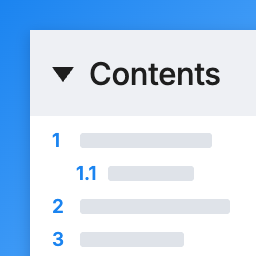
Headlight Table of Contents
by Andy Feliciotti 1 (0 reviews)

Headlight Table of Contents

A lightweight table of contents with zero JavaScript. Added to posts automatically or with a block or shortcode. Works with Classic posts too.

Headlight Table of Contents ranks #68,959 among WordPress.org plugins with 1+ active installations, a 1/5 rating from 0 reviews, and was last updated Oct 27, 2026. Data from WordPress.org, refreshed twice daily — see methodology.

Compatible with WP 7.1
v1.0.0 Current Version v1.0.0
Updated 1 week ago Last Update on 27 Oct, 2026
Refreshed 1 week ago Last Refreshed on
Downloads -59.4% this week Actively maintained
View on WordPress.org
Rank
#68,959
— No change
Active Installs
1+
— No change
KW Avg Position
115
0.5 worse
Downloads
54
+1 today
Support Resolved
0%
— No change
Rating
20%
Review 1 out of 5
1 (0 reviews)

Next Milestone 10

Total Progress 10%
0+ 10+
56,022
Ranks to Climb
-
Growth Needed
8,000,000
Active Installs
Pro

Unlock Exact Install Count

See the precise estimated active installs for this plugin, calculated from real-time ranking data.

  • Exact install estimates within tiers
  • Track install growth over time
  • Milestone progress predictions
Upgrade to Pro
Need 9 more installs to reach 10+

Rank Changes

65,511 67,235 68,959 70,683 72,407 31-10-2026 01-11-2026 02-11-2026 03-11-2026 04-11-2026 05-11-2026 06-11-2026 07-11-2026
50,533 55,740 60,948 66,155 71,362 23-10-2026 24-10-2026 25-10-2026 26-10-2026 27-10-2026 28-10-2026 29-10-2026 30-10-2026 31-10-2026 01-11-2026 02-11-2026 03-11-2026 04-11-2026 05-11-2026 06-11-2026 07-11-2026
Current #68,959
Change
Best #

Upgrade to Pro

Unlock 30-day and 90-day rank history charts with a Pro subscription.

Upgrade Now

Active Installs Growth

Active Installs 0,000,000+
Growth +0.0%
Peak 0,000,000

Downloads Growth

0 10 31-10-2026 01-11-2026 02-11-2026 03-11-2026 04-11-2026 05-11-2026 06-11-2026 07-11-2026
0 10 20 30 40 23-10-2026 24-10-2026 25-10-2026 26-10-2026 27-10-2026 28-10-2026 29-10-2026 30-10-2026 31-10-2026 01-11-2026 02-11-2026 03-11-2026 04-11-2026 05-11-2026 06-11-2026 07-11-2026
Downloads
Growth
Peak

Upgrade to Pro

Unlock 30-day, 90-day, and yearly download history charts with a Pro subscription.

Upgrade Now

Reviews & Ratings

1.0
0 reviews
Overall 20%
5
0 (0%)
4
0 (0%)
3
0 (0%)
2
0 (0%)
1
0 (0%)

Track This Plugin

Get detailed analytics, keyword tracking, and position alerts delivered to your inbox.

Start Tracking Free

Plugin Details

Version
1.0.0
Last Updated
Oct 27, 2026
Requires WP
6.5+
Tested Up To
7.1
PHP Version
7.4 or higher
Author
Andy Feliciotti

Support & Rating

Rating
★ ☆ ☆ ☆ ☆ 1
Reviews
0
Support Threads
0
Resolved
0%

Keywords

Upgrade to Pro

Unlock keyword rankings, search positions, and detailed analytics with a Pro subscription.

Upgrade Now

Frequently Asked Questions

Common questions about Headlight Table of Contents

Every heading in the post itself as it is shown: Heading blocks, Classic Editor headings, and headings that come from patterns, shortcodes, Custom HTML, page builders like Elementor, and other blocks like GenerateBlocks and Kadence Blocks. Choose the levels (H1 to H6) in the settings or on the block. Headings in your theme's header, sidebar or footer aren't included.
Use the Table of Contents box on the post's edit screen and choose Hide, or add [headlight-toc-off] anywhere in the post ([no_toc] left by other plugins works too). Choose Show to add it to a post whose type isn't turned on in the settings.
Add the CSS class headlight-toc-exclude to the heading (Block > Advanced > Additional CSS class), or list its text under Settings > Table of Contents > Leave out headings. * works as a wildcard. My theme's sticky header covers the heading after clicking a link Enter the header's height under Settings > Table of Contents > Sticky header height. The WordPress admin bar is accounted for automatically. Some themes, like Kadence, scroll to links with their own script and handle their own sticky header. I'm switching from Easy Table of Contents or Table of Contents Plus Deactivate the old plugin (you'll see a reminder while both are active), then under Settings > Table of Contents > Heading links choose "Same as Easy Table of Contents" or "Same as Table of Contents Plus". The old plugin's leftover settings are used, so every heading gets exactly the id it had before and links people have shared to sections of your posts (like #What_is_SEO) keep working. This was checked against Easy Table of Contents 2.0.88 and Table of Contents Plus 202609.1 with headings full of punctuation, quotes, accents, emoji and non-Latin text. [toc], `[ez-toc]`, `[lwptoc]` and `[no_toc]` in your posts keep working too, and in the block editor "Convert to blocks" turns them into the Table of Contents block.
[headlight-toc title="In this post" levels="2,3" collapse="closed" list="bullets"] places it, and [headlight-toc-off] turns the automatic one off for that post. title: the heading of the box. levels: which heading levels to list, e.g. 2,3. collapse: open, closed or off (no toggle). list: numbered, bullets or plain.
Each page of a post split with a Page Break lists the headings on that page.
Not yet. The block and shortcode work inside post content.
No. Heading ids are added when the page is shown. In the block editor (with the standard link style), the plugin turns on WordPress's own option to save an HTML anchor on each Heading block as you write, so a link to a section stays the same if you later edit the heading. You can turn that off in the settings.

Sign In / Register

You need to sign in or register to use this feature.