ICDSoft Reseller Store
Start reselling web hosting services, domains and SSL Certificates on your website. Create your own web hosting company.
Next Milestone 100
Unlock Exact Install Count
See the precise estimated active installs for this plugin, calculated from real-time ranking data.
- Exact install estimates within tiers
- Track install growth over time
- Milestone progress predictions
Rank Changes
Downloads Growth
Upgrade to Pro
Unlock 30-day, 90-day, and yearly download history charts with a Pro subscription.
Upgrade NowReviews & Ratings
Tracked Keywords
Showing 1 of 1| Keyword | Position | Change | Type | Updated |
|---|---|---|---|---|
| reseller | 19 | — | Tag | 13 hours ago |
Unlock Keyword Analytics
Track keyword rankings, search positions, and discover new ranking opportunities with a Pro subscription.
- Full keyword position tracking
- Historical ranking data
- Competitor keyword analysis
Track This Plugin
Get detailed analytics, keyword tracking, and position alerts delivered to your inbox.
Start Tracking FreePlugin Details
- Version
- 2.6.1
- Last Updated
- Jan 12, 2026
- Requires WP
- 6.3+
- Tested Up To
- 6.9
- PHP Version
- 7.4 or higher
- Author
- ICDSoft Hosting
Support & Rating
- Rating
- ★ ☆ ☆ ☆ ☆ 1
- Reviews
- 0
- Support Threads
- 0
- Resolved
- 0%
Keywords
Upgrade to Pro
Unlock keyword rankings, search positions, and detailed analytics with a Pro subscription.
Upgrade NowSimilar Plugins

Frequently Asked Questions
Common questions about ICDSoft Reseller Store

[hostingorder]
The hostingorder shortcode places a hosting order form on your post/page. It allows customers to order hosting plans from your online store. It also allows customers to register a domain (along with the hosting purchase) from one of the supported TLDs that we offer registration services for.
The domaincheck shortcode places a domain check form on your post/page. It allows visitors to check the availability of domains from the TLDs that we offer registration services for.
SSL Certificate Order Form
[certificates]
Support for SSL certificate orders has arrived. The certificates shortcode places an SSL certificate order form on your post/page. It allows visitors to order commercial SSL certificates from the list of certificates we offer.
Plan info block
[plan_info plan="Product Name" location="Data Center"]
The plan_info shortcode can be used to display the main features of a given hosting product. plan can take one of the following values - economy, business, business-plus, economy-sureapp, business-sureapp, firstclass, firstclass-startup, firstclass-ultimate, multivps, multivps-pro. location can take one of the following values - eu, us, hk.
Example: The following shortcode will display a table with the characteristics of the Economy plan at the Europe data center
[plan_info plan="economy" location="eu"]
Plan compare block
[compare_plans location="Data Center"]
The compare_plans shortcode can be used to show a comparison table of the hosting plans in a given datacenter. location can take one of the following values - eu, us, hk. The number of plans displayed per row is configured from the Settings menu of the plugin. The default value is 3.
Example: The following shortcode will show a comparison table of the hosting plans at the USA data center
[compare_plans location="us"]
Note:
When placing shortcodes, please make sure that you use the correct quotes (double quotes ") for their parameters. You can use the "Paste as plain text" feature (ctrl + shift + v for Windows, command + shift + v for Mac) to paste the shortcode as plain text in the page/post editor.
How do I create an online store?
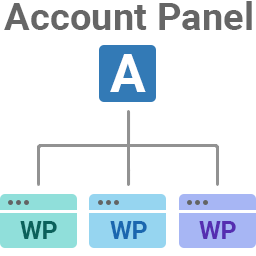
The online store would be created and connected automatically (with default settings) for users that sign up through the Welcome screen shown upon activating the plugin. Existing resellers can create and configure an online store through the ICDSoft Account Panel -> Online Stores -> Management.
How do I connect the plugin to my online store?
Existing resellers that have manually created their online store would have to connect to it by entering its Authentication Key and HMAC Secret at the plugin's Settings menu. You can obtain the Authentication Key and HMAC Secret for your online store through the ICDSoft Account Panel -> Online Stores -> Management -> Edit (for the store in question) -> Main Settings -> API settings.
The online store would be connected automatically for users that sign up through the Welcome screen shown upon activating the plugin.
What payment processors are supported?
To be able to accept payments, you need to have an active business/merchant account with at least one of the following payment processors: PayPal, 2Checkout, ePay.bg, Authorize.Net, Stripe, PayU.com (South America), PayDollar.
What currencies are supported in the online store?
The supported currencies are - USD, EUR, HKD, BGN, CAD, AUD.