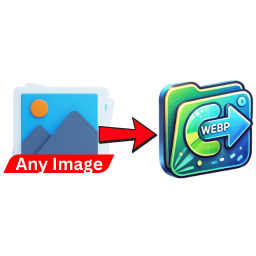
Image to WebP Converter
by SACHINRAJ CP 1 (0 reviews)

Image to WebP Converter

Automatically convert uploaded images (PNG, JPG, JPEG) to WebP format to enhance website performance and reduce load times.

Compatible with WP 7
v1.0 Current Version v1.0
Updated 2 months ago Last Update on 23 May, 2026
Refreshed 9 hours ago Last Refreshed on
View on WordPress.org
Rank
#11,824
No change
Active Installs
200+
-21.3%
KW Avg Position
96.5
-0.5 better
Downloads
907
+3 today
Support Resolved
0%
No change
Rating
20%
Review 1 out of 5
1 (0 reviews)

Next Milestone 300

Total Progress 16%
200+ 300+
7,075
Ranks to Climb
-
Growth Needed
8,000,000
Active Installs
Pro

Unlock Exact Install Count

See the precise estimated active installs for this plugin, calculated from real-time ranking data.

  • Exact install estimates within tiers
  • Track install growth over time
  • Milestone progress predictions
Upgrade to Pro
Need 84 more installs to reach 300+

Rank Changes

11,788 11,866 11,944 12,021 12,099 19-07-2026 20-07-2026 21-07-2026 22-07-2026 23-07-2026 24-07-2026 25-07-2026 26-07-2026
11,781 11,875 11,969 12,062 12,156 11-07-2026 12-07-2026 13-07-2026 14-07-2026 15-07-2026 16-07-2026 17-07-2026 18-07-2026 19-07-2026 20-07-2026 21-07-2026 22-07-2026 23-07-2026 24-07-2026 25-07-2026 26-07-2026
11,781 11,875 11,969 12,062 12,156 26-06-2026 27-06-2026 28-06-2026 29-06-2026 30-06-2026 01-07-2026 02-07-2026 03-07-2026 04-07-2026 05-07-2026 06-07-2026 07-07-2026 08-07-2026 09-07-2026 10-07-2026 11-07-2026 12-07-2026 13-07-2026 14-07-2026 15-07-2026 16-07-2026 17-07-2026 18-07-2026 19-07-2026 20-07-2026 21-07-2026 22-07-2026 23-07-2026 24-07-2026 25-07-2026 26-07-2026
11,781 11,875 11,969 12,062 12,156 27-04-2026 28-04-2026 29-04-2026 30-04-2026 01-05-2026 02-05-2026 03-05-2026 04-05-2026 05-05-2026 06-05-2026 07-05-2026 08-05-2026 09-05-2026 10-05-2026 11-05-2026 12-05-2026 13-05-2026 14-05-2026 15-05-2026 16-05-2026 17-05-2026 18-05-2026 19-05-2026 20-05-2026 21-05-2026 22-05-2026 23-05-2026 24-05-2026 25-05-2026 26-05-2026 27-05-2026 28-05-2026 29-05-2026 30-05-2026 31-05-2026 01-06-2026 02-06-2026 03-06-2026 04-06-2026 05-06-2026 06-06-2026 07-06-2026 08-06-2026 09-06-2026 10-06-2026 11-06-2026 12-06-2026 13-06-2026 14-06-2026 15-06-2026 16-06-2026 17-06-2026 18-06-2026 19-06-2026 20-06-2026 21-06-2026 22-06-2026 23-06-2026 24-06-2026 25-06-2026 26-06-2026 27-06-2026 28-06-2026 29-06-2026 30-06-2026 01-07-2026 02-07-2026 03-07-2026 04-07-2026 05-07-2026 06-07-2026 07-07-2026 08-07-2026 09-07-2026 10-07-2026 11-07-2026 12-07-2026 13-07-2026 14-07-2026 15-07-2026 16-07-2026 17-07-2026 18-07-2026 19-07-2026 20-07-2026 21-07-2026 22-07-2026 23-07-2026 24-07-2026 25-07-2026 26-07-2026
Current #11,824
Change
Best #

Upgrade to Pro

Unlock 30-day and 90-day rank history charts with a Pro subscription.

Upgrade Now

Active Installs Growth

Active Installs 0,000,000+
Growth +0.0%
Peak 0,000,000

Downloads Growth

0 10 19-07-2026 20-07-2026 21-07-2026 22-07-2026 23-07-2026 24-07-2026 25-07-2026 26-07-2026
0 10 11-07-2026 12-07-2026 13-07-2026 14-07-2026 15-07-2026 16-07-2026 17-07-2026 18-07-2026 19-07-2026 20-07-2026 21-07-2026 22-07-2026 23-07-2026 24-07-2026 25-07-2026 26-07-2026
0 10 26-06-2026 27-06-2026 28-06-2026 29-06-2026 30-06-2026 01-07-2026 02-07-2026 03-07-2026 04-07-2026 05-07-2026 06-07-2026 07-07-2026 08-07-2026 09-07-2026 10-07-2026 11-07-2026 12-07-2026 13-07-2026 14-07-2026 15-07-2026 16-07-2026 17-07-2026 18-07-2026 19-07-2026 20-07-2026 21-07-2026 22-07-2026 23-07-2026 24-07-2026 25-07-2026 26-07-2026
0 10 20 27-04-2026 30-04-2026 03-05-2026 06-05-2026 09-05-2026 12-05-2026 15-05-2026 18-05-2026 21-05-2026 24-05-2026 27-05-2026 30-05-2026 02-06-2026 05-06-2026 08-06-2026 11-06-2026 14-06-2026 17-06-2026 20-06-2026 23-06-2026 26-06-2026 29-06-2026 02-07-2026 05-07-2026 08-07-2026 11-07-2026 14-07-2026 17-07-2026 20-07-2026 23-07-2026 26-07-2026
0 10 20 26-07-2025 07-08-2025 19-08-2025 31-08-2025 12-09-2025 24-09-2025 06-10-2025 18-10-2025 30-10-2025 11-11-2025 23-11-2025 05-12-2025 17-12-2025 29-12-2025 10-01-2026 22-01-2026 03-02-2026 15-02-2026 27-02-2026 11-03-2026 23-03-2026 04-04-2026 16-04-2026 28-04-2026 10-05-2026 22-05-2026 03-06-2026 15-06-2026 27-06-2026 09-07-2026 21-07-2026 26-07-2026
Downloads
Growth
Peak

Upgrade to Pro

Unlock 30-day, 90-day, and yearly download history charts with a Pro subscription.

Upgrade Now

Reviews & Ratings

1.0
0 reviews
Overall 20%
5
0 (0%)
4
0 (0%)
3
0 (0%)
2
0 (0%)
1
0 (0%)

Tracked Keywords

Showing 2 of 2
Keyword Position Change Type Updated
image compression 85 Tag 15 hours ago
webp 108 Tag 15 hours ago

Unlock Keyword Analytics

Track keyword rankings, search positions, and discover new ranking opportunities with a Pro subscription.

  • Full keyword position tracking
  • Historical ranking data
  • Competitor keyword analysis
Upgrade to Pro

Track This Plugin

Get detailed analytics, keyword tracking, and position alerts delivered to your inbox.

Start Tracking Free

Plugin Details

Version
1.0
Last Updated
May 23, 2026
Requires WP
5.0+
Tested Up To
7
PHP Version
7.0 or higher
Author
SACHINRAJ CP

Support & Rating

Rating
★ ☆ ☆ ☆ ☆ 1
Reviews
0
Support Threads
0
Resolved
0%

Keywords

Upgrade to Pro

Unlock keyword rankings, search positions, and detailed analytics with a Pro subscription.

Upgrade Now

Frequently Asked Questions

Common questions about Image to WebP Converter

The plugin hooks into the WordPress media upload process and converts supported image files (PNG, JPG, JPEG) to WebP format automatically using the GD library.
Yes, your server must have the GD library with WebP support enabled. Contact your hosting provider if you’re unsure.
By default, the plugin keeps the original images intact. You can modify this behavior in the plugin code if necessary.
If WebP support is unavailable, the plugin will log an error and skip the conversion process.
Yes, it is compatible. However, for caching plugins to serve WebP images, you may need additional configuration depending on your caching solution.
You can check this by running a PHP info script or contacting your hosting provider for confirmation.
Ensure that WP_DEBUG is enabled in your WordPress configuration file (wp-config.php) to log errors. Check the WordPress debug log for any error messages related to the plugin.

Sign In / Register

You need to sign in or register to use this feature.











