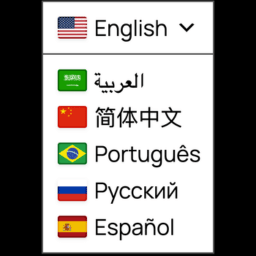
Multilanguage by BestWebSoft - WordPress Translation Plugin and Language Switcher
The ultimate WordPress translation solution with built-in language translator. Create multilingual content, switch languages, and translate your entir …
Next Milestone 4K
Unlock Exact Install Count
See the precise estimated active installs for this plugin, calculated from real-time ranking data.
- Exact install estimates within tiers
- Track install growth over time
- Milestone progress predictions
Rank Changes
Downloads Growth
Upgrade to Pro
Unlock 30-day, 90-day, and yearly download history charts with a Pro subscription.
Upgrade NowReviews & Ratings
Tracked Keywords
Showing 3 of 3| Keyword | Position | Change | Type | Updated |
|---|---|---|---|---|
| multilanguage wordpress | 50 | — | Tag | 17 hours ago |
| language translator | 74 | — | Tag | 17 hours ago |
| language switcher | 146 | — | Tag | 17 hours ago |
Unlock Keyword Analytics
Track keyword rankings, search positions, and discover new ranking opportunities with a Pro subscription.
- Full keyword position tracking
- Historical ranking data
- Competitor keyword analysis
Track This Plugin
Get detailed analytics, keyword tracking, and position alerts delivered to your inbox.
Start Tracking FreePlugin Details
- Version
- 1.5.2
- Last Updated
- Jan 14, 2026
- Requires WP
- 6.4+
- Tested Up To
- 6.9
- PHP Version
- N/A
- Author
- BestWebSoft
Support & Rating
- Rating
- ★ ★ ★ ★ ☆ 3.8
- Reviews
- 92
- Support Threads
- 0
- Resolved
- 0%
Keywords
Upgrade to Pro
Unlock keyword rankings, search positions, and detailed analytics with a Pro subscription.
Upgrade NowSimilar Plugins

Frequently Asked Questions
Common questions about Multilanguage by BestWebSoft - WordPress Translation Plugin and Language Switcher
/* English for New Zealand */
$links_attr[] = array( 'hreflang' => 'en_NZ', 'link_param' => 'en_GB' );
/* English for South Africa */
$links_attr[] = array( 'hreflang' => 'en_ZA', 'link_param' => 'en_GB' );
return $links_attr;
}
add_filter( 'bwsplgns_mltlngg_add_alt_links', 'get_additional_links' );
Note: before you have to choose English (for England) as one of languages of your website.
I added several whitespaces between words during the post content editing in the text mode. They are gone after I switched to the visual mode. Why?
After the mode switching, the post content has been automatically filtered to remove all odd symbols or HTML tags which can disrupt pages layout on your website. This functionality is related to WordPress core and our plugin does not affect it in any way.
When title and content is empty, none of the changes get saved when I update the post
When title and content fields in active language tab are empty when you are trying to update the post after editing, the changes will not be saved and an error message will appear. You need to fill at least one field or switch to another language tab (which contains some content in the specified input fields) and try to update once again.
How can I change element's style in the frontend for certain language?
"mltlngg-{current language slug}" class type has been added to <body> tag for an ability to stylize content of certain language. For example, if you want to set a green color for <p> when the English language is selected, it is necessary to:
1. Go to WordPress admin panel "Multilanguage" -> "Custom Code";
2. Check off "Activate" in "Editing bws-custom-code.css" block and enter the following code:
.mltlngg-en_US p {
color: green;
}
Save changes.
How can I add a language that is not in the list?
You can add the necessary language by adding the appropriate line with language data to "languages.php" file (wp-content/plugins/multilanguage/include/languages.php).
Follow the next steps:
1. Find the wp-content/plugins/multilanguage/include/languages.php using the FTP software.
2. Open the languages.php file in a text editor.
3. Add a language following the example of others from the list.
4. Save changes.
5. Add the corresponding flag icon image (png, 16x11px) to the 'images/flags/' folder using the FTP software.
I have some problems with the plugin's work. What Information should I provide to receive proper support?
Please make sure that the problem hasn't been discussed yet on our forum (https://support.bestwebsoft.com). If no, please provide the following data along with your problem's description:
- The link to the page where the problem occurs
- The name of the plugin and its version. If you are using a pro version - your order number.
- The version of your WordPress installation
- Copy and paste into the message your system status report. Please read more here: Instruction on System Status
How does the admin translation interface work?
The admin translation interface provides a user-friendly environment where you can:
1. Translate all admin elements including menus and widgets
2. Switch between languages while editing content
3. Preview translations in real-time
4. Manage translation permissions for different user roles
5. Access translation memory for consistent translations
Can I integrate the language switcher with contact forms?
Yes, the plugin works seamlessly with popular WordPress contact form plugins. The language switcher automatically detects the current language and displays form labels, placeholders, and validation messages in the correct language. This ensures a consistent multilingual experience throughout your website.
How does the integration with Google Translate (GTranslate) work?
The plugin offers two ways to use Google Translate:
1. Automatic translation widget - visitors can instantly translate content using Google's translation service
2. Backend translation assistant - administrators can use Google Translate as a starting point for professional translations
What makes this plugin different from other WordPress translation solutions?
Our plugin stands out by offering:
1. Combined manual and automatic translation capabilities
2. Seamless integration with WordPress core features
3. No external translation services required (unless using Google Translate)
4. Full control over your content and translations
5. Regular updates and compatibility maintenance
How does the built-in language translator compare to other translation services?
Our language translator functionality provides several advantages:
1. Direct integration with WordPress - no need for external services
2. Two translation approaches:
* Manual translator interface for precise translations
* Automated translator powered by Google Translate
3. Support for bulk content translation
4. Translation memory to maintain consistency
5. No per-word translation fees
6. Works offline for manual translations
7. Translates all website elements including menus, widgets, and forms