by Troy Chaplin
1 (1 reviews)
Planned Outage for Block Themes
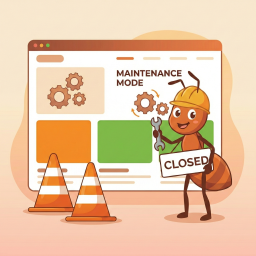
Simple maintenance mode for block themes. Shows a maintenance template to logged-out visitors.
Compatible with WP 6.9
v1.0.0
Current Version v1.0.0
Updated 2 weeks ago
Last Update on 29 Jan, 2026
Refreshed 16 hours ago
Last Refreshed on
Rank
#46,246
—
No change
Active Installs
1+
-2%
KW Avg Position
N/A
—
No change
Downloads
99
+29 today
Support Resolved
0%
—
No change
Rating
20%
Review 1 out of 5
1
(1 reviews)
Next Milestone 10
0+
10+
21,852
Ranks to Climb
-
Growth Needed
8,000,000
Active Installs
Pro
Unlock Exact Install Count
See the precise estimated active installs for this plugin, calculated from real-time ranking data.
- Exact install estimates within tiers
- Track install growth over time
- Milestone progress predictions
Need 6 more installs to reach 10+
Rank Changes
Current
#46,246
Change
Best
#
Downloads Growth
Downloads
Growth
Peak
Upgrade to Pro
Unlock 30-day, 90-day, and yearly download history charts with a Pro subscription.
Upgrade NowReviews & Ratings
1.0
1 reviews
Overall
20%
5
1
(100%)
4
0
(0%)
3
0
(0%)
2
0
(0%)
1
0
(0%)
Tracked Keywords
Showing 0 of 0| Keyword | Position | Change | Type | Updated |
|---|---|---|---|---|
| No keyword data available yet. | ||||
Unlock Keyword Analytics
Track keyword rankings, search positions, and discover new ranking opportunities with a Pro subscription.
- Full keyword position tracking
- Historical ranking data
- Competitor keyword analysis
Support Threads Overview
Resolved
Unresolved
1
Total Threads
0
Resolved
1
Unresolved
0%
Resolution Rate
Track This Plugin
Get detailed analytics, keyword tracking, and position alerts delivered to your inbox.
Start Tracking FreePlugin Details
- Version
- 1.0.0
- Last Updated
- Jan 29, 2026
- Requires WP
- 6.3+
- Tested Up To
- 6.9
- PHP Version
- 7.0 or higher
- Author
- Troy Chaplin
Support & Rating
- Rating
- ★ ☆ ☆ ☆ ☆ 1
- Reviews
- 1
- Support Threads
- 1
- Resolved
- 0%
Keywords
Upgrade to Pro
Unlock keyword rankings, search positions, and detailed analytics with a Pro subscription.
Upgrade NowSimilar Plugins

WP Adminify – White Label WordPress, Admin Menu Editor, Login Customizer
7K+ installs
#2,730
Master Addons For Elementor – White Label, Free Widgets, Hover Effects, Conditions, & Animations
30K+ installs
#938
WP-Sweep
100K+ installs
#286
SSL Insecure Content Fixer
100K+ installs
#293
Nginx Helper
100K+ installs
#305
Frequently Asked Questions
Common questions about Planned Outage for Block Themes

You have two options: Site Editor: Go to Appearance > Editor > Templates, create a new template named "maintenance" Theme file: Add a maintenance.html file to your theme's /templates/ folder
All logged-in users can browse the site normally. Only logged-out visitors see the maintenance template. You can also enable search engine bots to bypass maintenance mode.
This sets the Retry-After HTTP header, which tells search engines how long to wait before checking your site again. Options range from 30 minutes to 1 day.
For short maintenance periods (under 2 hours), the default settings are fine. For longer maintenance (over 2 hours), consider enabling search engine access. For maintenance lasting more than a day, always enable it to prevent pages from being removed from search indexes.
The plugin returns a 503 (Service Unavailable) status with a Retry-After header, which tells search engines the site is temporarily unavailable.
Simply deactivate and delete the plugin. The plugin stores options prefixed with dtmm_ which are removed when you delete the plugin.