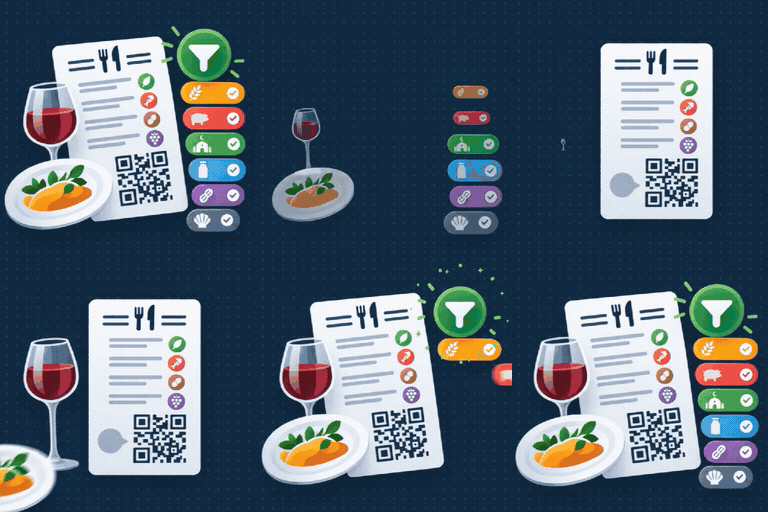
PlugTide Digital Menu for Restaurants
by plugtide 5 (0 reviews)

PlugTide Digital Menu for Restaurants

Digital menu for restaurants and bars: categories, allergens, optional prices and an allergen-aware search. Add it to any page with a shortcode.

PlugTide Digital Menu for Restaurants ranks #61,636 among WordPress.org plugins with 1+ active installations, is #418 of 652 in the Business category, a 5/5 rating from 0 reviews, and was last updated Sep 21, 2026. Data from WordPress.org, refreshed twice daily — see methodology.

Compatible with WP 7.1
v1.0.0 Current Version v1.0.0
Updated 2 days ago Last Update on 21 Sep, 2026
Refreshed 12 hours ago Last Refreshed on
#418 of 652 in Business Actively maintained
View on WordPress.org
Rank
#61,636
No change
Active Installs
1+
No change
KW Avg Position
96.3
4 worse
Downloads
0
+4 today
Support Resolved
0%
No change
Rating
100%
Review 5 out of 5
5 (0 reviews)

Next Milestone 10

Total Progress 20%
0+ 10+
48,699
Ranks to Climb
-
Growth Needed
8,000,000
Active Installs
Pro

Unlock Exact Install Count

See the precise estimated active installs for this plugin, calculated from real-time ranking data.

  • Exact install estimates within tiers
  • Track install growth over time
  • Milestone progress predictions
Upgrade to Pro
Need 8 more installs to reach 10+

Rank Changes

58,554 60,095 61,636 63,177 64,718 16-09-2026 17-09-2026 18-09-2026 19-09-2026 20-09-2026 21-09-2026 22-09-2026 23-09-2026
58,554 60,095 61,636 63,177 64,718 08-09-2026 09-09-2026 10-09-2026 11-09-2026 12-09-2026 13-09-2026 14-09-2026 15-09-2026 16-09-2026 17-09-2026 18-09-2026 19-09-2026 20-09-2026 21-09-2026 22-09-2026 23-09-2026
Current #61,636
Change
Best #

Upgrade to Pro

Unlock 30-day and 90-day rank history charts with a Pro subscription.

Upgrade Now

Active Installs Growth

Active Installs 0,000,000+
Growth +0.0%
Peak 0,000,000

Downloads Growth

0 10 20 30 40 16-09-2026 17-09-2026 18-09-2026 19-09-2026 20-09-2026 21-09-2026 22-09-2026 23-09-2026
0 10 20 30 40 08-09-2026 09-09-2026 10-09-2026 11-09-2026 12-09-2026 13-09-2026 14-09-2026 15-09-2026 16-09-2026 17-09-2026 18-09-2026 19-09-2026 20-09-2026 21-09-2026 22-09-2026 23-09-2026
Downloads
Growth
Peak

Upgrade to Pro

Unlock 30-day, 90-day, and yearly download history charts with a Pro subscription.

Upgrade Now

Reviews & Ratings

5.0
0 reviews
Overall 100%
5
0 (0%)
4
0 (0%)
3
0 (0%)
2
0 (0%)
1
0 (0%)

Frequently Asked Questions

Common questions about PlugTide Digital Menu for Restaurants

Yes. Each product has an optional price plus an optional second price, each with its own label (for example "Full portion" / "Half portion" or "Glass" / "Bottle"). Leave an amount empty to hide it. The currency symbol and its position are set under Digital Menu → Settings.
Yes, with the "Show prices" toggle in Settings.
The 14 allergend required by EU Regulation 1169/2011. They cannot be added to or removed (they are a legal requirement); only their emoji can be changed. For anything else diners might want to avoid — pork, alcohol, spicy — use the Diets screen, which is fully editable.
Yes. Uninstalling the plugin drops its tables and options. Deactivating does not.
Yes. Digital Menu → Import / Export has a downloadable CSV template with example rows. Fill it in (only name and category are required), then upload it: you pick whether to add new dishes only, add and update, or replace everything, and you see a preview — how many rows are new, updated, skipped or in error, plus any allergen spelling that was corrected — before anything is written. Missing categories and sub-categories can be created automatically. The Export button gives you the same CSV of your current products for backups or bulk edits.
Use your theme's own Additional CSS (Appearance → Customize → Additional CSS, or the Styles panel in the Site Editor). Everything is inside #dmenu-root.dmenu. The quickest way is to override the CSS variables (indent a block by four spaces to make it a code block): dmenu-root.dmenu { --dmenu-primary: #c0392b; /* prices, active filters, rules / --dmenu-primary-contrast: #ffffff; / text on the primary colour / --dmenu-menu-bg: #fbfbfb; / page background / --dmenu-card-bg: #ffffff; / product card background / --dmenu-text: #1a1a1a; --dmenu-muted: #6b6b6b; / descriptions, secondary text / --dmenu-line: rgba(0,0,0,.12); / borders / separators / --dmenu-hero-bg: #1c1c1c; --dmenu-hero-text: #ffffff; --dmenu-font-heading: "Georgia", serif; --dmenu-font-body: system-ui, sans-serif; --dmenu-radius: 10px; / card / control corner radius / --dmenu-card-border: 1px solid var(--dmenu-line); --dmenu-card-shadow: 0 4px 14px rgba(0,0,0,.07); } .dmenu-hero { background-image: url("https://example.com/menu-bg.jpg"); } / logo / image */ Useful classes: .dmenu-hero__title, .dmenu-toolbar, .dmenu-tag, .dmenu-tag.is-active, .dmenu-category__title, .dmenu-subcategory__title, .dmenu-product, .dmenu-product.is-featured, .dmenu-product__name, .dmenu-product__price, .dmenu-product__desc, .dmenu-product__markers, .dmenu-footnote. The root also carries a layout class: .dmenu--layout-grid / -two-col / -list / -centered. Colours, backgrounds and borders are locked to the theme you pick — on purpose, so the menu never mixes with your active WordPress theme's own button, heading or link colours. Changing the CSS variables above always works. If you target a class directly instead (e.g. .dmenu-tag { background: #000; }), add !important.

Sign In / Register

You need to sign in or register to use this feature.