by Tim Eckel
4.5 (2 reviews)
Popup Modal
Easily create responsive WYSIWYG modals that popup at your desired frequency and optionally print with a single click.
Tested up to WP 6.2 (Current: 6.9)
vtrunk
Current Version vtrunk
Updated 2 years ago
Last Update on 24 Feb, 2023
Synced 15 hours ago
Last Synced on
Rank
#12,293
-6 this week
Active Installs
200+
—
No change
KW Avg Position
N/A
—
No change
Downloads
6.5K
+2 today
Support Resolved
0%
—
No change
Rating
90%
Review 4.5 out of 5
4.5
(2 reviews)
Next Milestone 300
200+
300+
794
Ranks to Climb
-
Growth Needed
8,000,000
Active Installs
Pro
Unlock Exact Install Count
See the precise estimated active installs for this plugin, calculated from real-time ranking data.
- Exact install estimates within tiers
- Track install growth over time
- Milestone progress predictions
Need 43 more installs to reach 300+
Rank Changes
Current
#12,293
Change
Best
#
Downloads Growth
Downloads
Growth
Peak
Upgrade to Pro
Unlock 30-day, 90-day, and yearly download history charts with a Pro subscription.
Upgrade NowReviews & Ratings
4.5
2 reviews
Overall
90%
5
1
(50%)
4
1
(50%)
3
0
(0%)
2
0
(0%)
1
0
(0%)
Tracked Keywords
Showing 0 of 0| Keyword | Position | Change | Type | Updated |
|---|---|---|---|---|
| No keyword data available yet. | ||||
Unlock Keyword Analytics
Track keyword rankings, search positions, and discover new ranking opportunities with a Pro subscription.
- Full keyword position tracking
- Historical ranking data
- Competitor keyword analysis
Track This Plugin
Get detailed analytics, keyword tracking, and position alerts delivered to your inbox.
Start Tracking FreePlugin Details
- Version
- trunk
- Last Updated
- Feb 24, 2023
- Requires WP
- 3.5+
- Tested Up To
- 6.2
- PHP Version
- N/A
- Author
- Tim Eckel
Support & Rating
- Rating
- ★ ★ ★ ★ ★ 4.5
- Reviews
- 2
- Support Threads
- 0
- Resolved
- 0%
Keywords
Upgrade to Pro
Unlock keyword rankings, search positions, and detailed analytics with a Pro subscription.
Upgrade NowSimilar Plugins

WP Adminify – White Label WordPress, Admin Menu Editor, Login Customizer
7K+ installs
#2,735
Master Addons For Elementor - White Label, Free Widgets, Hover Effects, Conditions, & Animations
40K+ installs
#929
MW
MW WP Form
200K+ installs
#262
Newsletters, Email Marketing, SMS and Popups by Omnisend
200K+ installs
#279
Crowdsignal Forms
100K+ installs
#306
Frequently Asked Questions
Common questions about Popup Modal
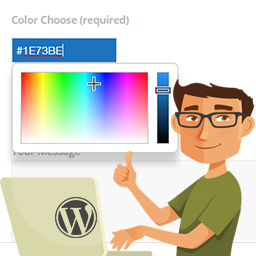
Disable popup: (check to disable, uncheck to enable) Frequency of popup: (Define how frequently each popup will display: every refresh, once per session, various minutes, various hours, weekly, monthly, yearly, or only once) Popup expires after: (Specify the date the popup will expire, or never expire) [date picker UI] Display popup on: (All pages, front page only, or interior pages only) Print option: (Allow printing of the popup) Popup location: (Centered, top center, bottom center) Maximum width: (Define the maximum width of the popup in pixels) Show title: (Allow the popup title to be visible or hidden for each popup) Text color: (Select a foreground text color for each popup window) [color picker UI] Background color: (Select a background color for each popup window) [color picker UI] Button location (No buttons "X" to close, left, center, or right) Test popup (while creating in the admin console)
You sure can! The plugin was designed to show one popup at a time if multiple popups are scheduled to be displayed. The first popup will display, and when the user closes the popup the next popup will appear. It's suggested that you don't have too many popups published at the same time to avoid users getting hammered by a bunch of popups. Remember, the popup frequency is for each user. Therefore, just because you're no longer seeing the popup, doesn't mean your users aren't.
The popup frequency is controlled via cookies set on the user's browser. When a popup occurs, a cookie is set which expires at the specified frequency (for example, in an hour). After the cookie expires, the popup with happen again.
Popup Modal will work just fine if a user is blocking third-party cookies. However, if they're blocking first-party cookies as well, they're going to see a LOT of popups and have many problems on most websites. Blocking third-party cookies is fine (and good for privacy), as is clearing cookies when your browser closes. But blocking all cookies will render a lot of the web useless. I wouldn't worry too much about it. Not many people block first-party cookies and those that do are accustomed to creating exceptions when required.