Post Type Transfer
by KrishaWeb 5 (7 reviews)

Post Type Transfer

Transfer posts, pages, and custom post types in bulk or one by one. Works from the editor, Quick Edit, and Bulk Edit. No coding needed.

Compatible with WP 7
v1.6 Current Version v1.6
Updated 1 month ago Last Update on 10 Jun, 2026
Refreshed 13 hours ago Last Refreshed on
View on WordPress.org
Rank
#4,182
+2 this week
Active Installs
3K+
No change
KW Avg Position
16.8
-0.2 better
Downloads
23.2K
+9 today
Support Resolved
0%
No change
Rating
100%
Review 5 out of 5
5 (7 reviews)

Next Milestone 4K

Total Progress 79.3%
3K+ 4K+
501
Ranks to Climb
-
Growth Needed
8,000,000
Active Installs
Pro

Unlock Exact Install Count

See the precise estimated active installs for this plugin, calculated from real-time ranking data.

  • Exact install estimates within tiers
  • Track install growth over time
  • Milestone progress predictions
Upgrade to Pro
Need 207 more installs to reach 4K+

Rank Changes

4,174 4,180 4,187 4,193 4,199 18-07-2026 19-07-2026 20-07-2026 21-07-2026 22-07-2026 23-07-2026 24-07-2026 25-07-2026
4,171 4,178 4,185 4,192 4,199 10-07-2026 11-07-2026 12-07-2026 13-07-2026 14-07-2026 15-07-2026 16-07-2026 17-07-2026 18-07-2026 19-07-2026 20-07-2026 21-07-2026 22-07-2026 23-07-2026 24-07-2026 25-07-2026
4,171 4,178 4,186 4,193 4,200 25-06-2026 26-06-2026 27-06-2026 28-06-2026 29-06-2026 30-06-2026 01-07-2026 02-07-2026 03-07-2026 04-07-2026 05-07-2026 06-07-2026 07-07-2026 08-07-2026 09-07-2026 10-07-2026 11-07-2026 12-07-2026 13-07-2026 14-07-2026 15-07-2026 16-07-2026 17-07-2026 18-07-2026 19-07-2026 20-07-2026 21-07-2026 22-07-2026 23-07-2026 24-07-2026 25-07-2026
4,151 4,164 4,176 4,188 4,201 26-04-2026 27-04-2026 28-04-2026 29-04-2026 30-04-2026 01-05-2026 02-05-2026 03-05-2026 04-05-2026 05-05-2026 06-05-2026 07-05-2026 08-05-2026 09-05-2026 10-05-2026 11-05-2026 12-05-2026 13-05-2026 14-05-2026 15-05-2026 16-05-2026 17-05-2026 18-05-2026 19-05-2026 20-05-2026 21-05-2026 22-05-2026 23-05-2026 24-05-2026 25-05-2026 26-05-2026 27-05-2026 28-05-2026 29-05-2026 30-05-2026 31-05-2026 01-06-2026 02-06-2026 03-06-2026 04-06-2026 05-06-2026 06-06-2026 07-06-2026 08-06-2026 09-06-2026 10-06-2026 11-06-2026 12-06-2026 13-06-2026 14-06-2026 15-06-2026 16-06-2026 17-06-2026 18-06-2026 19-06-2026 20-06-2026 21-06-2026 22-06-2026 23-06-2026 24-06-2026 25-06-2026 26-06-2026 27-06-2026 28-06-2026 29-06-2026 30-06-2026 01-07-2026 02-07-2026 03-07-2026 04-07-2026 05-07-2026 06-07-2026 07-07-2026 08-07-2026 09-07-2026 10-07-2026 11-07-2026 12-07-2026 13-07-2026 14-07-2026 15-07-2026 16-07-2026 17-07-2026 18-07-2026 19-07-2026 20-07-2026 21-07-2026 22-07-2026 23-07-2026 24-07-2026 25-07-2026
Current #4,182
Change
Best #

Upgrade to Pro

Unlock 30-day and 90-day rank history charts with a Pro subscription.

Upgrade Now

Active Installs Growth

Active Installs 0,000,000+
Growth +0.0%
Peak 0,000,000

Downloads Growth

0 10 20 30 40 18-07-2026 19-07-2026 20-07-2026 21-07-2026 22-07-2026 23-07-2026 24-07-2026 25-07-2026
0 10 20 30 40 50 60 10-07-2026 11-07-2026 12-07-2026 13-07-2026 14-07-2026 15-07-2026 16-07-2026 17-07-2026 18-07-2026 19-07-2026 20-07-2026 21-07-2026 22-07-2026 23-07-2026 24-07-2026 25-07-2026
0 10 20 30 40 50 60 70 25-06-2026 26-06-2026 27-06-2026 28-06-2026 29-06-2026 30-06-2026 01-07-2026 02-07-2026 03-07-2026 04-07-2026 05-07-2026 06-07-2026 07-07-2026 08-07-2026 09-07-2026 10-07-2026 11-07-2026 12-07-2026 13-07-2026 14-07-2026 15-07-2026 16-07-2026 17-07-2026 18-07-2026 19-07-2026 20-07-2026 21-07-2026 22-07-2026 23-07-2026 24-07-2026 25-07-2026
0 100 200 300 400 500 600 700 26-04-2026 29-04-2026 02-05-2026 05-05-2026 08-05-2026 11-05-2026 14-05-2026 17-05-2026 20-05-2026 23-05-2026 26-05-2026 29-05-2026 01-06-2026 04-06-2026 07-06-2026 10-06-2026 13-06-2026 16-06-2026 19-06-2026 22-06-2026 25-06-2026 28-06-2026 01-07-2026 04-07-2026 07-07-2026 10-07-2026 13-07-2026 16-07-2026 19-07-2026 22-07-2026 25-07-2026
0 100 200 300 400 500 600 700 25-07-2025 06-08-2025 18-08-2025 30-08-2025 11-09-2025 23-09-2025 05-10-2025 17-10-2025 29-10-2025 10-11-2025 22-11-2025 04-12-2025 16-12-2025 28-12-2025 09-01-2026 21-01-2026 02-02-2026 14-02-2026 26-02-2026 10-03-2026 22-03-2026 03-04-2026 15-04-2026 27-04-2026 09-05-2026 21-05-2026 02-06-2026 14-06-2026 26-06-2026 08-07-2026 20-07-2026 25-07-2026
Downloads
Growth
Peak

Upgrade to Pro

Unlock 30-day, 90-day, and yearly download history charts with a Pro subscription.

Upgrade Now

Reviews & Ratings

5.0
7 reviews
Overall 100%
5
7 (100%)
4
0 (0%)
3
0 (0%)
2
0 (0%)
1
0 (0%)

Tracked Keywords

Showing 5 of 5
Keyword Position Change Type Updated
post transfer 1 Tag 17 hours ago
post type 11 Tag 17 hours ago
post order 13 Tag 17 hours ago
post import 20 Tag 17 hours ago
acf fields 39 Tag 17 hours ago

Unlock Keyword Analytics

Track keyword rankings, search positions, and discover new ranking opportunities with a Pro subscription.

  • Full keyword position tracking
  • Historical ranking data
  • Competitor keyword analysis
Upgrade to Pro

Track This Plugin

Get detailed analytics, keyword tracking, and position alerts delivered to your inbox.

Start Tracking Free

Plugin Details

Version
1.6
Last Updated
Jun 10, 2026
Requires WP
6.6+
Tested Up To
7
PHP Version
8.1 or higher
Author
KrishaWeb

Support & Rating

Rating
★ ★ ★ ★ ★ 5
Reviews
7
Support Threads
0
Resolved
0%

Keywords

Upgrade to Pro

Unlock keyword rankings, search positions, and detailed analytics with a Pro subscription.

Upgrade Now

Frequently Asked Questions

Common questions about Post Type Transfer

Open the post in the editor, locate the Post Type section in the right sidebar, select the new post type from the dropdown menu, and click Update. The post is transferred immediately without affecting its content or settings.
Yes. The plugin supports all registered post types, including WooCommerce products, CPT UI post types, ACF-generated post types, and custom post types created by themes or plugins.
No. The plugin only changes the post type assignment. Your content, custom fields, featured image, metadata, taxonomies, and other settings remain unchanged.
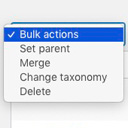
Yes. It is available in PRO version, you need to select multiple posts from the listing screen, choose Bulk Edit, select the target post type, and click Update to transfer all selected posts at once.
Changing a post type may affect the permalink structure depending on how the post type is configured. If URLs change, you should create 301 redirects to preserve inbound links and maintain search engine rankings.
The free version includes post type transfers from the editor, and Quick Edit, along with custom post type support, CSV import and export, and post visibility controls. The Pro version adds Bulk Edit, selective enablement, Taxonomy Management, Drag-and-Drop Post Reordering, AutoSort, Advanced Reorder Interface, Post Duplication, and WordPress Multisite Support.
Export posts to a CSV file from the plugin settings. The exported file includes post titles, content, featured image URLs, categories, tags, and publication dates. You can import the same file into another WordPress site or use it to recreate content on the current site.
Use the ptt_csv_export_filename filter to customize the CSV filename before download. Parameters: - $filename (string): Default export filename. - $post_type (string): Current post type being exported.
Use the ptt_csv_export_columns filter to add, remove, or reorder columns in the exported CSV. Parameters: - $columns (array): Ordered list of CSV column names. - $post_type (string): Current post type being exported.
Use the ptt_csv_export_row filter to modify individual CSV row data or populate custom column values. Parameters: - $row (array): Associative row data (column => value). - $post (WP_Post): Current post object. - $post_type (string): Current post type being exported.

Sign In / Register

You need to sign in or register to use this feature.