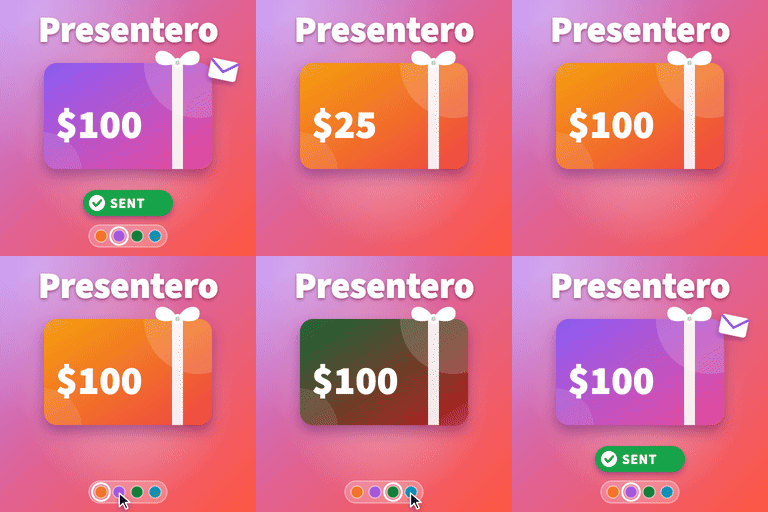
Presentero – Gift Cards for WooCommerce
by ProPluginsLab 0 (0 reviews)

Presentero – Gift Cards for WooCommerce

Sell gift cards in WooCommerce with a live card preview, email delivery and redemption on the classic and block checkout.

Presentero ranks #59,472 among WordPress.org plugins with 0+ active installations, is #9,434 of 12,405 in the E-commerce category, and was last updated Sep 17, 2026. Data from WordPress.org, refreshed twice daily — see methodology.

Compatible with WP 7.1.1
v1.0.0 Current Version v1.0.0
Updated 3 days ago Last Update on 17 Sep, 2026
Refreshed 10 hours ago Last Refreshed on
#9,434 of 12,405 in E-commerce Actively maintained
View on WordPress.org
Rank
#59,472
No change
Active Installs
0+
-5%
KW Avg Position
122
0.3 worse
Downloads
46
+3 today
Support Resolved
0%
No change
Rating
0%
Review 0 out of 5
0 (0 reviews)

Next Milestone 10

Total Progress 20%
0+ 10+
28,021
Ranks to Climb
-
Growth Needed
8,000,000
Active Installs
Pro

Unlock Exact Install Count

See the precise estimated active installs for this plugin, calculated from real-time ranking data.

  • Exact install estimates within tiers
  • Track install growth over time
  • Milestone progress predictions
Upgrade to Pro
Need 8 more installs to reach 10+

Rank Changes

50,256 51,515 52,775 54,034 55,293 13-09-2026 14-09-2026 15-09-2026 16-09-2026 17-09-2026 18-09-2026 19-09-2026 20-09-2026
50,256 51,515 52,775 54,034 55,293 05-09-2026 06-09-2026 07-09-2026 08-09-2026 09-09-2026 10-09-2026 11-09-2026 12-09-2026 13-09-2026 14-09-2026 15-09-2026 16-09-2026 17-09-2026 18-09-2026 19-09-2026 20-09-2026
Current #59,472
Change
Best #

Upgrade to Pro

Unlock 30-day and 90-day rank history charts with a Pro subscription.

Upgrade Now

Active Installs Growth

Active Installs 0,000,000+
Growth +0.0%
Peak 0,000,000

Downloads Growth

0 10 20 30 40 13-09-2026 14-09-2026 15-09-2026 16-09-2026 17-09-2026 18-09-2026 19-09-2026 20-09-2026
0 10 20 30 40 05-09-2026 06-09-2026 07-09-2026 08-09-2026 09-09-2026 10-09-2026 11-09-2026 12-09-2026 13-09-2026 14-09-2026 15-09-2026 16-09-2026 17-09-2026 18-09-2026 19-09-2026 20-09-2026
Downloads
Growth
Peak

Upgrade to Pro

Unlock 30-day, 90-day, and yearly download history charts with a Pro subscription.

Upgrade Now

Reviews & Ratings

0.0
0 reviews
Overall 0%
5
0 (0%)
4
0 (0%)
3
0 (0%)
2
0 (0%)
1
0 (0%)

Frequently Asked Questions

Common questions about Presentero – Gift Cards for WooCommerce

Yes. The gift card field appears in the order summary of the cart block and the checkout block, and the totals update straight away.
No. A gift card is money the customer already paid, so it is taken off the final total after tax, the same way a payment is. Coupons, on the other hand, lower the price of the products and the tax with it.
It stays on the card. The customer can use it on a later order until the card expires.
Yes, unless you switch off Several cards per order under Presentero, Settings, Redeeming.
Check that the order is Processing or Completed, that the Gift card received email is switched on under WooCommerce, Settings, Emails, and that other store emails arrive. The Gift cards box on the order screen shows when each card was emailed, and has a Send again link.
Yes, on the Gift cards page in My Account. Cards they buy for themselves appear there automatically. Cards someone sent them can be added by entering the code.
Codes are long random strings made with a secure random number generator. Every place that accepts a code counts wrong attempts, and a visitor who enters too many has to wait before trying again. You set both numbers under Presentero, Settings, Redeeming.
Yes. Presentero, Issue a card creates a card for any amount, with your own code if you like, and can email it straight away.
Only if you switch on Remove data on delete under Presentero, Settings, Advanced. It is off by default, because gift card balances are money your customers are owed.
Yes. Change the subject, heading and text under WooCommerce, Settings, Emails. To change the layout, copy templates/emails/card-received.php from the plugin to yourtheme/woocommerce/presentero/emails/card-received.php and edit the copy.

More plugins by ProPluginsLab

Sign In / Register

You need to sign in or register to use this feature.