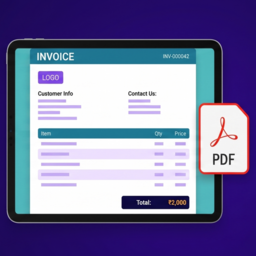
PDF Invoice Document Manager for WooCommerce
by Rakesh Kumar 5 (2 reviews)

PDF Invoice Document Manager for WooCommerce

Generate WooCommerce PDF invoices with automatic invoice numbering, GST/VAT support, customer downloads, branding, printing, packing slips, and printa …

PDF Invoice Document Manager for WooCommerce ranks #67,500 among WordPress.org plugins with 0+ active installations, is #10,113 of 14,124 in the E-commerce category, a 5/5 rating from 2 reviews, and was last updated Oct 26, 2026. Data from WordPress.org, refreshed twice daily — see methodology.

Compatible with WP 7.1.4
v2.1.2 Current Version v2.1.2
Updated 1 week ago Last Update on 26 Oct, 2026
Refreshed 1 week ago Last Refreshed on
#10,113 of 14,124 in E-commerce Downloads +10.9% this week Actively maintained
View on WordPress.org
Rank
#67,500
— No change
Active Installs
0+
-100%
KW Avg Position
57
0.7 worse
Downloads
1.1K
+3 today
Support Resolved
0%
— No change
Rating
100%
Review 5 out of 5
5 (2 reviews)

Next Milestone 10

Total Progress 10%
0+ 10+
39,932
Ranks to Climb
-
Growth Needed
8,000,000
Active Installs
Pro

Unlock Exact Install Count

See the precise estimated active installs for this plugin, calculated from real-time ranking data.

  • Exact install estimates within tiers
  • Track install growth over time
  • Milestone progress predictions
Upgrade to Pro
Need 9 more installs to reach 10+

Rank Changes

64,125 65,813 67,500 69,188 70,875 31-10-2026 01-11-2026 02-11-2026 03-11-2026 04-11-2026 05-11-2026 06-11-2026 07-11-2026
49,167 55,199 61,231 67,263 73,295 23-10-2026 24-10-2026 25-10-2026 26-10-2026 27-10-2026 28-10-2026 29-10-2026 30-10-2026 31-10-2026 01-11-2026 02-11-2026 03-11-2026 04-11-2026 05-11-2026 06-11-2026 07-11-2026
Current #67,500
Change
Best #

Upgrade to Pro

Unlock 30-day and 90-day rank history charts with a Pro subscription.

Upgrade Now

Active Installs Growth

Active Installs 0,000,000+
Growth +0.0%
Peak 0,000,000

Downloads Growth

0 100 31-10-2026 01-11-2026 02-11-2026 03-11-2026 04-11-2026 05-11-2026 06-11-2026 07-11-2026
0 100 23-10-2026 24-10-2026 25-10-2026 26-10-2026 27-10-2026 28-10-2026 29-10-2026 30-10-2026 31-10-2026 01-11-2026 02-11-2026 03-11-2026 04-11-2026 05-11-2026 06-11-2026 07-11-2026
Downloads
Growth
Peak

Upgrade to Pro

Unlock 30-day, 90-day, and yearly download history charts with a Pro subscription.

Upgrade Now

Reviews & Ratings

5.0
2 reviews
Overall 100%
5
2 (100%)
4
0 (0%)
3
0 (0%)
2
0 (0%)
1
0 (0%)

Frequently Asked Questions

Common questions about PDF Invoice Document Manager for WooCommerce

Yes. The free plugin generates high-quality PDF invoices. Store admins and customers can download invoices from the available invoice links.
Yes. You can open an invoice from the WooCommerce admin order screen and use the Print Invoice button in the invoice viewer.
Yes. Completed orders can show invoice and PDF download actions in the customer's WooCommerce My Account orders page.
Yes. Guest invoice access is supported when the invoice URL includes a valid WooCommerce order key.
Yes. You can customize the invoice title, company details, logo, signature image, signature label, and accent color from WooCommerce > Invoice Settings.
Yes. Enable the Logo Watermark option in WooCommerce > Invoice Settings and set the opacity you want. It reuses the logo you've already uploaded, so no separate image is needed.
Yes, optionally. Enable "Attach Invoice to Completed Email" in WooCommerce > Invoice Settings to automatically attach the invoice PDF to the customer Completed Order email only. Attaching invoices to other email types, and attaching packing slips to admin emails, is available in the Pro add-on.
Yes. Packing Slip view, print, and PDF download are included in the free plugin. Bulk Packing Slip printing remains a Pro feature.
Yes. Open an order with a shipping address and choose Print Shipping Label. The plugin prints a 4 x 6 inch address label with the store return address and order number. It does not purchase postage or create carrier tracking labels.
Yes. You can set the invoice title to GST Invoice or Tax Invoice, set the Tax ID label to GSTIN, and use the optional HSN/SAC product code column. The plugin gives you invoice fields and layout controls, but you should confirm your final invoice format with your accountant or tax advisor.

Sign In / Register

You need to sign in or register to use this feature.






