Show only lowest prices in variable products for WooCommerce
by Fernando Tellado 4.8 (28 reviews)

Show only lowest prices in variable products for WooCommerce

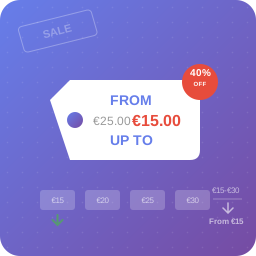
Show only the lowest price instead of confusing price ranges in variable products, with your own price prefix and suffix text.

Show only lowest prices in variable products for WooCommerce ranks #2,772 among WordPress.org plugins with 6,000+ active installations, is #378 of 12,252 in the E-commerce category, a 4.8/5 rating from 28 reviews, and was last updated Aug 18, 2026. Data from WordPress.org, refreshed twice daily — see methodology.

Compatible with WP 7.1
v2.3.0 Current Version v2.3.0
Updated 4 weeks ago Last Update on 18 Aug, 2026
Refreshed 10 hours ago Last Refreshed on
#378 of 12,252 in E-commerce Top 5% by installs Downloads -21.1% this week Actively maintained
View on WordPress.org
Rank
#2,772
+1 this week
Active Installs
6K+
-13.2%
KW Avg Position
22.5
No change
Downloads
179.5K
+19 today
Support Resolved
0%
No change
Rating
96%
Review 4.8 out of 5
4.8 (28 reviews)

Next Milestone 7K

Total Progress 84.2%
6K+ 7K+
56
Ranks to Climb
-
Growth Needed
8,000,000
Active Installs
Pro

Unlock Exact Install Count

See the precise estimated active installs for this plugin, calculated from real-time ranking data.

  • Exact install estimates within tiers
  • Track install growth over time
  • Milestone progress predictions
Upgrade to Pro
Need 158 more installs to reach 7K+

Rank Changes

2,630 2,700 2,771 2,841 2,911 09-09-2026 10-09-2026 11-09-2026 12-09-2026 13-09-2026 14-09-2026 15-09-2026 16-09-2026
2,626 2,697 2,769 2,840 2,911 01-09-2026 02-09-2026 03-09-2026 04-09-2026 05-09-2026 06-09-2026 07-09-2026 08-09-2026 09-09-2026 10-09-2026 11-09-2026 12-09-2026 13-09-2026 14-09-2026 15-09-2026 16-09-2026
Current #2,772
Change
Best #

Upgrade to Pro

Unlock 30-day and 90-day rank history charts with a Pro subscription.

Upgrade Now

Active Installs Growth

Active Installs 0,000,000+
Growth +0.0%
Peak 0,000,000

Downloads Growth

0 100 09-09-2026 10-09-2026 11-09-2026 12-09-2026 13-09-2026 14-09-2026 15-09-2026 16-09-2026
0 100 01-09-2026 02-09-2026 03-09-2026 04-09-2026 05-09-2026 06-09-2026 07-09-2026 08-09-2026 09-09-2026 10-09-2026 11-09-2026 12-09-2026 13-09-2026 14-09-2026 15-09-2026 16-09-2026
Downloads
Growth
Peak

Upgrade to Pro

Unlock 30-day, 90-day, and yearly download history charts with a Pro subscription.

Upgrade Now

Reviews & Ratings

4.8
28 reviews
Overall 96%
5
26 (93%)
4
1 (4%)
3
0 (0%)
2
0 (0%)
1
1 (4%)

Security History

Source: WPVulnerability

No known vulnerabilities on record for Show only lowest prices in variable products for WooCommerce. Checked 2 days ago.

TL;DR

AI summary of the plugin's readme

This plugin is for WooCommerce store owners selling variable products, such as fashion or electronics retailers with multiple product variants. It replaces confusing price ranges with a single lowest-price display to simplify pricing for customers.

  • Settings page for customization
  • Customizable prefix text
  • Hide prefix when prices match
  • Custom CSS class support
  • HPOS compatibility
  • Translation ready
  • WooCommerce compatibility
  • Shows only lowest variation price

Frequently Asked Questions

Common questions about Show only lowest prices in variable products for WooCommerce

Yes! The plugin uses WooCommerce's standard price hooks, so it works with any properly coded WooCommerce theme.
Absolutely! Go to Marketing > Lowest Prices in your admin dashboard to customize the prefix text, spacing, and display options.
Both are plain text fields in Marketing > Lowest Prices. The prefix goes before the amount ("From $40", "Starting at $40") and the suffix goes after it ("$40 / month", "$40 per person"). There is a third field for the prefix of the highest price, used in the "Up to $60" and "From $40 up to $60" modes, so each text translates on its own. Leave any of them empty to show nothing. There is also a checkbox to add a space between the prefix and the price, on by default. It exists because a text field cannot store a trailing space, so writing "From " would be saved as "From". Turn it off for symbol prefixes like "~" or for languages that do not separate words with spaces. One caveat about the suffix: if what you want is a tax notice like "VAT included", use the WooCommerce price suffix in WooCommerce > Settings > Tax instead. It already does that, with its own tax placeholders, and using both would show two suffixes in a row.
By default, the plugin won't show the "From" prefix when all variations have the same price. You can change this behavior in the settings.
Simply clear the prefix text field and save. No prefix will be displayed before the price.
By default it works on both shop pages and individual product pages - anywhere WooCommerce displays variable product prices. In Marketing > Lowest Prices you can restrict it to shop and archives only, or to product pages only. Related products and upsells shown inside a product page count as listings.
The regular price is kept crossed out next to the lowest price, the same way WooCommerce does it, so your customers can see there is a discount. You can turn this off in the settings if you would rather show the sale price on its own.
Yes. In Marketing > Lowest Prices you can choose to show the highest price instead of the lowest, both prices with your own text ("From $40 up to $60"), or both with a separator ("$40 – $60"). Each text has its own field, so they translate independently.
Yes! The plugin follows WordPress internationalization standards and translations are loaded automatically from WordPress.org.
Yes! The plugin includes full compatibility with WooCommerce High-Performance Order Storage.

More plugins by Fernando Tellado

Sign In / Register

You need to sign in or register to use this feature.










