Simple Google Calendar Outlook Events Widget
by Bram Waasdorp 5 (6 reviews)

Simple Google Calendar Outlook Events Widget
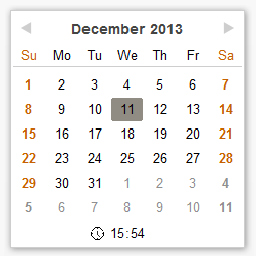
Block widget that displays events from a public google calendar or iCal file.

Compatible with WP 6.9
v3.0.0 Current Version v3.0.0
Updated 1 week ago Last Update on 09 Jan, 2026
Synced 9 hours ago Last Synced on
Rank
#6,778
+5 this week
Active Installs
1K+
-22.1%
KW Avg Position
91
No change
Downloads
31.2K
+4 today
Support Resolved
100%
No change
Rating
100%
Review 5 out of 5
5 (6 reviews)

Next Milestone 2K

Total Progress 28.2%
1K+ 2K+
1,394
Ranks to Climb
-
Growth Needed
8,000,000
Active Installs
Pro

Unlock Exact Install Count

See the precise estimated active installs for this plugin, calculated from real-time ranking data.

  • Exact install estimates within tiers
  • Track install growth over time
  • Milestone progress predictions
Upgrade to Pro
Need 718 more installs to reach 2K+

Rank Changes

6,770 6,780 6,790 6,799 6,809 13-01-2026 14-01-2026 15-01-2026 16-01-2026 17-01-2026 18-01-2026 19-01-2026 20-01-2026
6,770 6,781 6,792 6,803 6,814 05-01-2026 06-01-2026 07-01-2026 08-01-2026 09-01-2026 10-01-2026 11-01-2026 12-01-2026 13-01-2026 14-01-2026 15-01-2026 16-01-2026 17-01-2026 18-01-2026 19-01-2026 20-01-2026
6,768 6,784 6,800 6,815 6,831 21-12-2025 22-12-2025 23-12-2025 24-12-2025 25-12-2025 26-12-2025 27-12-2025 28-12-2025 29-12-2025 30-12-2025 31-12-2025 01-01-2026 02-01-2026 03-01-2026 04-01-2026 05-01-2026 06-01-2026 07-01-2026 08-01-2026 09-01-2026 10-01-2026 11-01-2026 12-01-2026 13-01-2026 14-01-2026 15-01-2026 16-01-2026 17-01-2026 18-01-2026 19-01-2026 20-01-2026
6,768 6,784 6,800 6,815 6,831 22-10-2025 23-10-2025 24-10-2025 25-10-2025 26-10-2025 27-10-2025 28-10-2025 29-10-2025 30-10-2025 31-10-2025 01-11-2025 02-11-2025 03-11-2025 04-11-2025 05-11-2025 06-11-2025 07-11-2025 08-11-2025 09-11-2025 10-11-2025 11-11-2025 12-11-2025 13-11-2025 14-11-2025 15-11-2025 16-11-2025 17-11-2025 18-11-2025 19-11-2025 20-11-2025 21-11-2025 22-11-2025 23-11-2025 24-11-2025 25-11-2025 26-11-2025 27-11-2025 28-11-2025 29-11-2025 30-11-2025 01-12-2025 02-12-2025 03-12-2025 04-12-2025 05-12-2025 06-12-2025 07-12-2025 08-12-2025 09-12-2025 10-12-2025 11-12-2025 12-12-2025 13-12-2025 14-12-2025 15-12-2025 16-12-2025 17-12-2025 18-12-2025 19-12-2025 20-12-2025 21-12-2025 22-12-2025 23-12-2025 24-12-2025 25-12-2025 26-12-2025 27-12-2025 28-12-2025 29-12-2025 30-12-2025 31-12-2025 01-01-2026 02-01-2026 03-01-2026 04-01-2026 05-01-2026 06-01-2026 07-01-2026 08-01-2026 09-01-2026 10-01-2026 11-01-2026 12-01-2026 13-01-2026 14-01-2026 15-01-2026 16-01-2026 17-01-2026 18-01-2026 19-01-2026 20-01-2026
Current #6,778
Change
Best #

Upgrade to Pro

Unlock 30-day and 90-day rank history charts with a Pro subscription.

Upgrade Now

Active Installs Growth

Active Installs 0,000,000+
Growth +0.0%
Peak 0,000,000

Downloads Growth

0 10 20 30 40 50 13-01-2026 14-01-2026 15-01-2026 16-01-2026 17-01-2026 18-01-2026 19-01-2026 20-01-2026
0 200 400 600 800 05-01-2026 06-01-2026 07-01-2026 08-01-2026 09-01-2026 10-01-2026 11-01-2026 12-01-2026 13-01-2026 14-01-2026 15-01-2026 16-01-2026 17-01-2026 18-01-2026 19-01-2026 20-01-2026
0 200 400 600 800 21-12-2025 22-12-2025 23-12-2025 24-12-2025 25-12-2025 26-12-2025 27-12-2025 28-12-2025 29-12-2025 30-12-2025 31-12-2025 01-01-2026 02-01-2026 03-01-2026 04-01-2026 05-01-2026 06-01-2026 07-01-2026 08-01-2026 09-01-2026 10-01-2026 11-01-2026 12-01-2026 13-01-2026 14-01-2026 15-01-2026 16-01-2026 17-01-2026 18-01-2026 19-01-2026 20-01-2026
0 200 400 600 800 22-10-2025 25-10-2025 28-10-2025 31-10-2025 03-11-2025 06-11-2025 09-11-2025 12-11-2025 15-11-2025 18-11-2025 21-11-2025 24-11-2025 27-11-2025 30-11-2025 03-12-2025 06-12-2025 09-12-2025 12-12-2025 15-12-2025 18-12-2025 21-12-2025 24-12-2025 27-12-2025 30-12-2025 02-01-2026 05-01-2026 08-01-2026 11-01-2026 14-01-2026 17-01-2026 20-01-2026
0 200 400 600 800 20-01-2025 01-02-2025 13-02-2025 25-02-2025 09-03-2025 21-03-2025 02-04-2025 14-04-2025 26-04-2025 08-05-2025 20-05-2025 01-06-2025 13-06-2025 25-06-2025 07-07-2025 19-07-2025 31-07-2025 12-08-2025 24-08-2025 05-09-2025 17-09-2025 29-09-2025 11-10-2025 23-10-2025 04-11-2025 16-11-2025 28-11-2025 10-12-2025 22-12-2025 03-01-2026 15-01-2026 20-01-2026
Downloads
Growth
Peak

Upgrade to Pro

Unlock 30-day, 90-day, and yearly download history charts with a Pro subscription.

Upgrade Now

Reviews & Ratings

5.0
6 reviews
Overall 100%
5
6 (100%)
4
0 (0%)
3
0 (0%)
2
0 (0%)
1
0 (0%)

Tracked Keywords

Showing 2 of 2
Keyword Position Change Type Updated
ical 28 Tag 11 hours ago
google calendar 154 Tag 11 hours ago

Unlock Keyword Analytics

Track keyword rankings, search positions, and discover new ranking opportunities with a Pro subscription.

  • Full keyword position tracking
  • Historical ranking data
  • Competitor keyword analysis
Upgrade to Pro

Support Threads Overview

Resolved
Unresolved
1
Total Threads
1
Resolved
0
Unresolved
100%
Resolution Rate

Track This Plugin

Get detailed analytics, keyword tracking, and position alerts delivered to your inbox.

Start Tracking Free

Plugin Details

Version
3.0.0
Last Updated
Jan 09, 2026
Requires WP
5.3+
Tested Up To
6.9
PHP Version
7.4 or higher
Author
Bram Waasdorp

Support & Rating

Rating
★ ★ ★ ★ ★ 5
Reviews
6
Support Threads
1
Resolved
100%

Keywords

Upgrade to Pro

Unlock keyword rankings, search positions, and detailed analytics with a Pro subscription.

Upgrade Now

Frequently Asked Questions

Common questions about Simple Google Calendar Outlook Events Widget

First you have to share your calendar to make it public available, or to create a public calendar. Private calendars cannot be accessed by this plugin. Then use the public iCal address or the Google calendar ID. More details on Google support
You can find Google calendar ID by going to Calendar Settings / Calendars, clicking on the appropriate calendar, scrolling all the way down to find the Calendar ID at the bottom under the Integrate Calendar section. There's your calendar id. More details on Google support
Fill a comma separated list of ID's in the Calendar ID field. Optional you can add a html-class separated by a semicolon to some or all ID's to distinguish the descent in the lay-out of the event. E.g.: #example;blue,https://p24-calendars.icloud.com/holiday/NL_nl.ics;red Events of #example will be merged with events of NL holidays; html-class "blue" is added to all events of #example, html-class "red" to all events of NL holidays.
You can use HTML in the most Calendars, but the result in the plugin may not be what you expect. First: The original iCalendar standard allowed only plain text as part of an event description. Thus probably most calendars will only give the plain text in the Description in the iCal output. Secondly: For security reasons this plugin filters the HTML to convert characters that have special significance in HTML to the corresponding HTML-entities. But if you trust the output of the calendar application you can set a checkbox to allow safe html in the output. So if you manage to get the HTML in the Description and you set the checkbox to allow safe html you can get that html in the output, with exception of the tags that are not considered safe like SCRIPT and unknown tags. And with the current version of Google Calendar you can put some HTML in the Description output. (April 2022) I saw the <a> (link), <b> (bold text), <i> (italic text), <u> (underlined text) and <br> (linebreak) tags in a iCal description. They will all come through with "Allow safe html" checkbox on. Probably even more is possible, but Google can also decide to comply more to the standard. With Microsoft Outlook the HTML tags were filtered away and did not reach the iCal description In case you have all kinds of HTML in your appointments a plugin that uses the API of te calendar-application might be a better choice for you.
First you have to share your calendar to make it public available, or to create and share a public calendar. Private calendars cannot be accessed by this plugin. Then publish it as an ICS link and use this link address. (something like https://outlook.live.com/owa/calendar/00000000-0000-0000-0000-000000000000/.../cid-.../calendar.ics) (works from version 1.3.1 of this widget) More details on Microsoft Office support I only see the widget not the block
To support users wo cannot use the Gutenberg block I have in v2.1.1 (with pain in my hart because Gutenberg blocks are in my opinion the future of WP) synchronized the output of the widget again with that of the block. Otherwise they needed to use a work-around with an extra plugin like described in How to Display Gutenberg Blocks in Other Page Builders (Elementor, Divi, etc) or use an other plugin that adds a shortcode to a Gutenberg block or maybe some pro functionality of Elementor.
Choose the calendar you want to share (in browser layout on the left panel). On that calendar's line, click the show calendar information icon (a person cropped into a circle) on the right side of the line. In the pop up Calendar Sharing check the box Public Calendar. You see the url below something like webcal://p59-caldav.icloud.com/published/2/MTQxNzk0NDA2NjE0MTc5AAAAAXt2Dy6XXXXXPXXxuZnTLDV9xr6A6_m3r_GU33Qj. Click on Copy Link and OK. Paste that in the "Calendar ID, or iCal URL" field of the widget (before version 1.3.1 you had to change webcal in https) Error: cURL error 28: Operation timed out after 5000 milliseconds with 0 bytes received Probably the calendar is not public (yet), you can copy the link before the agenda is actually published. Check if the agenda has already been published and try again. I only see the headline of the calendar, but no events There are no events found within the selection. Test e.g. with an appointment for the next day and refresh the cache or wait till the cache is refreshed. Check if you can download the ics file you have designated in the widget with a browser. At least if it is a text file with the first line "BEGIN:VCALENDAR" and further lines "BEGIN:VEVENT" and lines "END:VEVENT". If you cannot resolve it, you can of course report an error / question in our community support forum I only see the title of the calendar, and the text 'Processing' even after waiting more the a minute, or a message &#61 Code: undefined = Msg: HTTP error, status = 500 Probably you have chosen the setting "Use Client timezone settings, with REST" in "Use client timezone settings". With this setting active, at first the widget will be presented as a placeholder with only the title and the text processing. In the HTML of this placeholder are also some ID\'s as parameters for the javascript REST call to fetch the content after the page is loaded. This fetch is not executed (correct). To work correct Javascript must be enabled in a browser with version newer than 2016 but not in Internet Explorer. This is probably caused because the javascript view file with the fetch command is not loaded e.g. in the editor of Elementor or an other pagebuilder that tries to show a preview of the widget but does not load the necessary Javascript. This is a known issue, you could work around it by first set "Use WordPress timezone settings, no REST" until you are satisfied with all the other settings and then set "Use Client timezone ...". If you change the Sibid without clicking the Update button, the new Sibid may already be saved in the plugin options for the REST call, but not in the block attributes. If you still click Update, the problem will be resolved. The REST call might also have failed by other reasons, then another try would probably solve the issue, but I have never seen that in testing. If you cannot resolve it, you can of course report an error / question in our community support forum
Yes you can, since v1.2.0, I have tested with https://p24-calendars.icloud.com/holiday/NL_nl.ics . This block has encountered an error and cannot be previewed Probably you have (re)opened a page where the block is edited but your password cookie is expired. Log in in Wordpress again and open the page again. The block will be available. This block contains unexpected or invalid content. After an update of the plugin in stead of the block content the message "This block contains unexpected or invalid content." is displayed and a button "Attempt Block Recovery". Probably this is caused by a difference in the Saved output and the output that would be saved if the block was saved now. This will be the case if the code in the save has changed due to the plugin update (or downgrade).This should be resolved automatically by the deprecation code, but this may not be possible if a block is placed on a page as part of a synchronized pattern, if you roll back to an older version, or if the deprecation code does not work correctly. * Pushing the button "Attempt Block Recovery" will save the output in the new format and thereby solve the issue. * When it comes to a synced pattern you have to "Attempt Block Recovery" in the original pattern via Edit original or "Appearance/Patterns".
There is no setting for the color or font of parts in this plugin. My philosophy is that layout and code/content should be separated as much as possible. Furthermore, the plugin should seamlessly fit the style of the website and be fully customizable via CSS So for color and font, the settings of the theme are used and are then applied via CSS. But you can give each element within the plugin its own style (such as color and font size) from the theme via CSS. If you know your theme css well and it contains classes you want to use on these fields you can add those class-names in the Advanced settings: "SUFFIX GROUP CLASS:", "SUFFIX EVENT START CLASS:" and "SUFFIX EVENT DETAILS CLASS:" Otherwise you can add a block of additional CSS (or extra css or user css or something like that), which is possible with most themes. IMPORTANT: In order to target the CSS very specifically to the simple-ical-block, it is best to enter something unique in the settings of the block/widget under Advanced in "HTML ANCHOR", for example 'Simple-ical-Block-1' the code translated into a high-level ID of the block. With the next block of additional CSS you can make the Dates red and 24 px, the Summary blue and 16 px, and the Details green with a gray background. /*additional CSS for Simple-ical-Block-1 */ &#35;Simple-ical-Block-1 .ical-date { color: #ff0000; font-size: 24px; } &#35;Simple-ical-Block-1 .ical_summary { color: #0000ff; font-size: 16px; } &#35;Simple-ical-Block-1 .ical_details { color: #00ff00; background-color: gray; font-size: 16px; } /*end additional CSS for Simple-ical-Block-1 */
Warning: the plugin only supports categories that are available in the iCal file. Microsoft Outlook does support categories but does not share them via the ical file.

Sign In / Register

You need to sign in or register to use this feature.