TFO Graphviz
Generates Graphviz graphics using shortcodes. Supports almost all Graphviz features (depending on the generation method in use.)
Next Milestone 50
Unlock Exact Install Count
See the precise estimated active installs for this plugin, calculated from real-time ranking data.
- Exact install estimates within tiers
- Track install growth over time
- Milestone progress predictions
Rank Changes
Downloads Growth
Upgrade to Pro
Unlock 30-day, 90-day, and yearly download history charts with a Pro subscription.
Upgrade NowReviews & Ratings
Tracked Keywords
Showing 3 of 3| Keyword | Position | Change | Type | Updated |
|---|---|---|---|---|
| flirble | 1 | — | Tag | 9 hours ago |
| graphviz | 3 | — | Tag | 9 hours ago |
| diagram | 41 | — | Tag | 9 hours ago |
Unlock Keyword Analytics
Track keyword rankings, search positions, and discover new ranking opportunities with a Pro subscription.
- Full keyword position tracking
- Historical ranking data
- Competitor keyword analysis
Track This Plugin
Get detailed analytics, keyword tracking, and position alerts delivered to your inbox.
Start Tracking FreePlugin Details
- Version
- 1.19
- Last Updated
- Jun 23, 2019
- Requires WP
- 4.2.0+
- Tested Up To
- 5.2
- PHP Version
- N/A
- Author
- Chris Luke
Support & Rating
- Rating
- ★ ★ ★ ★ ★ 5
- Reviews
- 2
- Support Threads
- 0
- Resolved
- 0%
Keywords
Upgrade to Pro
Unlock keyword rankings, search positions, and detailed analytics with a Pro subscription.
Upgrade NowSimilar Plugins

Frequently Asked Questions
Common questions about TFO Graphviz
http://blog.flirble.org/2015/11/15/adding-svg-support-tfo-graphviz/
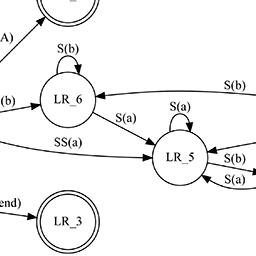
http://blog.flirble.org/2019/06/22/gv-example-state-machine/
http://blog.flirble.org/2019/06/22/gv-example-various-graphs/
Can I manipulate the rendered graph using CSS in my WordPress theme?
The img elements are tagged with 'class="graphviz"'. Additionally, you can add class="myclass" to the shortcode to add additional classes to the img tag.
How can I make my graph have a transparent background?
Add the tag bgcolor="transparent" to the root graph node. For example placing graph [bgcolor="transparent"] near the top like this:
[graphviz]
digraph test {
graph [bgcolor="transparent"]
a1 -> a2 -> a3 -> a1;
}
[/graphviz]
Nothing is being rendered, maybe my DOT is broken?
If you're using a local Graphviz renderer then errors from Graphviz should be presented where you expect the graph to appear. Note that because of how Wordpress submits content to plugins the line numbering will not always match what you expect.
The error message when using the dot binary will contain the command line used as well as a line-numbered copy of the DOT that was used.
I'm getting strange errors that make no sense, what gives?
WordPress encodes HTML entities inside the shortcode block which this plugin attempts to demangle.
Unfortunately WordPress can also try to do smart character replacement, such as "..." into a UNICODE ellipsis character. The Graphviz plugin contains a mapping of many of these back to their ASCII equivalents, but it may not be complete. Let us know if you think this is breaking your DOT. It's also possible that non-ASCII7 characters do strange things too.
Adding define("TFO_GV_DEBUG", true) to wp_config.php will cause the plugin to create some diagnostic files in your system tmp directory. The file pre-N.dot is the contents of the DOT as given to the plugin by WordPress, post-N.dot is the results of the plugin attempting to demangle it. The N is a number that is incremented for each shortcode section interpreted. The plugin does not clean these files up.
How do I install the Graphviz program (not this plugin) locally?
This depends on your local operating system. You will find some details at http://www.graphviz.org/Download.php but many systems also have it in their own package management system, for example this is package graphviz on Debian, Ubuntu and Fedora systems.
There are currently two ways to use a local installation of Graphviz. The settings page will only show options for those methods that are actually available and configured correctly.
Using a local Graphviz installation and the dot binary. You configure the path to this binary on the admin settings page of the plugin.
Using PHP bindings to the Graphviz library. This requires that gv.php is available.
I've installed the PHP bindings but Graphviz doesn't work!
This requires that gv.php is available and that the associated module is either already loaded or loadable with dl().
The use of dl() is often disabled in php.ini (since it can have security implications) and doesn't work on multithreaded webservers; it's entirely disabled in modern Apache2 httpd modules.
For these cases you must ensure the library is loaded with an entry like extension=gv.so or similar somewhere in the PHP configuration.






