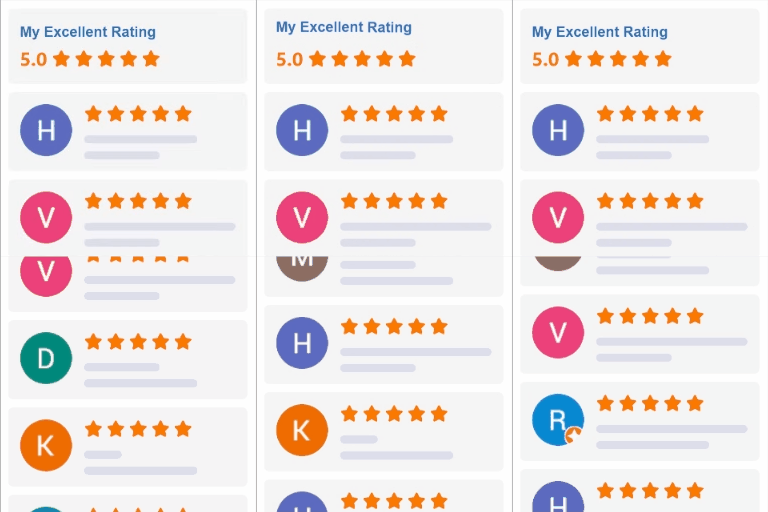
Trustie – Google Reviews, Testimonials & WooCommerce Product Reviews
by tracksies 5 (3 reviews)

Trustie – Google Reviews, Testimonials & WooCommerce Product Reviews

Show Google reviews, testimonials and WooCommerce product reviews on your own site. Free, self-hosted, stored in your own database.

Trustie ranks #26,206 among WordPress.org plugins with 20+ active installations, is #392 of 1,317 in the Ratings & Reviews category, a 5/5 rating from 3 reviews, and was last updated Oct 14, 2026. Data from WordPress.org, refreshed twice daily — see methodology.

Compatible with WP 7.1.4
v1.1.29 Current Version v1.1.29
Updated 3 weeks ago Last Update on 14 Oct, 2026
Refreshed 1 week ago Last Refreshed on
#392 of 1,317 in Ratings & Reviews Top 50% by installs Downloads -50.6% this week Actively maintained
View on WordPress.org
Rank
#26,206
— No change
Active Installs
20+
-33.3%
KW Avg Position
156.6
0.8 worse
Downloads
2.2K
+4 today
Support Resolved
0%
— No change
Rating
100%
Review 5 out of 5
5 (3 reviews)

Next Milestone 30

Total Progress 80%
20+ 30+
3,461
Ranks to Climb
-
Growth Needed
8,000,000
Active Installs
Pro

Unlock Exact Install Count

See the precise estimated active installs for this plugin, calculated from real-time ranking data.

  • Exact install estimates within tiers
  • Track install growth over time
  • Milestone progress predictions
Upgrade to Pro
Need 2 more installs to reach 30+

Rank Changes

24,896 25,551 26,206 26,861 27,516 31-10-2026 01-11-2026 02-11-2026 03-11-2026 04-11-2026 05-11-2026 06-11-2026 07-11-2026
23,583 24,855 26,128 27,400 28,672 23-10-2026 24-10-2026 25-10-2026 26-10-2026 27-10-2026 28-10-2026 29-10-2026 30-10-2026 31-10-2026 01-11-2026 02-11-2026 03-11-2026 04-11-2026 05-11-2026 06-11-2026 07-11-2026
Current #26,206
Change
Best #

Upgrade to Pro

Unlock 30-day and 90-day rank history charts with a Pro subscription.

Upgrade Now

Active Installs Growth

Active Installs 0,000,000+
Growth +0.0%
Peak 0,000,000

Downloads Growth

0 10 31-10-2026 01-11-2026 02-11-2026 03-11-2026 04-11-2026 05-11-2026 06-11-2026 07-11-2026
0 10 20 30 40 23-10-2026 24-10-2026 25-10-2026 26-10-2026 27-10-2026 28-10-2026 29-10-2026 30-10-2026 31-10-2026 01-11-2026 02-11-2026 03-11-2026 04-11-2026 05-11-2026 06-11-2026 07-11-2026
Downloads
Growth
Peak

Upgrade to Pro

Unlock 30-day, 90-day, and yearly download history charts with a Pro subscription.

Upgrade Now

Reviews & Ratings

5.0
3 reviews
Overall 100%
5
3 (100%)
4
0 (0%)
3
0 (0%)
2
0 (0%)
1
0 (0%)

Frequently Asked Questions

Common questions about Trustie – Google Reviews, Testimonials & WooCommerce Product Reviews

Install Trustie. It integrates with WooCommerce's existing review system and adds better-looking review cards, star-rating summaries, rating breakdowns, and an automatic review request email after purchase. No separate tables and no data lock-in. Your reviews stay in the wp_comments table where WooCommerce already stores them. The free plugin stays free, with an optional Trustie Pro upgrade if you want photo reviews and custom forms later.
We're biased, obviously, but Trustie's Google reviews integration is designed to be unfussy: add your Google API key and Place ID, drop the [trustie_google_reviews] shortcode wherever you want the reviews to appear, and Trustie handles the rest, including star ratings, reviewer names, "View on Google" links, and JSON-LD schema for rich search results. It caches API responses for 24 hours to keep your Google quota happy.
Trustie works without WooCommerce. Use [trustie_testimonial_form] for a submission form, and [trustie_testimonials] to display them in grid, list, masonry, or slider layouts. You can auto-approve testimonials above a rating threshold you choose, or moderate manually. Works on service sites, portfolios, agencies, and any other WordPress site where happy customers want to say nice things.
Yes, and that's rather the point. Google reviews, testimonials and product reviews all display through Trustie, share the same Designer styling, and can appear together on the /reviews/ page. Most plugins handle one of the three, which is how people end up running three review plugins that each style themselves differently.
Yes. Trustie uses your own Google API key and Place ID, which means your reviews are fetched on your own Google quota and nothing passes through us. Google's API returns up to 5 individual reviews, but the aggregate rating reflects all of your Google reviews.
Yes, and you don't have to migrate anything. In Trustie > Settings > Testimonials, switch storage from Trustie's own post type to "Use Existing Post Type", choose the one your theme or previous plugin registered, and enter the meta keys it uses for name, email, company, role and rating. Trustie then reads and displays those posts where they already are. Nothing is copied, nothing is rewritten, and if you deactivate Trustie your testimonials are untouched.
That's what the Designer is for. On first run Trustie reads your theme's fonts and colours and offers them as the starting point, so the default already looks like your site rather than like a third-party embed. From there you can set star colours, corner rounding, shadows, animations, logo and email styling, with live previews of the actual review card, testimonial card and request email as you change things. Everything applies through CSS variables, so your theme can still override it.
Yes. Trustie auto-detects testimonials from Strong Testimonials, Easy Testimonials, and Starter Templates, and lets you import them with one click. For product reviews, if you have existing WordPress comments on products from before you enabled WooCommerce reviews, Trustie can convert those comments into star-rated reviews with a default rating you choose.
Yes. Google reviews, testimonials, the floating widget, and the reviews page all work without WooCommerce. Product review features (star ratings, review lists, review forms) require WooCommerce.
Create a Google API key with the Places API enabled. Find your Google Place ID. Enter both in Trustie > Settings > Google Reviews. Add [trustie_google_reviews] to any page.

Sign In / Register

You need to sign in or register to use this feature.