by Vicomi
2.9 (23 reviews)
Reactions
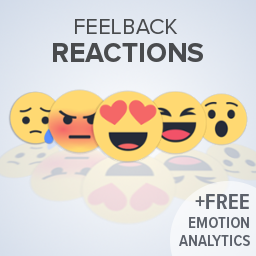
WHAT'S YOUR REACTION? With Feelback Reactions your audience can express how they are feeling about your content.
Tested up to WP 5.2 (Current: 6.9)
v3.00
Current Version v3.00
Updated 6 years ago
Last Update on 20 Oct, 2019
Synced 17 hours ago
Last Synced on
Rank
#27,201
—
No change
Active Installs
20+
-28.6%
KW Avg Position
37.5
-0.3 better
Downloads
37.2K
+2 today
Support Resolved
0%
—
No change
Rating
58%
Review 2.9 out of 5
2.9
(23 reviews)
Next Milestone 30
20+
30+
2,567
Ranks to Climb
-
Growth Needed
8,000,000
Active Installs
Pro
Unlock Exact Install Count
See the precise estimated active installs for this plugin, calculated from real-time ranking data.
- Exact install estimates within tiers
- Track install growth over time
- Milestone progress predictions
Need 9 more installs to reach 30+
Rank Changes
Current
#27,201
Change
Best
#
Downloads Growth
Downloads
Growth
Peak
Upgrade to Pro
Unlock 30-day, 90-day, and yearly download history charts with a Pro subscription.
Upgrade NowReviews & Ratings
2.9
23 reviews
Overall
58%
5
10
(43%)
4
0
(0%)
3
1
(4%)
2
2
(9%)
1
10
(43%)
Tracked Keywords
Showing 4 of 4| Keyword | Position | Change | Type | Updated |
|---|---|---|---|---|
| emotions | 12 | — | Tag | 18 hours ago |
| facebook reactions | 21 | — | Tag | 18 hours ago |
| reaction | 51 | — | Tag | 18 hours ago |
| reactions | 66 | — | Tag | 18 hours ago |
Unlock Keyword Analytics
Track keyword rankings, search positions, and discover new ranking opportunities with a Pro subscription.
- Full keyword position tracking
- Historical ranking data
- Competitor keyword analysis
Track This Plugin
Get detailed analytics, keyword tracking, and position alerts delivered to your inbox.
Start Tracking FreePlugin Details
- Version
- 3.00
- Last Updated
- Oct 20, 2019
- Requires WP
- 2.8+
- Tested Up To
- 5.2
- PHP Version
- N/A
- Author
- Vicomi
Support & Rating
- Rating
- ★ ★ ★ ☆ ☆ 2.9
- Reviews
- 23
- Support Threads
- 0
- Resolved
- 0%
Keywords
Upgrade to Pro
Unlock keyword rankings, search positions, and detailed analytics with a Pro subscription.
Upgrade NowSimilar Plugins

WP Adminify – White Label WordPress, Admin Menu Editor, Login Customizer
7K+ installs
#2,736
Master Addons For Elementor – White Label, Free Widgets, Hover Effects, Conditions, & Animations
40K+ installs
#929
MW
MW WP Form
200K+ installs
#262
Newsletters, Email Marketing, SMS and Popups by Omnisend
200K+ installs
#279
Crowdsignal Forms
100K+ installs
#306
Frequently Asked Questions
Common questions about Reactions
Increase your audience engagement by up to 5X by allowing people to share their reactions with one click. One-click reactions – similar to Facebook – are a fun way to activate your readers and get more social media shares. People react up to 30 times more than they comment!
After you’ve successfully installed your Vicomi Wordpress plugin, you will be invited to register your email and website in order to enjoy the full benefits of Vicomi’s emotional analytics dashboard.
Yes, absolutely, we’ve made it very easy for you to choose where you’d like Vicomi’s emotional feelbacks to appear, and alternatively pages you don’t want it to appear on. You can choose these options via the Vicomi Pluggin Settings Menu Text in your Wordpress dashboard.
Yes, if you would like Vicomi to appear on specific pages, simply paste the [vicomi_feelbacks] shortcode anywhere you’d like.
The Feelbacks plugin is free and will stay free!
Yes it is responsive and works great on mobile!
Go to http://stats.vicomi.com/ and log in using your email and password.
You can customize your Feelbacks text using your new dashboard: 1) Login to your account at http://stats.vicomi.com 2) In the left sidebar scroll down and click on "settings" 3) In the settings page find the Adjust Your Widget box 4) Edit your text by typing into the boxes and select "Update Emotions" when you are finished
You can now choose when to display your Feelbacks' recommendations or whether to remove the recommendations altogether. The options offered are: 1) Show recommendations after click (default), 2) Always show recommendations, 3) Remove recommendations NOTE: ALL RECOMMENDATIONS ARE TAKEN FROM YOUR SITE AND ARE NOT FROM EXTERNAL SOURCES. To adjust your Recommendation Settings: 1) Login to your account at http://stats.vicomi.com 2) In the left sidebar scroll down and click on "settings" 3) In the settings page find the "Recommendations Settings" 4) Select your recommendation display type 5) Make sure to click on the "Update Settings" button when you are finished.
To change your design settings, first, find Vicomi Feelbacks on your plugin page (make sure you are updated to version 1.2 or later). Select settings, and log in to your Vicomi account. In the settings page select your language and new design theme, and then click save changes. NOTE: Changing your icon design will reset your number of clicks Learn more: http://blog.vicomi.com/vicomi-updated-wordpress/