WDOnline Multilingual Pages
by wdonlinedk 1 (0 reviews)

WDOnline Multilingual Pages

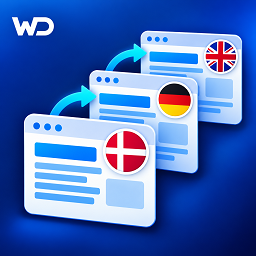
Independent translated pages with native language folders, a language switcher, language menus and reciprocal hreflang links.

WDOnline Multilingual Pages ranks #59,088 among WordPress.org plugins with 1+ active installations, is #491 of 833 in the Language Tools category, a 1/5 rating from 0 reviews, and was last updated Oct 27, 2026. Data from WordPress.org, refreshed twice daily — see methodology.

Compatible with WP 7.1
v1.8.0 Current Version v1.8.0
Updated 1 week ago Last Update on 27 Oct, 2026
Refreshed 1 week ago Last Refreshed on
#491 of 833 in Language Tools Downloads -51.3% this week Actively maintained
View on WordPress.org
Rank
#59,088
— No change
Active Installs
1+
— No change
KW Avg Position
97
2 worse
Downloads
61
+2 today
Support Resolved
0%
— No change
Rating
20%
Review 1 out of 5
1 (0 reviews)

Next Milestone 10

Total Progress 30%
0+ 10+
46,151
Ranks to Climb
-
Growth Needed
8,000,000
Active Installs
Pro

Unlock Exact Install Count

See the precise estimated active installs for this plugin, calculated from real-time ranking data.

  • Exact install estimates within tiers
  • Track install growth over time
  • Milestone progress predictions
Upgrade to Pro
Need 7 more installs to reach 10+

Rank Changes

56,134 57,611 59,088 60,565 62,042 31-10-2026 01-11-2026 02-11-2026 03-11-2026 04-11-2026 05-11-2026 06-11-2026 07-11-2026
56,317 57,100 57,883 58,666 59,450 23-10-2026 24-10-2026 25-10-2026 26-10-2026 27-10-2026 28-10-2026 29-10-2026 30-10-2026 31-10-2026 01-11-2026 02-11-2026 03-11-2026 04-11-2026 05-11-2026 06-11-2026 07-11-2026
Current #59,088
Change
Best #

Upgrade to Pro

Unlock 30-day and 90-day rank history charts with a Pro subscription.

Upgrade Now

Active Installs Growth

Active Installs 0,000,000+
Growth +0.0%
Peak 0,000,000

Downloads Growth

0 10 20 31-10-2026 01-11-2026 02-11-2026 03-11-2026 04-11-2026 05-11-2026 06-11-2026 07-11-2026
0 10 20 30 40 50 23-10-2026 24-10-2026 25-10-2026 26-10-2026 27-10-2026 28-10-2026 29-10-2026 30-10-2026 31-10-2026 01-11-2026 02-11-2026 03-11-2026 04-11-2026 05-11-2026 06-11-2026 07-11-2026
Downloads
Growth
Peak

Upgrade to Pro

Unlock 30-day, 90-day, and yearly download history charts with a Pro subscription.

Upgrade Now

Reviews & Ratings

1.0
0 reviews
Overall 20%
5
0 (0%)
4
0 (0%)
3
0 (0%)
2
0 (0%)
1
0 (0%)

Frequently Asked Questions

Common questions about WDOnline Multilingual Pages
Yes. On a new installation, save Original language under Settings using a preset or custom values before adding translation languages. English is not required as the original language. For example, Danish originals can keep their existing URLs and have English translations under /en/. The original-language choice is locked once a translation language is added, even if that language is later removed. It does not change WordPress Site Language or automatically translate existing content. Changing the original language on an established site requires a separate migration.
Open Browser translation and load a saved original and target language. You can also use Translate [language] in browser in the original's language panel, or its Pages/Posts row action. Administrator access is required. Save original edits first. Simple HTML retains H1-H6, bold, italics, paragraphs, lists, blockquotes, code and links. Link destinations stay unchanged. For shortcode/builder originals, paste text manually and add supported formatting. Custom styling, images and builder code are excluded. Review sentence flow around inline formatting. Select saved ACF Text, Text Area or WYSIWYG fields if needed. Nested/options fields are excluded. Click Translate in browser, review all results and select a Translation URL option. Click Save as translation draft, then Open draft editor to add layouts, SEO and other fields. WordPress may add a numeric slug suffix. A password on the original is retained. Existing translations, including drafts, are never overwritten. Source changes after loading reject saving. Failure/cancellation preserves the previous result.
Choose a language and click Show translations. Use Add original texts to reuse labels from one or all saved dictionaries. Click Translate empty fields in browser to fill pending labels, then review and click Save text translations. Original labels must be in the configured original language; existing translations are preserved. No partial batch is applied on failure/cancellation. Formatting placeholders such as %s must remain exact. A complete dictionary has no pending fields. Dictionaries match exact, case-sensitive labels. Clear page caches after saving. Normal Create translation copies content without translating it.
Use language/missing-translation filters or Translation overview. A linked draft counts as an existing translation; Missing published translation also finds non-public versions. Link posts through Post language. Publication and review status are separate. Review source changes before marking translations reviewed; review never publishes content or assesses translation quality. See the reference for monitored fields.
Yes. Use the translated title, original name or a custom slug. Pages retain their language folder and translated parent. Existing URLs are unchanged by upgrading; manage redirects if you change published URLs.
[wdonline_language_switcher] [wdonline_language_switcher layout="dropdown" display="both" missing="home"] layout: horizontal or dropdown. display: text, flags or both. missing: hide or home.
Under Language switcher, adjust flag size, horizontal gap, dropdown row gap/padding and Single line. Dropdowns overlay content; theme containers must allow visible overflow.
No. All content, hierarchies, settings, dictionaries and relationships remain on deactivation/uninstall. Native URLs remain; switcher, menus and plugin SEO output require the plugin to be active. Delete unwanted settings/content explicitly.
See docs/REFERENCE-EN.md, docs/START-HER-DA.md and changelog.txt.

Sign In / Register

You need to sign in or register to use this feature.