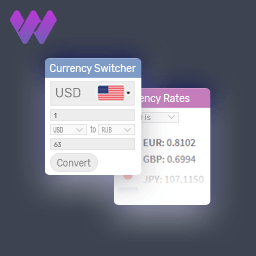
WBW Currency Switcher for WooCommerce
by WBW Plugins 4.4 (34 reviews)

WBW Currency Switcher for WooCommerce

WBW Currency Switcher for WooCommerce allows customers to switch products prices to any currencies. Get rates converted in the real-time with dynamic …

Compatible with WP 6.9
v2.2.3 Current Version v2.2.3
Updated 1 week ago Last Update on 12 Jan, 2026
Synced 8 hours ago Last Synced on
Rank
#3,369
No change
Active Installs
5K+
-3.2%
KW Avg Position
59.2
No change
Downloads
230.8K
+14 today
Support Resolved
0%
No change
Rating
88%
Review 4.4 out of 5
4.4 (34 reviews)

Next Milestone 6K

Total Progress 17.3%
5K+ 6K+
252
Ranks to Climb
-
Growth Needed
8,000,000
Active Installs
Pro

Unlock Exact Install Count

See the precise estimated active installs for this plugin, calculated from real-time ranking data.

  • Exact install estimates within tiers
  • Track install growth over time
  • Milestone progress predictions
Upgrade to Pro
Need 827 more installs to reach 6K+

Rank Changes

3,201 3,285 3,369 3,453 3,537 13-01-2026 14-01-2026 15-01-2026 16-01-2026 17-01-2026 18-01-2026 19-01-2026 20-01-2026
3,201 3,285 3,369 3,453 3,537 05-01-2026 06-01-2026 07-01-2026 08-01-2026 09-01-2026 10-01-2026 11-01-2026 12-01-2026 13-01-2026 14-01-2026 15-01-2026 16-01-2026 17-01-2026 18-01-2026 19-01-2026 20-01-2026
3,201 3,285 3,369 3,453 3,537 21-12-2025 22-12-2025 23-12-2025 24-12-2025 25-12-2025 26-12-2025 27-12-2025 28-12-2025 29-12-2025 30-12-2025 31-12-2025 01-01-2026 02-01-2026 03-01-2026 04-01-2026 05-01-2026 06-01-2026 07-01-2026 08-01-2026 09-01-2026 10-01-2026 11-01-2026 12-01-2026 13-01-2026 14-01-2026 15-01-2026 16-01-2026 17-01-2026 18-01-2026 19-01-2026 20-01-2026
3,363 3,373 3,382 3,392 3,401 22-10-2025 23-10-2025 24-10-2025 25-10-2025 26-10-2025 27-10-2025 28-10-2025 29-10-2025 30-10-2025 31-10-2025 01-11-2025 02-11-2025 03-11-2025 04-11-2025 05-11-2025 06-11-2025 07-11-2025 08-11-2025 09-11-2025 10-11-2025 11-11-2025 12-11-2025 13-11-2025 14-11-2025 15-11-2025 16-11-2025 17-11-2025 18-11-2025 19-11-2025 20-11-2025 21-11-2025 22-11-2025 23-11-2025 24-11-2025 25-11-2025 26-11-2025 27-11-2025 28-11-2025 29-11-2025 30-11-2025 01-12-2025 02-12-2025 03-12-2025 04-12-2025 05-12-2025 06-12-2025 07-12-2025 08-12-2025 09-12-2025 10-12-2025 11-12-2025 12-12-2025 13-12-2025 14-12-2025 15-12-2025 16-12-2025 17-12-2025 18-12-2025 19-12-2025 20-12-2025 21-12-2025 22-12-2025 23-12-2025 24-12-2025 25-12-2025 26-12-2025 27-12-2025 28-12-2025 29-12-2025 30-12-2025 31-12-2025 01-01-2026 02-01-2026 03-01-2026 04-01-2026 05-01-2026 06-01-2026 07-01-2026 08-01-2026 09-01-2026 10-01-2026 11-01-2026 12-01-2026 13-01-2026 14-01-2026 15-01-2026 16-01-2026 17-01-2026 18-01-2026 19-01-2026 20-01-2026
Current #3,369
Change
Best #

Upgrade to Pro

Unlock 30-day and 90-day rank history charts with a Pro subscription.

Upgrade Now

Active Installs Growth

Active Installs 0,000,000+
Growth +0.0%
Peak 0,000,000

Downloads Growth

0 100 200 300 400 13-01-2026 14-01-2026 15-01-2026 16-01-2026 17-01-2026 18-01-2026 19-01-2026 20-01-2026
0 200 400 600 800 1K 05-01-2026 06-01-2026 07-01-2026 08-01-2026 09-01-2026 10-01-2026 11-01-2026 12-01-2026 13-01-2026 14-01-2026 15-01-2026 16-01-2026 17-01-2026 18-01-2026 19-01-2026 20-01-2026
0 200 400 600 800 1K 21-12-2025 22-12-2025 23-12-2025 24-12-2025 25-12-2025 26-12-2025 27-12-2025 28-12-2025 29-12-2025 30-12-2025 31-12-2025 01-01-2026 02-01-2026 03-01-2026 04-01-2026 05-01-2026 06-01-2026 07-01-2026 08-01-2026 09-01-2026 10-01-2026 11-01-2026 12-01-2026 13-01-2026 14-01-2026 15-01-2026 16-01-2026 17-01-2026 18-01-2026 19-01-2026 20-01-2026
0 200 400 600 800 1K 22-10-2025 25-10-2025 28-10-2025 31-10-2025 03-11-2025 06-11-2025 09-11-2025 12-11-2025 15-11-2025 18-11-2025 21-11-2025 24-11-2025 27-11-2025 30-11-2025 03-12-2025 06-12-2025 09-12-2025 12-12-2025 15-12-2025 18-12-2025 21-12-2025 24-12-2025 27-12-2025 30-12-2025 02-01-2026 05-01-2026 08-01-2026 11-01-2026 14-01-2026 17-01-2026 20-01-2026
0 200 400 600 800 1K 1.2K 20-01-2025 01-02-2025 13-02-2025 25-02-2025 09-03-2025 21-03-2025 02-04-2025 14-04-2025 26-04-2025 08-05-2025 20-05-2025 01-06-2025 13-06-2025 25-06-2025 07-07-2025 19-07-2025 31-07-2025 12-08-2025 24-08-2025 05-09-2025 17-09-2025 29-09-2025 11-10-2025 23-10-2025 04-11-2025 16-11-2025 28-11-2025 10-12-2025 22-12-2025 03-01-2026 15-01-2026 20-01-2026
Downloads
Growth
Peak

Upgrade to Pro

Unlock 30-day, 90-day, and yearly download history charts with a Pro subscription.

Upgrade Now

Reviews & Ratings

4.4
34 reviews
Overall 88%
5
27 (79%)
4
1 (3%)
3
0 (0%)
2
3 (9%)
1
3 (9%)

Tracked Keywords

Showing 5 of 5
Keyword Position Change Type Updated
currency converter 10 Tag 1 month ago
currency switcher 32 Tag 1 month ago
woocommerce currency switcher 44 Tag 1 month ago
multi currency 91 Tag 1 month ago
currency 119 Tag 1 month ago

Unlock Keyword Analytics

Track keyword rankings, search positions, and discover new ranking opportunities with a Pro subscription.

  • Full keyword position tracking
  • Historical ranking data
  • Competitor keyword analysis
Upgrade to Pro

Support Threads Overview

Resolved
Unresolved
1
Total Threads
0
Resolved
1
Unresolved
0%
Resolution Rate

Track This Plugin

Get detailed analytics, keyword tracking, and position alerts delivered to your inbox.

Start Tracking Free

Plugin Details

Version
2.2.3
Last Updated
Jan 12, 2026
Requires WP
0+
Tested Up To
6.9
PHP Version
N/A
Author
WBW Plugins

Support & Rating

Rating
★ ★ ★ ★ ☆ 4.4
Reviews
34
Support Threads
1
Resolved
0%

Keywords

Upgrade to Pro

Unlock keyword rankings, search positions, and detailed analytics with a Pro subscription.

Upgrade Now

Frequently Asked Questions

Common questions about WBW Currency Switcher for WooCommerce

Move to WooCommerce > Setting > Currency. In the Currency tab firstly you need to set your WooCommerce shop basic currency. Then choose currencies you want to add from drop-down lists and set the exchange rate for each currency. In the Options tab select the rate using these interactive platforms and grab the latest exchange rates. Move to the Design settings of Switcher, Converter, Rates or Tooltip modules and set the type, position, colour settings etc. In Display Rules set the page to display switcher: on All pages, on selected pages, product categories, custom post types. Also, once you set the options, you can display WooCommerce Currency as a widget in "Appearance" > Widget. Follow this tutorial Getting Started with WBW Currency Switcher for WooCommerce plugin for more detailed instructions. I've installed your WBW Currency Switcher for WooCommerce, but can't find see the plugin configuration WBW Currency Switcher for WooCommerce plugin created special tab Currency in the WooCommerce Settings menu. You can follow the link in plugin window to move there, or go there manually via WooCommerce plugin. Follow this tutorial Main Settings and you can easily set the Currency Switcher plugin.
Currency conversions are estimated and should be used for informational purposes only. Purchases still using your WooCommerce store’s base currency itself. Read more about Manual / automatic exchange rate for each currency
Currency Switcher is flexible and easy to set up. The plugin provides 2 ways to add a module into the site content: with a help of widgets or using the Display Rules tab for each mode. 1. Move to the “Widgets” tab in the Appearance menu, and there our plugin widgets can be easily managed. 2. Display rules tab allows to show the switcher on All pages, on selected pages or posts or exclude display on selected pages/posts.
The plugin provides a range of settings for switcher design You can select position on the page (left or right), position of the switch in accordance with the header and footer of the page and the type of switcher: Simple type display the Switcher like a bar (horizontal and vertical), to pick the currency by click. Rotating type has the animation and creative form and design. Floating type saves space on your store page and floating by mouse-over.
If you need to add any custom currency or your own designed icon, you can easily do it. *In order to add your own image, move to the Custom Flag tab, press “add a custom flag” and press “Save” and upload an icon. You can view all the added custom icons and add or remove the previously uploaded ones. *With Custom Currencies feature, you are free to add your own currency in the same way. Move to the Custom Currency tab and enter a required code and symbol. Save the changes and currency will be available for selection in the Currencies tab. Look at detailed instruction in Main Settings tutorial
Large or small, desktop or handheld, WBW Currency Switcher for WooCommerce is fully compatible and responsive! The plugin works and displays perfectly on tablet or phone, making it easy and convenient for customers to enjoy their shopping time and make purchases on all devices.
The plugin uses the Cryptocompare and Free Converter platforms which are providing the latest exchange rates, and substitute displayed prices in real-time. You can update the currency Manually or Automatically (Pro). Automatic update option comes with a selection of period for currency updates: every minute, hourly, twice a day, daily, weekly or manually.

Sign In / Register

You need to sign in or register to use this feature.