Product Filter for WooCommerce by WBW
by WBW Plugins 4.8 (324 reviews)

Product Filter for WooCommerce by WBW

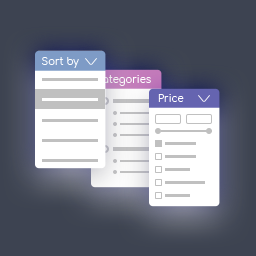
Filter products by categories, attributes, prices, and more. Elementor Compatibility. Shoppers easily find products with WooCommerce Product Filter

Product Filter for WooCommerce by WBW ranks #723 among WordPress.org plugins with 50,000+ active installations, is #78 of 12,278 in the E-commerce category, a 4.8/5 rating from 324 reviews, and was last updated Sep 9, 2026. Data from WordPress.org, refreshed twice daily — see methodology.

Compatible with WP 7.1
v3.4.4 Current Version v3.4.4
Updated 1 week ago Last Update on 09 Sep, 2026
Refreshed 7 hours ago Last Refreshed on
#78 of 12,278 in E-commerce Top 1% by installs Downloads -64.4% this week Actively maintained
View on WordPress.org
Rank
#723
No change
Active Installs
50K+
-18.4%
KW Avg Position
4.2
1.6 better
Downloads
2.8M
+637 today
Support Resolved
50%
No change
Rating
96%
Review 4.8 out of 5
4.8 (324 reviews)

Next Milestone 60K

Total Progress 69.1%
50K+ 60K+
30
Ranks to Climb
-
Growth Needed
8,000,000
Active Installs
Pro

Unlock Exact Install Count

See the precise estimated active installs for this plugin, calculated from real-time ranking data.

  • Exact install estimates within tiers
  • Track install growth over time
  • Milestone progress predictions
Upgrade to Pro
Need 3,093 more installs to reach 60K+

Rank Changes

685 703 722 741 759 09-09-2026 10-09-2026 11-09-2026 12-09-2026 13-09-2026 14-09-2026 15-09-2026 16-09-2026
685 703 722 741 759 01-09-2026 02-09-2026 03-09-2026 04-09-2026 05-09-2026 06-09-2026 07-09-2026 08-09-2026 09-09-2026 10-09-2026 11-09-2026 12-09-2026 13-09-2026 14-09-2026 15-09-2026 16-09-2026
Current #723
Change
Best #

Upgrade to Pro

Unlock 30-day and 90-day rank history charts with a Pro subscription.

Upgrade Now

Active Installs Growth

Active Installs 0,000,000+
Growth +0.0%
Peak 0,000,000

Downloads Growth

0 5K 10K 15K 09-09-2026 10-09-2026 11-09-2026 12-09-2026 13-09-2026 14-09-2026 15-09-2026 16-09-2026
0 5K 10K 15K 01-09-2026 02-09-2026 03-09-2026 04-09-2026 05-09-2026 06-09-2026 07-09-2026 08-09-2026 09-09-2026 10-09-2026 11-09-2026 12-09-2026 13-09-2026 14-09-2026 15-09-2026 16-09-2026
Downloads
Growth
Peak

Upgrade to Pro

Unlock 30-day, 90-day, and yearly download history charts with a Pro subscription.

Upgrade Now

Reviews & Ratings

4.8
324 reviews
Overall 96%
5
299 (92%)
4
6 (2%)
3
6 (2%)
2
3 (1%)
1
10 (3%)

Support Threads Overview

Resolved
Unresolved
2
Total Threads
1
Resolved
1
Unresolved
50%
Resolution Rate

Security History

Source: WPVulnerability

10 known vulnerabilities on record · 8 in the last 24 months · checked 1 week ago

  1. Product Filter for WooCommerce by WBW [woo-product-filter] < 3.1.3

    CVE-2026-39494 · Fixed in v3.1.3

  2. Product Filter for WooCommerce by WBW [woo-product-filter] < 3.1.3

    CVE-2026-3830 · Fixed in v3.1.3

  3. Product Filter for WooCommerce by WBW [woo-product-filter] < 3.1.3

    CVE-2026-3138 · Fixed in v3.1.3

  4. Product Filter for WooCommerce by WBW [woo-product-filter] < 3.0.1

    CVE-2025-11269 · Fixed in v3.0.1

  5. Product Filter for WooCommerce by WBW [woo-product-filter] < 2.9.8

    CVE-2025-8416 · Fixed in v2.9.8

  6. Product Filter for WooCommerce by WBW [woo-product-filter] < 2.8.0

    CVE-2025-2317 · Fixed in v2.8.0

  7. Product Filter for WooCommerce by WBW [woo-product-filter] < 2.7.1

    CVE-2024-49691 · Fixed in v2.7.1

  8. Product Filter for WooCommerce by WBW [woo-product-filter] < 1.5.0

    CVE-2021-4444 · Fixed in v1.5.0

  9. Product Filter for WooCommerce by WBW [woo-product-filter] < 2.5.1

    CVE-2023-50877 · Fixed in v2.5.1

  10. Product Filter for WooCommerce by WBW [woo-product-filter] < 1.5.0

    CVE-2021-4444 · Fixed in v1.5.0

TL;DR

AI summary of the plugin's readme

This plugin is for WooCommerce store owners who want customers to be able to narrow down product listings on their storefront. It solves the problem of shoppers struggling to find products by adding customizable filters for price, categories, attributes, tags, and other criteria, with AJAX-based instant results and Elementor integration.

  • Price and price range filters
  • Category and tag filters
  • Attribute filters with icons
  • AJAX live search
  • Elementor integration
  • Filter statistics section
  • Live preview of results
  • Sorting by price, popularity, rating

Frequently Asked Questions

Common questions about Product Filter for WooCommerce by WBW

We have all the necessary options in one plugin. You can start to try them now, following this clarification. It's really easy to make the required settings and add Filter Plugin to your online store. To manage with an installation and plugin settings, check the tutorial Main Settings
Now there is an ability to sort results by popularity, rating, newness, a price low to high and vice versa, randomly, by name, or by default order.
Depending on the type and specificity of the filter, you can configure: Filter title and description. Way to display a filter label on the page: no label, show as close/opened. Type: checkbox list/drop-down, multiple drop-down or icons. Drop-down label. Set a drop-down first option text. Show search and more.
After creating the filter you can add a filer it in 2 ways: with shortcode and PHP code ( you can find them under the settings tab) or add WBW Product Filter widget. Input shortcode Copy Shortcode and paste it to your website content. Product Filter plugin will display the filter you created on the appropriate post/page using settings you tuned in this filter. Filter PHP code PHP code can be inserted at any place of the page code to display exactly in this place, for example in the header or footer of the page. Display Widget In case you are utilizing Product Filter in your internet store sidebar, Product Filter Widget can also be included. To display the Product Filter on a sidebar, move to the WP Admin > Appearance > Widgets. Expand the sidebar dropdown option then drag and drop the Filter widget. Select the filter you need to display and Save.
WooCommerce Product Filter is fully compatible and responsive! A plugin is working and displaying perfectly on tablets or phones, making it easy and convenient for customers to enjoy their shopping time and make purchases on all devices.
On the standard site, customers have to scroll a lot of pages and links to find a product. It is an exhausted and time-consuming process, and there is where the product filtering comes. This feature allows users to find their route to a product, tuning different characteristics. You can read about How to make the filtering works in the best way and find the tips Where to place a filter bar, how to display filters, how to present the most relative filters and not overload, customers.
If you have problems with the work of plugin or something is not working as it should follow these steps: * Test the plugin with a WordPress default theme, to be sure that the error is not caused by the theme you are currently using. * Deactivate all plugins you are using and check if the problem is still occurring. * Ensure that plugin version, theme version, and WordPress are updated and the problem has not already been solved in a later plugin update. If none of this advice helps you, contact us via support form on our websiteand describe your problem.
You may help us translate the plugin into your language and get the PRO version of the plugin for free as soon as it is released. If this method seems to be too complicated, please send us a request and we will let you know as soon as the WBW Filter plugin will be available in your localization.
Please report security bugs found in the source code of the plugin through the Patchstack Vulnerability Disclosure Program. The Patchstack team will assist you with verification, CVE assignment, and notify the developers of this plugin. External Services This plugin connects to an external server provided by WooBewoo (woobewoo.com) to handle the following admin-side forms. No data is ever sent automatically — these requests only occur when an administrator explicitly submits one of the forms below from within the WordPress admin panel. Contact Us form: Sends the administrator's name, email address, subject, message, site URL, and plugin version to woobewoo.com. Subscribe form: Sends the administrator's email address and site URL to woobewoo.com. Rating form: Sends the administrator's email address, rating score, feedback message, and site URL to woobewoo.com. Terms of Service | Privacy Policy This plugin may communicate with the following third-party services: Google Fonts (https://fonts.googleapis.com) — Loaded only when a Google Font is explicitly selected in the plugin's design settings. No data is sent to Google; the request is a standard CSS font-stylesheet fetch. Google Privacy Policy.

More plugins by WBW Plugins

Sign In / Register

You need to sign in or register to use this feature.