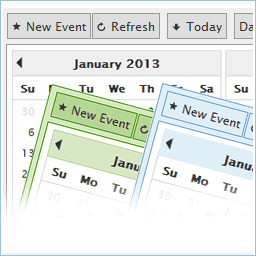
CP Multi View Events Calendar
by CodePeople 4.3 (46 reviews)

CP Multi View Events Calendar

A powerful and flexible WordPress event calendar plugin that lets you display your events in multiple calendar views, just like Google Calendar.

Compatible with WP 6.9
v1.4.34 Current Version v1.4.34
Updated 1 month ago Last Update on 11 Dec, 2025
Synced 15 hours ago Last Synced on
Rank
#7,035
No change
Active Installs
1K+
-17.1%
KW Avg Position
189
+2 better
Downloads
306.5K
+4 today
Support Resolved
0%
No change
Rating
86%
Review 4.3 out of 5
4.3 (46 reviews)

Next Milestone 2K

Total Progress 15.1%
1K+ 2K+
1,651
Ranks to Climb
-
Growth Needed
8,000,000
Active Installs
Pro

Unlock Exact Install Count

See the precise estimated active installs for this plugin, calculated from real-time ranking data.

  • Exact install estimates within tiers
  • Track install growth over time
  • Milestone progress predictions
Upgrade to Pro
Need 849 more installs to reach 2K+

Rank Changes

6,999 7,010 7,022 7,033 7,044 13-01-2026 14-01-2026 15-01-2026 16-01-2026 17-01-2026 18-01-2026 19-01-2026 20-01-2026
6,993 7,006 7,019 7,032 7,045 05-01-2026 06-01-2026 07-01-2026 08-01-2026 09-01-2026 10-01-2026 11-01-2026 12-01-2026 13-01-2026 14-01-2026 15-01-2026 16-01-2026 17-01-2026 18-01-2026 19-01-2026 20-01-2026
6,952 6,976 7,001 7,026 7,050 21-12-2025 22-12-2025 23-12-2025 24-12-2025 25-12-2025 26-12-2025 27-12-2025 28-12-2025 29-12-2025 30-12-2025 31-12-2025 01-01-2026 02-01-2026 03-01-2026 04-01-2026 05-01-2026 06-01-2026 07-01-2026 08-01-2026 09-01-2026 10-01-2026 11-01-2026 12-01-2026 13-01-2026 14-01-2026 15-01-2026 16-01-2026 17-01-2026 18-01-2026 19-01-2026 20-01-2026
6,942 6,970 6,997 7,024 7,052 22-10-2025 23-10-2025 24-10-2025 25-10-2025 26-10-2025 27-10-2025 28-10-2025 29-10-2025 30-10-2025 31-10-2025 01-11-2025 02-11-2025 03-11-2025 04-11-2025 05-11-2025 06-11-2025 07-11-2025 08-11-2025 09-11-2025 10-11-2025 11-11-2025 12-11-2025 13-11-2025 14-11-2025 15-11-2025 16-11-2025 17-11-2025 18-11-2025 19-11-2025 20-11-2025 21-11-2025 22-11-2025 23-11-2025 24-11-2025 25-11-2025 26-11-2025 27-11-2025 28-11-2025 29-11-2025 30-11-2025 01-12-2025 02-12-2025 03-12-2025 04-12-2025 05-12-2025 06-12-2025 07-12-2025 08-12-2025 09-12-2025 10-12-2025 11-12-2025 12-12-2025 13-12-2025 14-12-2025 15-12-2025 16-12-2025 17-12-2025 18-12-2025 19-12-2025 20-12-2025 21-12-2025 22-12-2025 23-12-2025 24-12-2025 25-12-2025 26-12-2025 27-12-2025 28-12-2025 29-12-2025 30-12-2025 31-12-2025 01-01-2026 02-01-2026 03-01-2026 04-01-2026 05-01-2026 06-01-2026 07-01-2026 08-01-2026 09-01-2026 10-01-2026 11-01-2026 12-01-2026 13-01-2026 14-01-2026 15-01-2026 16-01-2026 17-01-2026 18-01-2026 19-01-2026 20-01-2026
Current #7,035
Change
Best #

Upgrade to Pro

Unlock 30-day and 90-day rank history charts with a Pro subscription.

Upgrade Now

Active Installs Growth

Active Installs 0,000,000+
Growth +0.0%
Peak 0,000,000

Downloads Growth

0 10 20 13-01-2026 14-01-2026 15-01-2026 16-01-2026 17-01-2026 18-01-2026 19-01-2026 20-01-2026
0 10 20 05-01-2026 06-01-2026 07-01-2026 08-01-2026 09-01-2026 10-01-2026 11-01-2026 12-01-2026 13-01-2026 14-01-2026 15-01-2026 16-01-2026 17-01-2026 18-01-2026 19-01-2026 20-01-2026
0 10 20 30 21-12-2025 22-12-2025 23-12-2025 24-12-2025 25-12-2025 26-12-2025 27-12-2025 28-12-2025 29-12-2025 30-12-2025 31-12-2025 01-01-2026 02-01-2026 03-01-2026 04-01-2026 05-01-2026 06-01-2026 07-01-2026 08-01-2026 09-01-2026 10-01-2026 11-01-2026 12-01-2026 13-01-2026 14-01-2026 15-01-2026 16-01-2026 17-01-2026 18-01-2026 19-01-2026 20-01-2026
0 50 100 150 200 250 300 22-10-2025 25-10-2025 28-10-2025 31-10-2025 03-11-2025 06-11-2025 09-11-2025 12-11-2025 15-11-2025 18-11-2025 21-11-2025 24-11-2025 27-11-2025 30-11-2025 03-12-2025 06-12-2025 09-12-2025 12-12-2025 15-12-2025 18-12-2025 21-12-2025 24-12-2025 27-12-2025 30-12-2025 02-01-2026 05-01-2026 08-01-2026 11-01-2026 14-01-2026 17-01-2026 20-01-2026
0 100 200 300 400 500 20-01-2025 01-02-2025 13-02-2025 25-02-2025 09-03-2025 21-03-2025 02-04-2025 14-04-2025 26-04-2025 08-05-2025 20-05-2025 01-06-2025 13-06-2025 25-06-2025 07-07-2025 19-07-2025 31-07-2025 12-08-2025 24-08-2025 05-09-2025 17-09-2025 29-09-2025 11-10-2025 23-10-2025 04-11-2025 16-11-2025 28-11-2025 10-12-2025 22-12-2025 03-01-2026 15-01-2026 20-01-2026
Downloads
Growth
Peak

Upgrade to Pro

Unlock 30-day, 90-day, and yearly download history charts with a Pro subscription.

Upgrade Now

Reviews & Ratings

4.3
46 reviews
Overall 86%
5
32 (70%)
4
7 (15%)
3
1 (2%)
2
1 (2%)
1
5 (11%)

Tracked Keywords

Showing 1 of 1
Keyword Position Change Type Updated
calendars 189 Tag 16 hours ago

Unlock Keyword Analytics

Track keyword rankings, search positions, and discover new ranking opportunities with a Pro subscription.

  • Full keyword position tracking
  • Historical ranking data
  • Competitor keyword analysis
Upgrade to Pro

Track This Plugin

Get detailed analytics, keyword tracking, and position alerts delivered to your inbox.

Start Tracking Free

Plugin Details

Version
1.4.34
Last Updated
Dec 11, 2025
Requires WP
3.0.5+
Tested Up To
6.9
PHP Version
N/A
Author
CodePeople

Support & Rating

Rating
★ ★ ★ ★ ☆ 4.3
Reviews
46
Support Threads
0
Resolved
0%

Keywords

Upgrade to Pro

Unlock keyword rankings, search positions, and detailed analytics with a Pro subscription.

Upgrade Now

Frequently Asked Questions

Common questions about CP Multi View Events Calendar

https://wordpress.dwbooster.com/calendars/cp-multi-view-calendar
🎨 Can I customize how the calendar looks?
Absolutely. You can use custom CSS, choose predefined themes, or tweak display options for buttons, colors, start day of the week, and more.
⚙️ How do I add events to the calendar?
Go to WordPress Dashboard → CP Multi View Event Calendar → Admin Calendar Data. From there you can add, edit, or delete events.
Optionally, enable front-end editing to let users add or edit events directly from the public event calendar.
How show the entire title on month,week and day view?
Add this CSS rule into the "Customization area >> Add Custom Styles" (at the bottom of the page that contains the list of calendars):
multicalendar .rb-i{white-space:normal}
date_box_with_color_in_nmonth_view:true

The parameters should be added into the "Other Parameters" box. These parameters must be comma separated and will overwrite the initial configuration selected.

The "Other Parameters" box can be found in the following location (link to image):

https://wordpress.dwbooster.com/UserFiles/Image/cp-multiview-calendar/additional-parameters.gif
👥 How to allow edition on the public calendar only for some registered users?
If you want to setup the calendar editable only by some users in the public website then publish a view of the calendar in a private page (restrict the access to the page with the calendar with "Edition" enabled).

You can have multiple views of the same event calendar, one for read-only public access and another view with edition enabled on a private page accessible only by registered users.

Note that there are two different concepts here:

An event calendar: This is a unit of information and events. The events aren't shared with other calendars.
An event calendar's view: This is the way a calendar is displayed. The same event calendar can have multiple views in the same page or in different pages. Since the calendar unit is the same, the data is shared between all views but the visual settings and features can be different.

See also this other FAQ entry about additional permissions settings: https://wordpress.dwbooster.com/faq/cp-multi-view-calendar#q205
How show the entire title on month,week and day view on the event calendar?
Add this CSS rule into the "Customization area >> Add Custom Styles" (at the bottom of the page that contains the list of calendars):
Can I change the event calendar plugin date format to DD/MM/YYYY?
The date format is automatically defined with each language to the proper values, however if you want to overwrite those settings open your plugin language file "wp-content\plugins\cp-multi-view-calendar\DC_MultiViewCal\language\multiview_lang_xx-XX.js", where xx-XX in the file name is your language identifier and into that file modify the items marked below:

"fulldaykey": "MMddyyyy",
"fulldayshow": "L d yyyy",
"fulldayvalue": "M/d/yyyy",
"Md": "W M/d",
"nDaysView": "M/d",
"Md3": "L d",
"separator": "/",
"year_index": 2,
"month_index": 0,
"day_index": 1,

... to this:

"fulldaykey": "ddMMyyyy",
"fulldayshow": "d L yyyy",
"fulldayvalue": "d/M/yyyy",
"Md": "W d/M",
"nDaysView": "d/M",
"Md3": "d L",
"separator": "/",
"year_index": 2,
"month_index": 1,
"day_index": 0,

Sign In / Register

You need to sign in or register to use this feature.