by Jan Zeman
1 (1 reviews)
Shared Albums for Google Photos (by JanZeman)
Display publicly shared Google Photos albums with a modern, responsive Swiper-based gallery viewer.
Compatible with WP 6.9
v1.0.0
Current Version v1.0.0
Updated 2 weeks ago
Last Update on 26 Jan, 2026
Refreshed 16 hours ago
Last Refreshed on
Rank
#54,703
—
No change
Active Installs
1+
—
No change
KW Avg Position
151.5
—
No change
Downloads
18
+1 today
Support Resolved
0%
—
No change
Rating
20%
Review 1 out of 5
1
(1 reviews)
Next Milestone 10
0+
10+
30,309
Ranks to Climb
-
Growth Needed
8,000,000
Active Installs
Pro
Unlock Exact Install Count
See the precise estimated active installs for this plugin, calculated from real-time ranking data.
- Exact install estimates within tiers
- Track install growth over time
- Milestone progress predictions
Need 9 more installs to reach 10+
Rank Changes
Current
#54,703
Change
Best
#
Downloads Growth
Downloads
Growth
Peak
Upgrade to Pro
Unlock 30-day, 90-day, and yearly download history charts with a Pro subscription.
Upgrade NowReviews & Ratings
1.0
1 reviews
Overall
20%
5
0
(0%)
4
1
(100%)
3
0
(0%)
2
0
(0%)
1
0
(0%)
Tracked Keywords
Showing 2 of 2| Keyword | Position | Change | Type | Updated |
|---|---|---|---|---|
| album | 137 | — | Tag | 19 hours ago |
| Google Photos | 166 | — | Tag | 19 hours ago |
Unlock Keyword Analytics
Track keyword rankings, search positions, and discover new ranking opportunities with a Pro subscription.
- Full keyword position tracking
- Historical ranking data
- Competitor keyword analysis
Track This Plugin
Get detailed analytics, keyword tracking, and position alerts delivered to your inbox.
Start Tracking FreePlugin Details
- Version
- 1.0.0
- Last Updated
- Jan 26, 2026
- Requires WP
- 5.0+
- Tested Up To
- 6.9
- PHP Version
- 7.0 or higher
- Author
- Jan Zeman
Support & Rating
- Rating
- ★ ☆ ☆ ☆ ☆ 1
- Reviews
- 1
- Support Threads
- 0
- Resolved
- 0%
Keywords
Upgrade to Pro
Unlock keyword rankings, search positions, and detailed analytics with a Pro subscription.
Upgrade NowSimilar Plugins

WP Adminify – White Label WordPress, Admin Menu Editor, Login Customizer
7K+ installs
#2,730
Master Addons For Elementor – White Label, Free Widgets, Hover Effects, Conditions, & Animations
30K+ installs
#938
Firelight Lightbox
200K+ installs
#255
Performance Lab
200K+ installs
#272
Photo Gallery by 10Web – Mobile-Friendly Image Gallery
200K+ installs
#275
Frequently Asked Questions
Common questions about Shared Albums for Google Photos (by JanZeman)
No, the album must be shared publicly via a link. Google Photos does not provide API access to private albums without OAuth authentication.
The plugin can handle up to 300 photos per album. This is a limitation from Google Photos, which typically returns around 300 photos in the initial page load. For performance and stability reasons, very old iOS devices using legacy WebKit may automatically be limited to 25 photos on the client side, even if the server-side limit is higher. All other platforms (desktop, Android, modern iOS/iPadOS) can use the full per-album limit you configure.
If you see a yellow warning banner above your gallery, it means you're using a short link (photos.app.goo.gl). Current status: Short links still work but this format might stop working in the future.
No. The plugin uses lazy loading (only loads visible images) and caches the gallery HTML for 24 hours. The Swiper library is bundled locally for optimal performance.
Yes! You can override the CSS by adding custom styles to your theme. The main container class is .jzsa-album.
Absolutely! The gallery is fully responsive and supports touch gestures (swipe, pinch-to-zoom).
When enabled with show-download-button="true", a download button appears in the top-left corner. Clicking it downloads the current full-resolution photo to your device. The download uses a server-side proxy to bypass CORS restrictions from Google Photos.
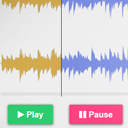
In fullscreen mode, a play/pause button appears above the photo counter at the bottom center. Click it or press the spacebar to toggle autoplay on/off. The button shows a play icon (▶) when paused and a pause icon (⏸) when playing. This works regardless of the full-screen-autoplay setting - if autoplay is disabled, the button lets you start it manually.
The cache is automatically cleared when you save the post, so changes take effect immediately.
The plugin provides clear feedback: Warnings (gallery still works): - Short link detected: Yellow warning banner appears above the gallery Errors (gallery won't display): - Invalid URL: Not a valid Google Photos link - Album is private or link expired: "Unable to Load Album" error - Empty album: "No Photos Found" error