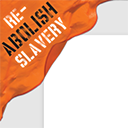
Re-Abolish Slavery Ribbon
by Ian Dunn 0 (0 reviews)

Re-Abolish Slavery Ribbon

Adds a "re-abolish slavery" ribbon to the top left or top right corner of your site, which links to the Not For Sale campaign.

Re-Abolish Slavery Ribbon ranks #46,482 among WordPress.org plugins with 10+ active installations, is #167 of 483 in the Education & Support category, and was last updated Jul 16, 2016. Data from WordPress.org, refreshed twice daily — see methodology.

Tested up to WP 4.6.30 (Current: 7.1.2)
v1.0.6 Current Version v1.0.6
Updated 10 years ago Last Update on 16 Jul, 2016
Refreshed 6 hours ago Last Refreshed on
#167 of 483 in Education & Support Top 50% by installs No update in over a year
View on WordPress.org
Rank
#46,482
No change
Active Installs
10+
-37.5%
KW Avg Position
2
No change
Downloads
5.8K
+2 today
Support Resolved
0%
No change
Rating
0%
Review 0 out of 5
0 (0 reviews)

Next Milestone 20

Total Progress 0%
10+ 20+
33,220
Ranks to Climb
-
Growth Needed
8,000,000
Active Installs
Pro

Unlock Exact Install Count

See the precise estimated active installs for this plugin, calculated from real-time ranking data.

  • Exact install estimates within tiers
  • Track install growth over time
  • Milestone progress predictions
Upgrade to Pro
Need 10 more installs to reach 20+

Rank Changes

31,887 36,218 40,549 44,879 49,210 16-09-2026 17-09-2026 18-09-2026 19-09-2026 20-09-2026 21-09-2026 22-09-2026 23-09-2026
31,808 36,161 40,514 44,867 49,220 08-09-2026 09-09-2026 10-09-2026 11-09-2026 12-09-2026 13-09-2026 14-09-2026 15-09-2026 16-09-2026 17-09-2026 18-09-2026 19-09-2026 20-09-2026 21-09-2026 22-09-2026 23-09-2026
Current #46,482
Change
Best #

Upgrade to Pro

Unlock 30-day and 90-day rank history charts with a Pro subscription.

Upgrade Now

Active Installs Growth

Active Installs 0,000,000+
Growth +0.0%
Peak 0,000,000

Downloads Growth

0 10 16-09-2026 17-09-2026 18-09-2026 19-09-2026 20-09-2026 21-09-2026 22-09-2026 23-09-2026
0 10 08-09-2026 09-09-2026 10-09-2026 11-09-2026 12-09-2026 13-09-2026 14-09-2026 15-09-2026 16-09-2026 17-09-2026 18-09-2026 19-09-2026 20-09-2026 21-09-2026 22-09-2026 23-09-2026
Downloads
Growth
Peak

Upgrade to Pro

Unlock 30-day, 90-day, and yearly download history charts with a Pro subscription.

Upgrade Now

Reviews & Ratings

0.0
0 reviews
Overall 0%
5
0 (0%)
4
0 (0%)
3
0 (0%)
2
0 (0%)
1
0 (0%)

Frequently Asked Questions

Common questions about Re-Abolish Slavery Ribbon

Make sure your theme's footer.php calls wp_footer() just before the closing </body> tag. If it is, start a post in the support forums (see below for details).
There is an option to control whether it does or not, but be aware that forcing links to open in a new window violates web standards. Please consider leaving it off.
You can go to the General Settings page and check the 'Move to Bottom on Small Screens' box. That will move the ribbon to the bottom of the page for smartphones and other devices with small screens. Note that this won't work in Internet Explorer 8 or below, because they don't support modern web standards.
I don't want to take any donations for myself, but if you'd like to give something please consider making a donation to the Not For Sale campaign directly, or buying something from their store.
Read the answers on this page. Check the support forum, because your problem may already have been answered there, and if not, the answer you get will help others in the future. If you still need help, then first follow these instructions: Disable all other plugins and switch to the default theme, then check if the problem is still happening. If it isn't, then the problem may actually be with your theme or other plugins you have installed. If the problem is still happening, then start a new thread in the forum with a detailed description of your problem and the URL to your site. Tag the post with re-abolish-slavery-ribbon so that I get an e-mail notification. If you use the link above it'll automatically tag it for you. Check the 'Notify me of follow-up posts via e-mail' box so you won't miss any replies. I monitor the forums and will respond as my schedule permits.
You can send me feedback/comments/suggestions using the contact form on my website, and I'll respond as my schedule permits. Please don't use this if you're having trouble using the plugin; use the support forums instead (see above question for details).
Yes, there are filters for changing the image and URL that it links to. Here's an example: add_filter( 'rasr_image_location', 'rasr_replace_image' ); function rasr_replace_image( $image_location ) { // Example 1: Using an image from the Media Library. 28 is the ID of the attachment. Use wp_get_attachment_image_src to specific a thumbnail size. $image_location = wp_get_attachment_url( 28 ); // Example 2: Using a direct URL, which can link to either a local or remote image. Keep in mind hotlinking to remote images is considered a bad practice. // $image_location = 'http://example.org/image.png'; return $image_location; } add_filter( 'rasr_image_link_url', 'rasr_replace_image_link' ); function rasr_replace_image_link( $image_link_url ) { return 'http://example.org'; } Add that code to a functionality plugin and modify it to fit your needs.

More plugins by Ian Dunn

Sign In / Register

You need to sign in or register to use this feature.







