YITH WooCommerce Ajax Product Filter
by YITHEMES 3.5 (98 reviews)

YITH WooCommerce Ajax Product Filter

YITH WooCommerce Ajax Product Filter offers you the perfect way to filter all products of your WooCommerce shop.

YITH WooCommerce Ajax Product Filter ranks #576 among WordPress.org plugins with 70,000+ active installations, is #95 of 8,549 in the Customization category, a 3.5/5 rating from 98 reviews, and was last updated Aug 26, 2026. Data from WordPress.org, refreshed twice daily — see methodology.

Compatible with WP 7.1
v5.23.0 Current Version v5.23.0
Updated 3 weeks ago Last Update on 26 Aug, 2026
Refreshed 17 hours ago Last Refreshed on
#95 of 8,549 in Customization Top 1% by installs Downloads -38.4% this week Actively maintained
View on WordPress.org
Rank
#576
No change
Active Installs
70K+
-10.6%
KW Avg Position
7.8
No change
Downloads
5.2M
+404 today
Support Resolved
0%
No change
Rating
70%
Review 3.5 out of 5
3.5 (98 reviews)

Next Milestone 80K

Total Progress 70.2%
70K+ 80K+
17
Ranks to Climb
-
Growth Needed
8,000,000
Active Installs
Pro

Unlock Exact Install Count

See the precise estimated active installs for this plugin, calculated from real-time ranking data.

  • Exact install estimates within tiers
  • Track install growth over time
  • Milestone progress predictions
Upgrade to Pro
Need 2,983 more installs to reach 80K+

Rank Changes

545 560 575 590 605 11-09-2026 12-09-2026 13-09-2026 14-09-2026 15-09-2026 16-09-2026 17-09-2026 18-09-2026
545 561 576 591 607 03-09-2026 04-09-2026 05-09-2026 06-09-2026 07-09-2026 08-09-2026 09-09-2026 10-09-2026 11-09-2026 12-09-2026 13-09-2026 14-09-2026 15-09-2026 16-09-2026 17-09-2026 18-09-2026
Current #576
Change
Best #

Upgrade to Pro

Unlock 30-day and 90-day rank history charts with a Pro subscription.

Upgrade Now

Active Installs Growth

Active Installs 0,000,000+
Growth +0.0%
Peak 0,000,000

Downloads Growth

250 300 350 400 450 500 550 11-09-2026 12-09-2026 13-09-2026 14-09-2026 15-09-2026 16-09-2026 17-09-2026 18-09-2026
200 300 400 500 600 700 800 03-09-2026 04-09-2026 05-09-2026 06-09-2026 07-09-2026 08-09-2026 09-09-2026 10-09-2026 11-09-2026 12-09-2026 13-09-2026 14-09-2026 15-09-2026 16-09-2026 17-09-2026 18-09-2026
Downloads
Growth
Peak

Upgrade to Pro

Unlock 30-day, 90-day, and yearly download history charts with a Pro subscription.

Upgrade Now

Reviews & Ratings

3.5
98 reviews
Overall 70%
5
57 (58%)
4
4 (4%)
3
2 (2%)
2
4 (4%)
1
31 (32%)

Support Threads Overview

Resolved
Unresolved
1
Total Threads
0
Resolved
1
Unresolved
0%
Resolution Rate

TL;DR

AI summary of the plugin's readme

This plugin is for WooCommerce store owners who want customers to be able to filter their product catalog. It solves the problem of visitors leaving a shop because they can't easily narrow down or find the products they're looking for.

  • Filter by product categories
  • Filter by tags
  • Filter by product attributes
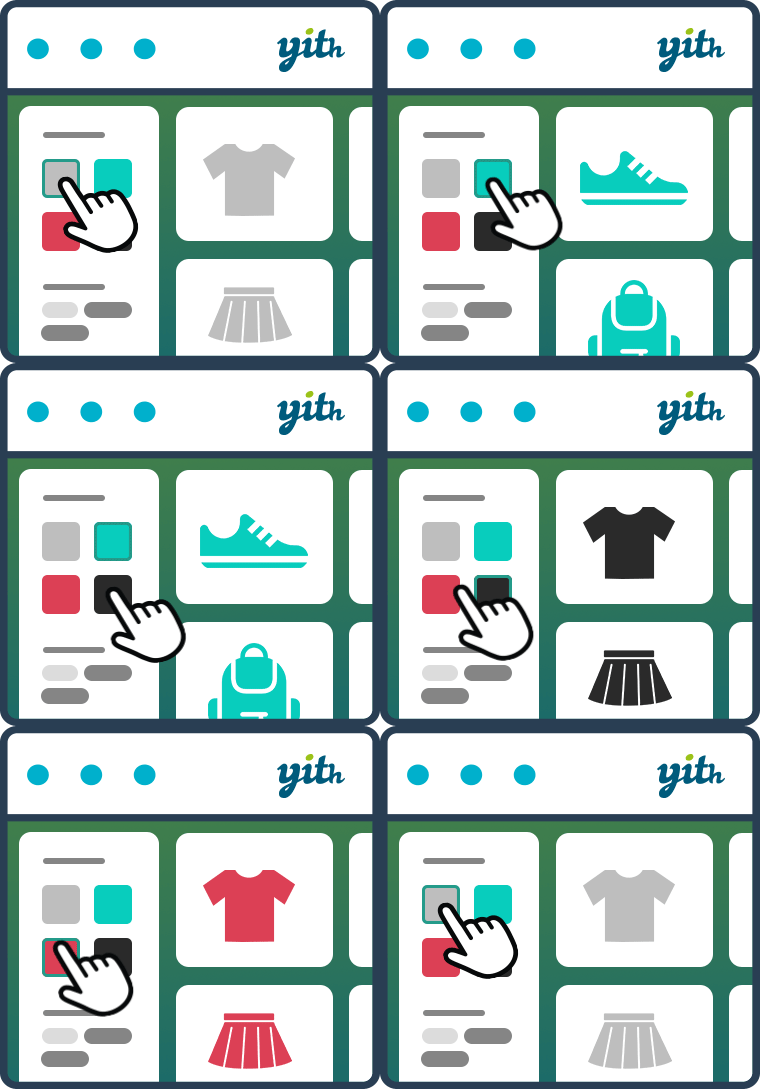
  • Checkbox, select, text, color swatches
  • Multiple filter presets
  • Widget, shortcode, Gutenberg block
  • AND/OR multiple selections
  • Reset Filters button

Frequently Asked Questions

Common questions about YITH WooCommerce Ajax Product Filter

Widgets will continue to work with the 4.x version, and we will continue to support them in the upcoming plugin versions. We encourage you to give the Preset system a try and, if you like it, to switch from widgets to Presets (we even included a tool to help you transition to the new system) We will eventually deprecate old widgets, but we will make sure to notify everyone before this happens :)
It will be as easy as clicking a button: when updating to version 4.x, if you’re already using the plugin’s widgets, the system will automatically add a note in presets pages Clicking on that note, you’ll be able to run our automatic conversion tool to create preset from your current sidebar configuration. After creating presets, you’ll just need to use the YITH AJAX Filter Preset widget in your sidebar, replacing previous widgets, and selecting the desired presets. If you accidentally hide the Upgrade popup, don’t worry: you can run the same process from WooCommerce -> Status -> Tools You can read more about the upgrade process here
The chances are that you’ve already seen it in some store, given its great adoption :) The best way to test the full functionality is on our Live demo, where you’ll be able to create your test-environment and try every option of the plugin If you want more, you could also look at our premium version here I’ve installed your plugin, but not all selected filters are appearing on the frontend Our plugin automatically hides filters that don’t have any matching item with current product selection (this mostly work on shop-pages or product taxonomies) If you think filters are incorrect, you could try to clear plugin transients, visiting WooCommerce -> Status -> Tools and using the dedicated button. I’ve installed your plugin, and now I’m missing some products from my shop page Our plugin doesn’t change the product list until a filter is activated If you feel something is strange with your current product selection, you should try to clear plugin transients, visiting WooCommerce -> Status -> Tools and using the dedicated button.
Compatibility with all themes is impossible because there are too many who don’t follow the recommended coding standards for WooCommerce, but generally if themes are developed according to WordPress and WooCommerce guidelines, YITH plugins are compatible with them. For an optimal result, we suggest you use our plugins in conjunction with our amazing YITH Proteo theme, available for free download on WordPress.org If you find incompatibilities with your current theme, don’t hesitate to report them on the support forum, and we’ll do our best to provide official support After filtering my page breaks down/has missing elements This could be related to an incompatibility with your theme; in most cases, it could be caused by missing JS initialization after filtering, but also some template elements (such as sidebars or titles) could be missing after load We suggest you test the plugin on a default twenty theme If the problem persists, then it could be something specific with the plugin, and we invite you to report on the support forum Otherwise, the problem is most probably related to theme incompatibility; in this case, your best chance is to contact theme’s developers, but you can also report on the support forum to let us know, and give us the chance to schedule a test.
If you have problems with our WooCommerce plugins or something is not working as it should, first follow these preliminary steps: Test the plugin with a WordPress default theme, to be sure that the error is not caused by the theme you are currently using. Deactivate all plugins you are using and check if the problem is still occurring. Ensure that your plugin version, your theme version, and your WordPress and WooCommerce version (if required) are updated and that the problem you are experiencing has not already been solved in a later plugin update. If none of the previous listed actions helps you solve the problem, then, submit a ticket in the forum and describe your problem accurately, specify WordPress and WooCommerce versions you are using, and any other information that might help us solve your problem as quickly as possible. Thanks!
You can report security bugs through the Patchstack Vulnerability Disclosure Program. The Patchstack team help validate, triage and handle any security vulnerabilities. Report a security vulnerability.

More plugins by YITHEMES

Sign In / Register

You need to sign in or register to use this feature.