
Music Player for Easy Digital Downloads
by codepeople 5 (3 reviews)

Music Player for Easy Digital Downloads

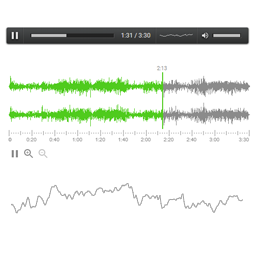
Music Player for Easy Digital Downloads includes the MediaElement.js music player in the pages of the downloads with audio files associated.

Music Player for Easy Digital Downloads ranks #12,126 among WordPress.org plugins with 200+ active installations, is #1,231 of 6,372 in the Media category, a 5/5 rating from 3 reviews, and was last updated Aug 15, 2026. Data from WordPress.org, refreshed twice daily — see methodology.

Compatible with WP 7.1.2
v1.4.9 Current Version v1.4.9
Updated 1 month ago Last Update on 15 Aug, 2026
Refreshed 8 hours ago Last Refreshed on
#1,231 of 6,372 in Media Top 25% by installs Downloads -44.4% this week
View on WordPress.org
Rank
#12,126
+14 this week
Active Installs
200+
-14.5%
KW Avg Position
37
1 worse
Downloads
30.1K
+1 today
Support Resolved
0%
No change
Rating
100%
Review 5 out of 5
5 (3 reviews)

Next Milestone 300

Total Progress 46%
200+ 300+
1,249
Ranks to Climb
-
Growth Needed
8,000,000
Active Installs
Pro

Unlock Exact Install Count

See the precise estimated active installs for this plugin, calculated from real-time ranking data.

  • Exact install estimates within tiers
  • Track install growth over time
  • Milestone progress predictions
Upgrade to Pro
Need 54 more installs to reach 300+

Rank Changes

12,086 12,110 12,135 12,160 12,184 16-09-2026 17-09-2026 18-09-2026 19-09-2026 20-09-2026 21-09-2026 22-09-2026 23-09-2026
12,056 12,145 12,235 12,324 12,413 08-09-2026 09-09-2026 10-09-2026 11-09-2026 12-09-2026 13-09-2026 14-09-2026 15-09-2026 16-09-2026 17-09-2026 18-09-2026 19-09-2026 20-09-2026 21-09-2026 22-09-2026 23-09-2026
Current #12,126
Change
Best #

Upgrade to Pro

Unlock 30-day and 90-day rank history charts with a Pro subscription.

Upgrade Now

Active Installs Growth

Active Installs 0,000,000+
Growth +0.0%
Peak 0,000,000

Downloads Growth

0 10 16-09-2026 17-09-2026 18-09-2026 19-09-2026 20-09-2026 21-09-2026 22-09-2026 23-09-2026
0 10 20 30 08-09-2026 09-09-2026 10-09-2026 11-09-2026 12-09-2026 13-09-2026 14-09-2026 15-09-2026 16-09-2026 17-09-2026 18-09-2026 19-09-2026 20-09-2026 21-09-2026 22-09-2026 23-09-2026
Downloads
Growth
Peak

Upgrade to Pro

Unlock 30-day, 90-day, and yearly download history charts with a Pro subscription.

Upgrade Now

Reviews & Ratings

5.0
3 reviews
Overall 100%
5
3 (100%)
4
0 (0%)
3
0 (0%)
2
0 (0%)
1
0 (0%)

Security History

Source: WPVulnerability

No known vulnerabilities on record for Music Player for Easy Digital Downloads. Checked 1 month ago.

TL;DR

AI summary of the plugin's readme

This plugin is for Easy Digital Downloads store owners who sell audio files and want customers to preview them on-site. It solves the problem of embedding a music player on download and store pages, with a premium option to protect audio files from unauthorized downloading.

  • Audio player for OGA, MP3, WAV, WMA
  • Multiple player skins
  • Sidebar playlist widget
  • Gutenberg playlist block
  • Elementor playlist widget
  • BeaverBuilder and Visual Composer support
  • Secure mode to prevent unauthorized downloading
  • Google Drive storage for generated files

Frequently Asked Questions

Common questions about Music Player for Easy Digital Downloads
A: If you decide to protect the audio files, the plugin creates a truncated version of the file to be used as demo and prevent that the original file be copied by unauthorized users.
A: Verify that the theme used in your website, includes the function wp_footer(); in the template file "footer.php" or the template file "index.php"
A: Go to the plugins section in WordPress, deactivate the free version of Music Player for Easy Digital Downloads, and delete it ( Don't worry, this process don't modify players configured with the free version of the plugin), and finally install and activate the premium version of plugin.
A: In the pro version of the plugin the files for demo are generated dynamically to prevent the access to the original files. Each time save the data of a download, the files for demo are deleted and generated again, so, you simply should modify the percentage of the audio file to be used for demo in the download's page.
A: The plugin uses the "copy-once" action by default, which copies the demo files to a new translation at creation time but does not overwrite them when the source is updated. To enable full sync, go to WPML -> Settings -> Custom Field Translation and change the action for "_eddmp_demos_list", "_eddmp_own_demos", and "_eddmp_direct_own_demos" from "Copy once" to "Copy". Remember to clear the WPML cache afterwards under WPML -> Support -> Troubleshooting -> Clear cache in WPML.

More plugins by codepeople

Sign In / Register

You need to sign in or register to use this feature.